
Ecommerce crawling is the process Google uses to discover store URLs, request pages, render content, follow links, and decide which URLs may move forward for indexing. Ecommerce sites are harder to crawl because products, variants, filters, pagination, search results, and tracking parameters can create thousands of URLs.
A strong crawl setup helps Google reach valuable category and product pages without wasting resources on duplicate or low-value URLs. It can support faster product discovery, fresher inventory information, and stronger organic visibility.
How Google Crawling Works on an Ecommerce Site
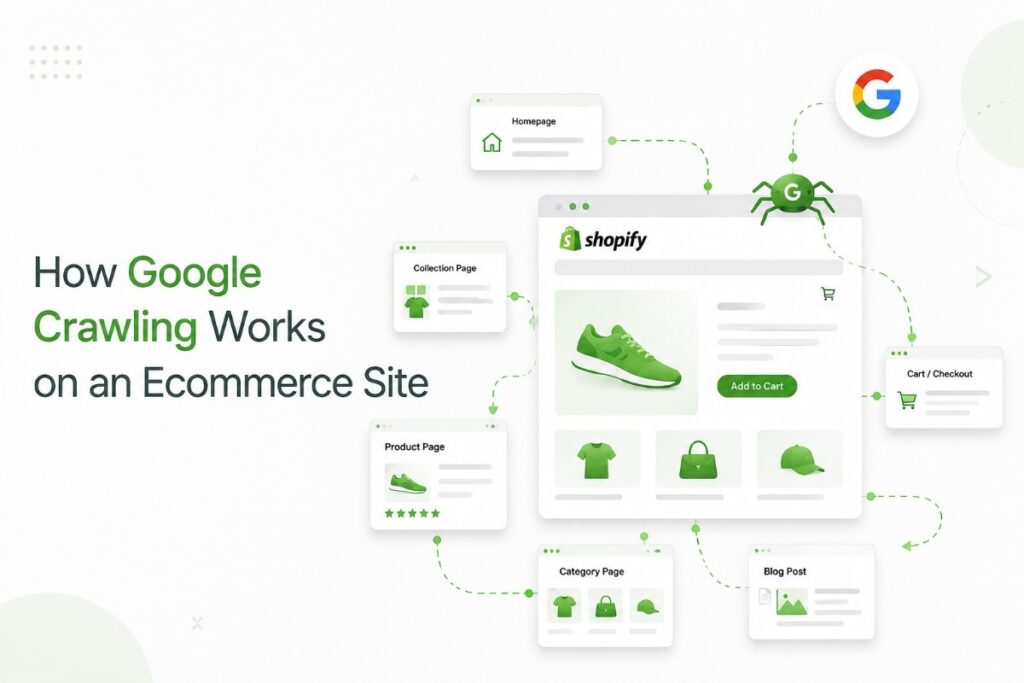
Googlebot finds ecommerce URLs through internal links, XML sitemaps, external links, and product feeds, while Google Search Console helps site owners check how Google discovers and processes those URLs. . It requests each accessible URL, checks the server response, processes the HTML, renders JavaScript when needed, and extracts more links.
Crawling does not guarantee indexing. After fetching a page, Google evaluates its content, canonical signals, duplication, quality, and search usefulness.
| Stage | What Google does | Common ecommerce risk |
| Discovery | Finds URLs through links, sitemaps, and feeds | Products exist only behind site search |
| Fetching | Requests the URL and reads the response | Slow servers, 5xx errors, or blocked resources |
| Rendering | Processes JavaScript and visible content | Details or links require user interaction |
| Link extraction | Finds more URLs | Filters create endless combinations |
| Evaluation | Selects canonicals and considers indexing | Thin variants and conflicting signals |
The guide to crawlability and indexation explains why a page can be crawlable but still absent from search results.
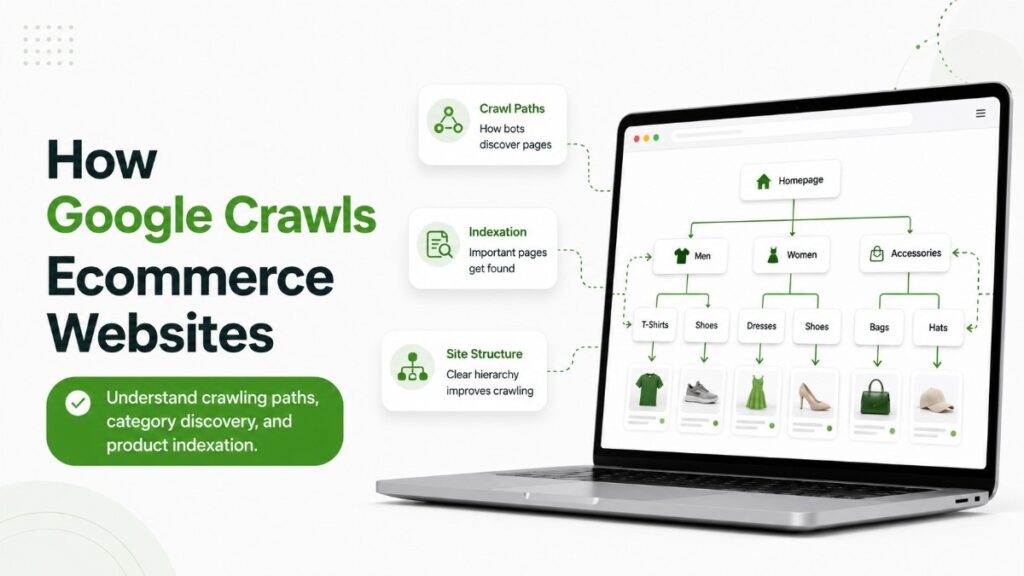
How Google Discovers Products and Categories
Google relies on crawlable links to understand store hierarchy, a principle documented in the ecommerce crawling guidance published by Google Search Central.
A clear path normally runs from the home page to departments, categories, subcategories, and products.
Use normal HTML links with an <a> element and href value. Googlebot may miss products available only through an internal search box, button, or JavaScript event.
Build Short, Consistent Crawl Paths
Place high-value categories in primary navigation. Link priority products from relevant categories, brand pages, buying guides, and seasonal landing pages.
A practical category linking strategy improves discovery while showing Google which commercial pages matter most.
| Page type | Recommended discovery path | Priority |
| Main category | Home page and primary navigation | Highest |
| Subcategory | Main category and related navigation | High |
| Product | Category, related products, and sitemap | High |
| Product variant | Main product or indexable selector | Conditional |
| Filter page | Selected category links when demand exists | Selective |
| Cart and account | User flow, not organic landing pages | Low |
Use XML Sitemaps as Support
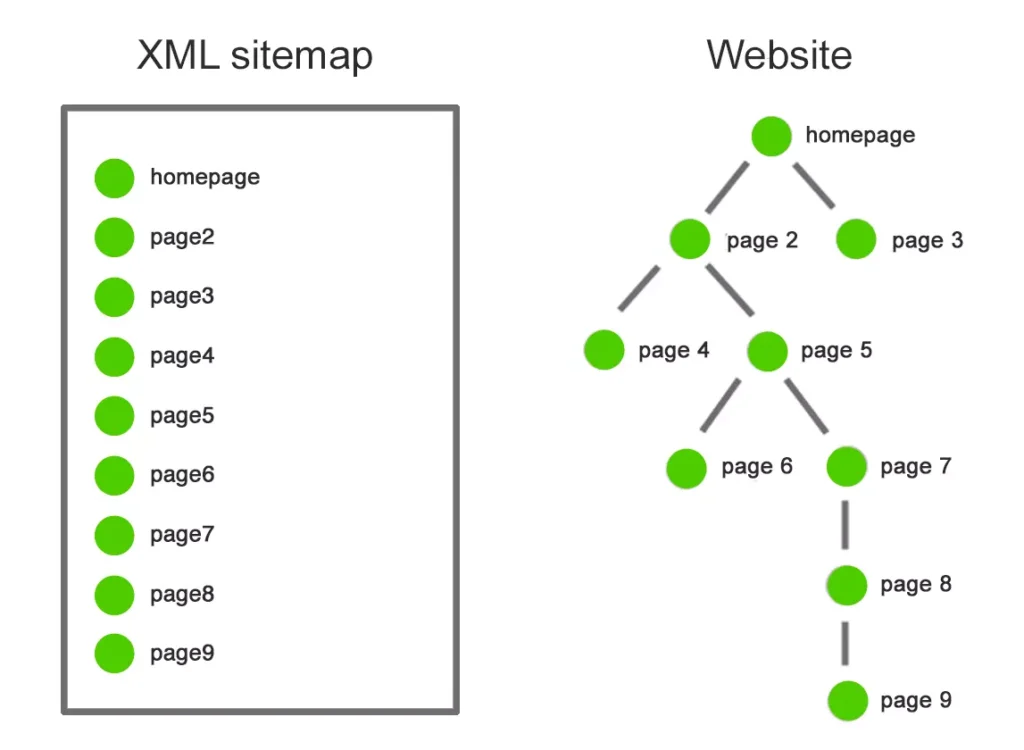
Sitemaps should contain canonical, indexable URLs that return successful responses, with submission and processing issues monitored through the sitemap reports in Google Search Console.
Separate files by page type when useful, such as products, categories, brands, and content.
Use accurate <lastmod> values only when meaningful content changes. A sitemap supports discovery, but it does not replace internal linking.
Crawl Budget and Crawl Demand
Crawl budget matters most for very large stores, fast-changing inventories, and sites with many “Discovered – currently not indexed” URLs. Google describes it through crawl capacity and crawl demand.
Crawl capacity reflects what Google can request without overloading the server. Crawl demand reflects what Google wants to recrawl based on inventory size, updates, value, popularity, and freshness.
Investigate crawl efficiency when:
- New products remain undiscovered for long periods.
- Googlebot spends heavily on filter or tracking URLs.
- Important pages receive few Googlebot requests.
- Logs show frequent 5xx or 429 responses.
- Deleted products return weak or misleading responses.
Google states that slow responses, server errors, and rate limiting can reduce crawl capacity. The guide to ecommerce performance signals provides a wider performance framework.
Control Faceted Navigation and URL Parameters
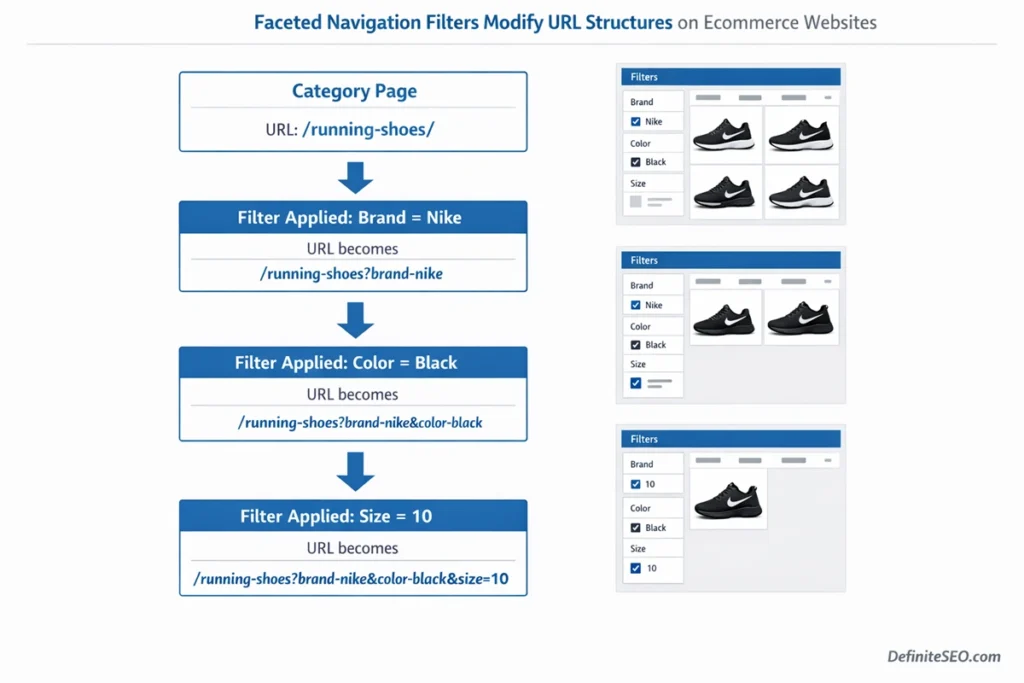
Faceted navigation lets shoppers filter by size, color, brand, price, material, or availability. Problems begin when every combination produces a crawlable URL.
A category with several filters can generate thousands of similar pages, which tools such as Screaming Frog SEO Spider or Sitebulb can identify by grouping URLs according to parameters, canonicals, directives, and crawl depth.
.Many have no search demand and compete with stronger category URLs.
Use a documented URL parameter policy to decide which combinations can be crawled, indexed, canonicalized, blocked, or removed from links.
| URL type | Typical action | Reason |
| Valuable filter with demand | Keep crawlable and self-canonical | Serves a distinct search intent |
| Sorting URL | Canonicalize or block crawling | Reorders the same inventory |
| Tracking parameter | Remove from links and canonicalize | Creates duplicate versions |
| Session or user-state URL | Prevent crawling | Produces unstable URLs |
| Empty result | Return a useful status or temporary noindex | Avoids thin pages |
| Infinite combinations | Restrict generation and crawling | Controls URL inventory |
Canonical Tags Are Not Crawl Blocks
A canonical tag is a consolidation signal. Google may still crawl duplicate URLs before comparing them.
Use robots.txt when a URL pattern should not be crawled. Use canonicals when similar pages may be crawled but should consolidate toward one preferred URL.
A careful robots.txt configuration should restrict low-value crawl paths without blocking resources needed to render important pages.
Handle Pagination and Infinite Scroll
Category pagination must expose unique URLs through crawlable links. Googlebot follows URLs in href attributes but does not behave like a shopper clicking buttons to reveal products.
For pagination:
- Give each page a unique URL.
- Link sequential pages with normal HTML links.
- Use self-referencing canonicals.
- Keep product links in rendered HTML.
- Avoid fragments for page numbers.
- Do not canonicalize every page to page one.
Infinite scroll can remain for users, but it needs a crawlable paginated series underneath.
Make JavaScript Pages Crawlable
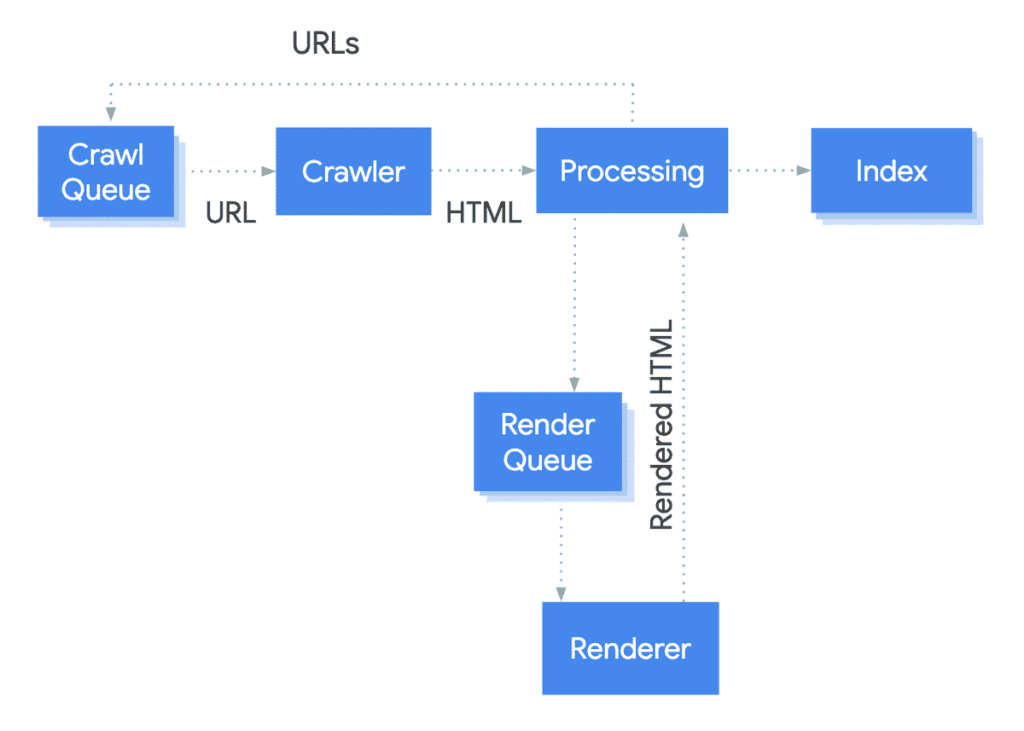
Ecommerce platforms use JavaScript for product grids, variants, reviews, personalization, and stock updates.
Google can render JavaScript, but essential elements can disappear when scripts or APIs fail, so compare Google’s rendered HTML in URL Inspection with browser requests recorded in Chrome DevTools.
Make these elements available in initial or reliably rendered HTML:
- Product name, description, price, and availability
- Canonical tag and robots directives
- Category, product, and pagination links
- Breadcrumbs and primary navigation
- Product structured data
Use real links rather than clickable <div> elements. Google recommends crawlable <a href> links and meaningful HTTP status codes for JavaScript sites.
Stores with heavy app stacks may need a Shopify SEO specialist to trace theme, app, rendering, and duplicate-URL issues together.
Manage Variants, Stock Changes, and Removed Products
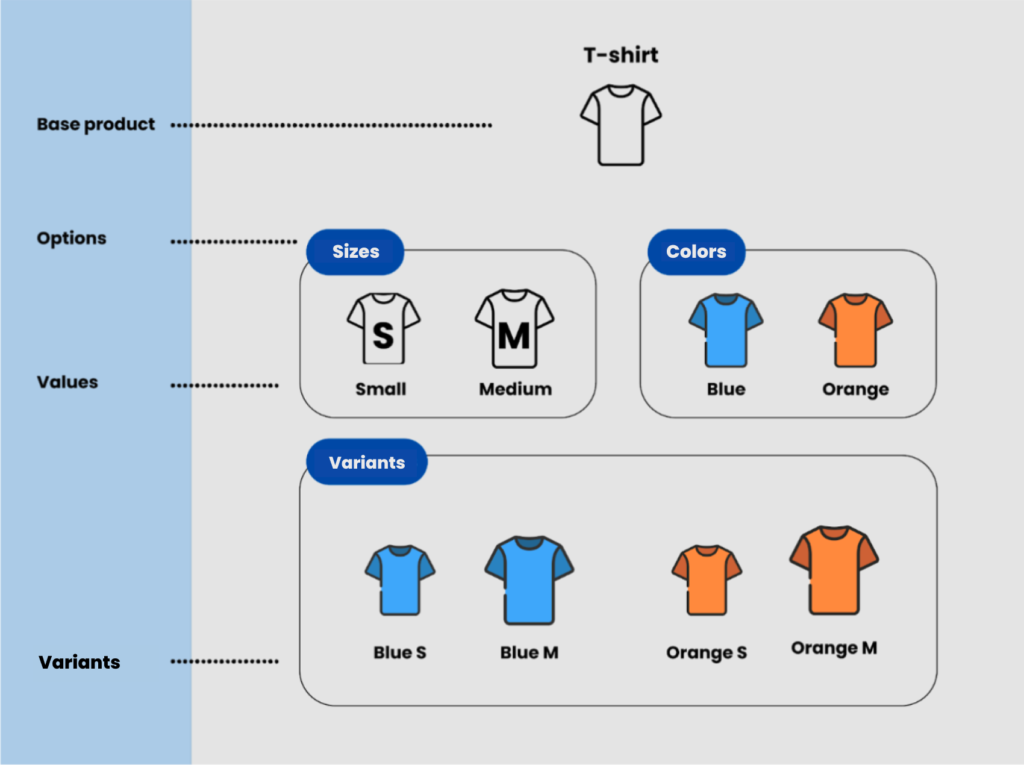
Product lifecycle rules should produce predictable URLs, status codes, canonicals, and internal-link behavior.
Product Variants
Create separate variant URLs only when people search for those variants and each page provides distinct value. Otherwise, use one canonical product page with selectable options.
Keep internal links, sitemap URLs, canonicals, and feeds consistent. Google recommends using the same preferred URL across these signals.
Temporarily Out-of-Stock Products
Keep the URL live when the product is likely to return. Preserve useful information, update availability markup, and offer alternatives or restock alerts.
Permanently Removed Products
Use a 301 redirect only when a close replacement exists. Return a true 404 or 410 when no replacement remains. Avoid redirecting every expired product to a category or home page.
A page saying “not found” while returning 200 can become a soft 404 and continue wasting crawl resources.
Use Structured Data and Product Feeds Correctly
Product structured data helps Google understand price, availability, ratings, shipping, and product identity. It can support richer search appearances, but it cannot make an inaccessible page crawlable.
Markup must match visible content, and product schema should be checked with Google’s Rich Results Test before important templates are deployed across the store.
Update price and availability when inventory changes.
A Goggle Merchant Center feed provides another discovery and freshness source when products are hard to reach through navigation. Google recommends feeds as support when crawling alone may not find every product.
How to Audit Ecommerce Crawling
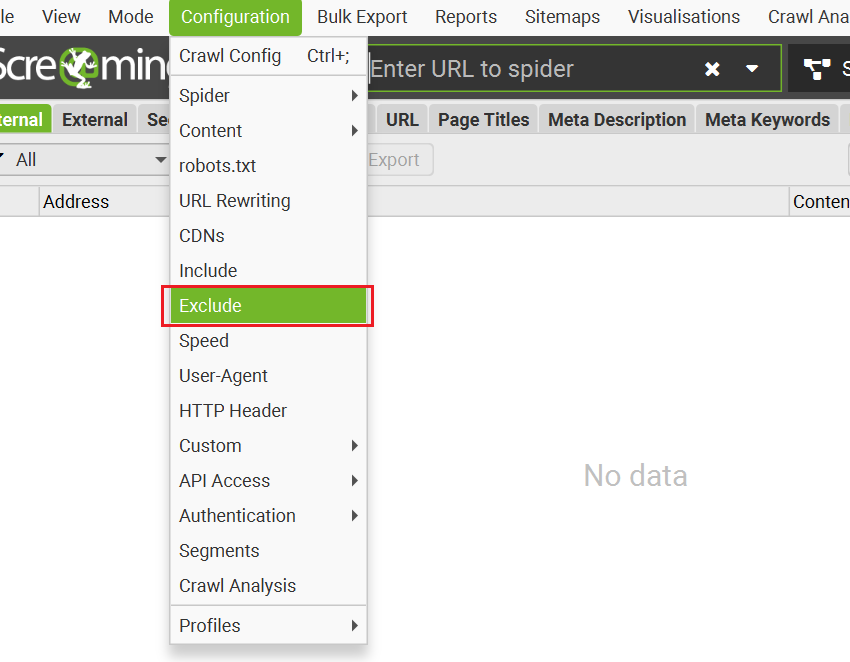
Combine Search Console, server logs, an SEO crawler, sitemap data, and rendered-page tests.
| Data source | What to check | Warning sign |
| Search Console | Indexing, crawl stats, URL inspection | Valuable templates remain undiscovered |
| Server logs | Googlebot requests and status codes | Heavy parameter crawling or repeated errors |
| SEO crawler | Depth, canonicals, directives, links | Orphans and conflicting signals |
| XML sitemaps | Canonical URLs and lastmod values | Redirects, 404s, blocked URLs |
| Rendered test | Content, links, metadata, schema | Key elements are missing |
Segment findings by product, category, filter, pagination, search, and account templates. Overall averages can hide serious problems.
The right ecommerce SEO tools help, but each finding must connect to a crawl decision and business impact.
Practical Audit Sequence
- Export URLs from crawls, sitemaps, analytics, Search Console, and logs.
- Group them by template, parameters, status, canonical, and indexability.
- Compare Googlebot activity with revenue and landing-page value.
- Find wasted crawling, orphan products, and unstable responses.
- Fix rules at template level.
- Recheck logs and index coverage after deployment.
Persistent exclusions may require a focused Search Console repair that connects reports to templates and server behavior.
Ecommerce Crawling Checklist
Before scaling inventory, confirm that:
- Products are linked from crawlable categories.
- Canonicals match links and sitemaps.
- Filter and sorting rules are documented.
- Pagination uses crawlable URLs.
- JavaScript does not hide key content.
- Removed products return correct status codes.
- Server errors and redirect chains are limited.
- Structured data matches visible content.
- Logs show Googlebot reaching commercial pages.
Google also supports 304 Not Modified responses. For unchanged pages, a valid 304 lets Google reuse its cached version and reduces server work.
Frequently Asked Questions
How Often Does Google Crawl Ecommerce Websites?
There is no fixed schedule. Frequency depends on site size, server health, page importance, update patterns, quality, popularity, and demand for fresh information.
Can a Product Be Indexed Without Internal Links?
It can be discovered through a sitemap, external link, or product feed. However, missing internal links creates weaker discovery, context, importance, and recrawl paths.
Should Filter Pages Be Blocked in Robots.txt?
Block filters that create low-value or near-infinite crawl paths. Keep selected filters crawlable when they serve distinct demand and contain useful inventory, content, metadata, and internal links.
Does Noindex Save Crawl Budget?
Not immediately. Google must crawl the URL to see noindex. For patterns that should never be crawled, robots.txt or link-generation controls may be more suitable.
Run a Technical SEO Audit Before Scaling Content or Backlinks
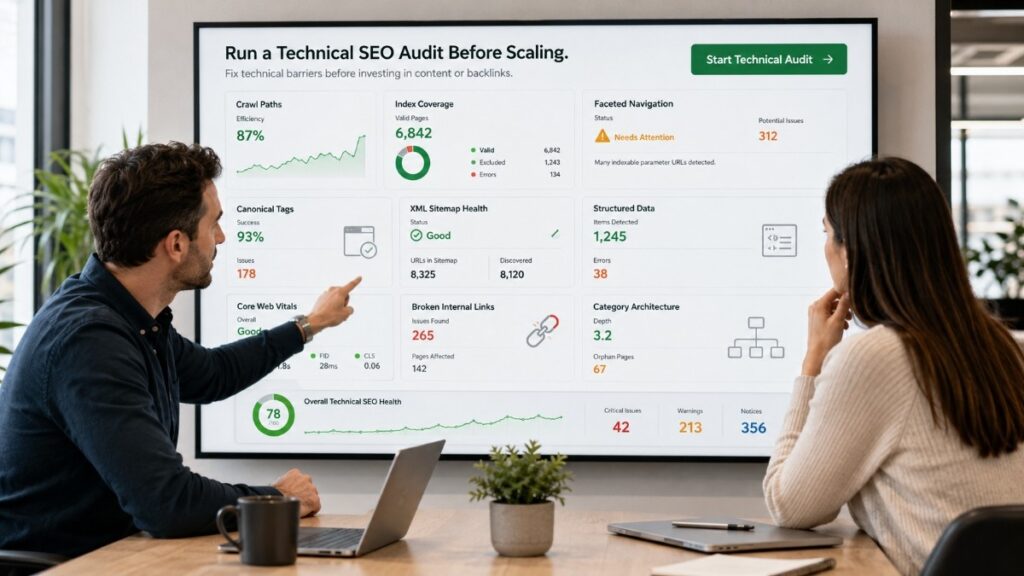
Before scaling SEO, run a technical audit covering crawl paths, index coverage, faceted navigation, product pages, canonicals, sitemaps, structured data, JavaScript rendering, and server performance.
E-commerce Technical SEO helps store owners, marketers, developers, and agencies find technical issues that hold back organic growth. The goal is to make valuable pages easier to discover, understand, index, and rank.
A review from our technical SEO specialists creates a stronger foundation before you invest in content, links, migrations, or expansion.
Start with a complete technical SEO audit that turns crawl data into prioritized fixes tied to visibility, product discovery, conversions, and revenue.