

Running an ecommerce store involves more than adding products and writing descriptions. Search engines must be able to find, crawl, understand, and index each important page.
Technical issues can prevent strong products from appearing in search results. Common problems include duplicate URLs, slow templates, broken links, invalid schema, incorrect canonicals, and poorly controlled filters.
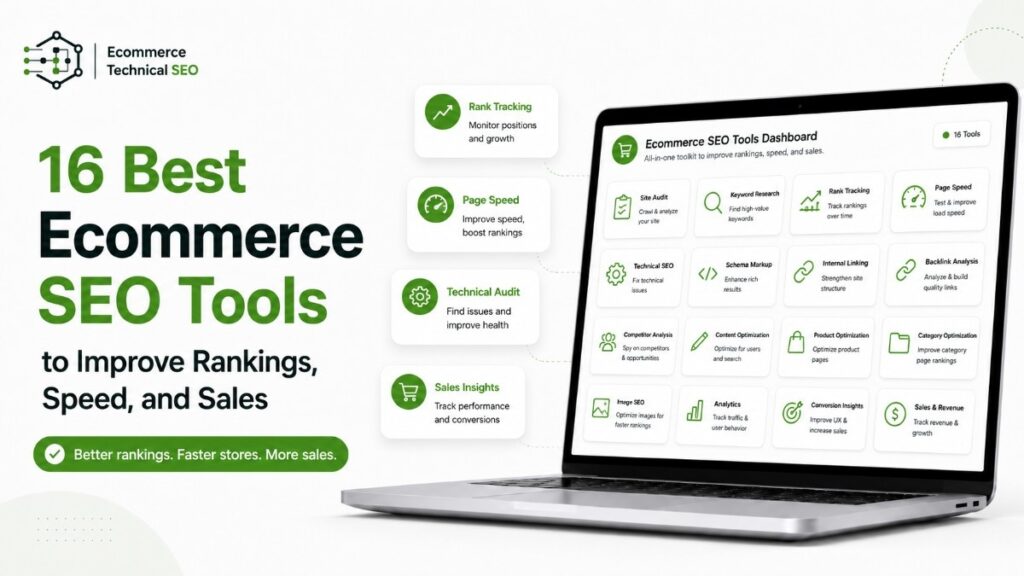
The following ecommerce SEO tools can help you find these problems, understand customer demand, improve site performance, and measure organic sales.
What Are Ecommerce SEO Tools?
Ecommerce SEO tools are applications, plugins, crawlers, and reporting platforms that help online stores improve their organic search visibility.
They can research keywords, analyze competitors, inspect technical problems, validate structured data, measure site speed, and monitor search performance.
A complete toolset should support both crawl and index control because a page must first be accessible to search engines before it can appear in search results.
These tools reduce the need to inspect thousands of product and category pages manually. They show which issues need attention and which pages offer the strongest growth opportunities.
Why Ecommerce Businesses Need SEO Tools
Large online stores may contain thousands of products, categories, filters, variants, images, and internal links. Managing every SEO element manually becomes difficult as the catalog grows.
SEO tools help ecommerce teams:
- Research product and category keywords.
- Monitor rankings and organic traffic.
- Find broken links and redirect chains.
- Identify duplicate titles and descriptions.
- Check canonical and noindex tags.
- Validate product structured data.
- Analyze Core Web Vitals.
- Track purchases and organic revenue.
- Review competitor products and content.
- Improve product and category copy.
They are also important for parameter URL management because filters, sorting options, tracking codes, and internal search features can create many low-value URL combinations.
For larger catalogs, careful crawler access rules can help search engines avoid repetitive paths and focus on valuable product and category pages.
Quick Comparison of Ecommerce SEO Tools
| Tool | Best for | Main function | Pricing |
| Rank Math SEO | WooCommerce optimization | Metadata, schema, sitemaps, and on-page SEO | Free and paid |
| Content AI | Ecommerce content | Product copy, FAQs, and content ideas | Limited and paid |
| Google Search Console | Search visibility | Indexing, queries, clicks, and errors | Free |
| Google Analytics 4 | Ecommerce measurement | Customer behavior, purchases, and revenue | Free |
| WP Rocket | WordPress performance | Caching and speed optimization | Paid |
| Ahrefs | SEO research | Keywords, competitors, links, and audits | Paid |
| Semrush | All-in-one SEO | Research, tracking, and site auditing | Trial and paid |
| Moz Pro | SEO management | Keywords, crawling, and rank tracking | Paid |
| Screaming Frog | Technical crawling | Links, redirects, canonicals, and metadata | Free and paid |
| PageSpeed Insights | Page speed | Core Web Vitals and performance checks | Free |
| Google Trends | Search demand | Trends, seasonality, and regional interest | Free |
| Imagify | Image optimization | Compression, resizing, WebP, and AVIF | Free and paid |
| GTmetrix | Speed investigation | Waterfall reports and performance monitoring | Free and paid |
| Rich Results Test | Schema testing | Structured data and rich-result eligibility | Free |
| AnswerThePublic | Topic research | Questions, comparisons, and long-tail terms | Limited and paid |
| ChatGPT | Content assistance | Drafting, rewriting, and brainstorming | Free and paid |
Platform consideration
The right tool combination depends on your ecommerce platform. A WooCommerce store may rely on WordPress plugins, while growing Shopify stores may require specialist Shopify SEO support for app conflicts, faceted navigation, duplicate URLs, and JavaScript rendering.
The 16 Best Ecommerce SEO Tools
1 Rank Math SEO
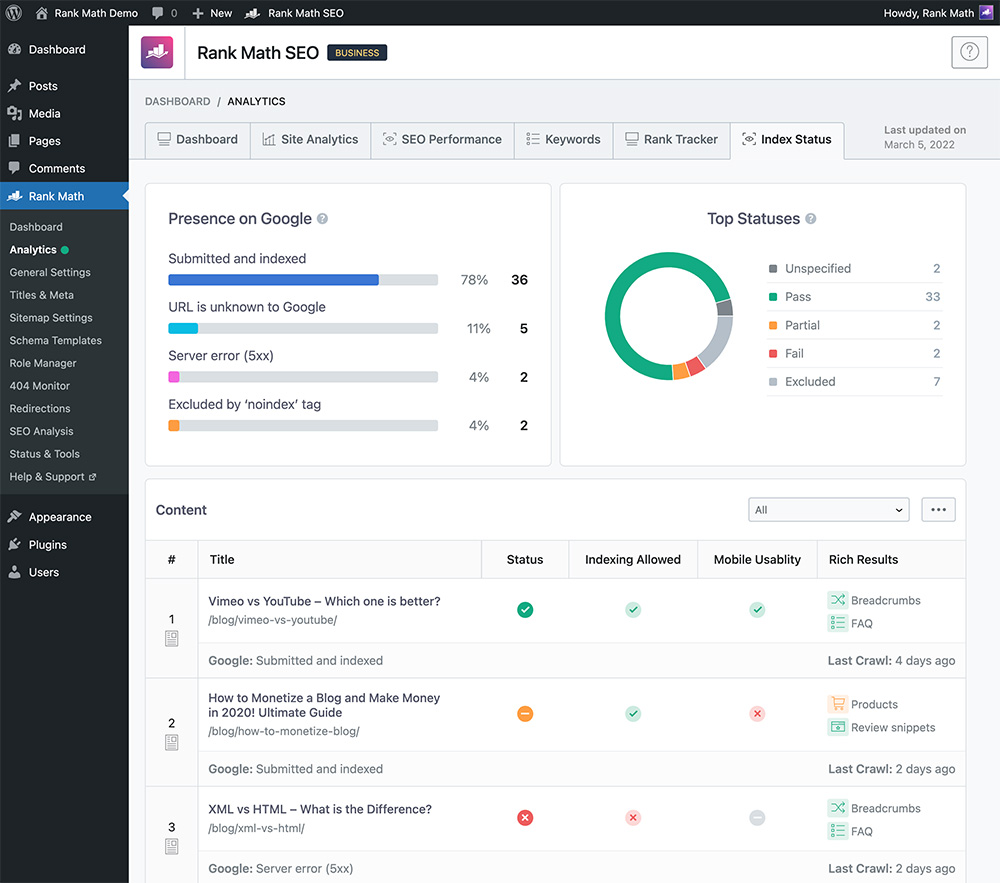
Rank Math is a WordPress SEO plugin that helps store owners manage on-page and technical optimization from the WordPress dashboard.
Its WooCommerce features can support product metadata, structured data, XML sitemaps, redirects, image SEO, and search previews.
Key ecommerce features
- Product and category title optimization
- Custom meta descriptions
- Product structured data
- XML sitemap generation
- Canonical tag management
- Redirect monitoring
- 404 error tracking
- Keyword-based content analysis
- Search Console integration
Best for
WooCommerce stores that want several SEO functions inside one WordPress plugin.
Pricing: A free version and paid plans are available.
2 Content AI
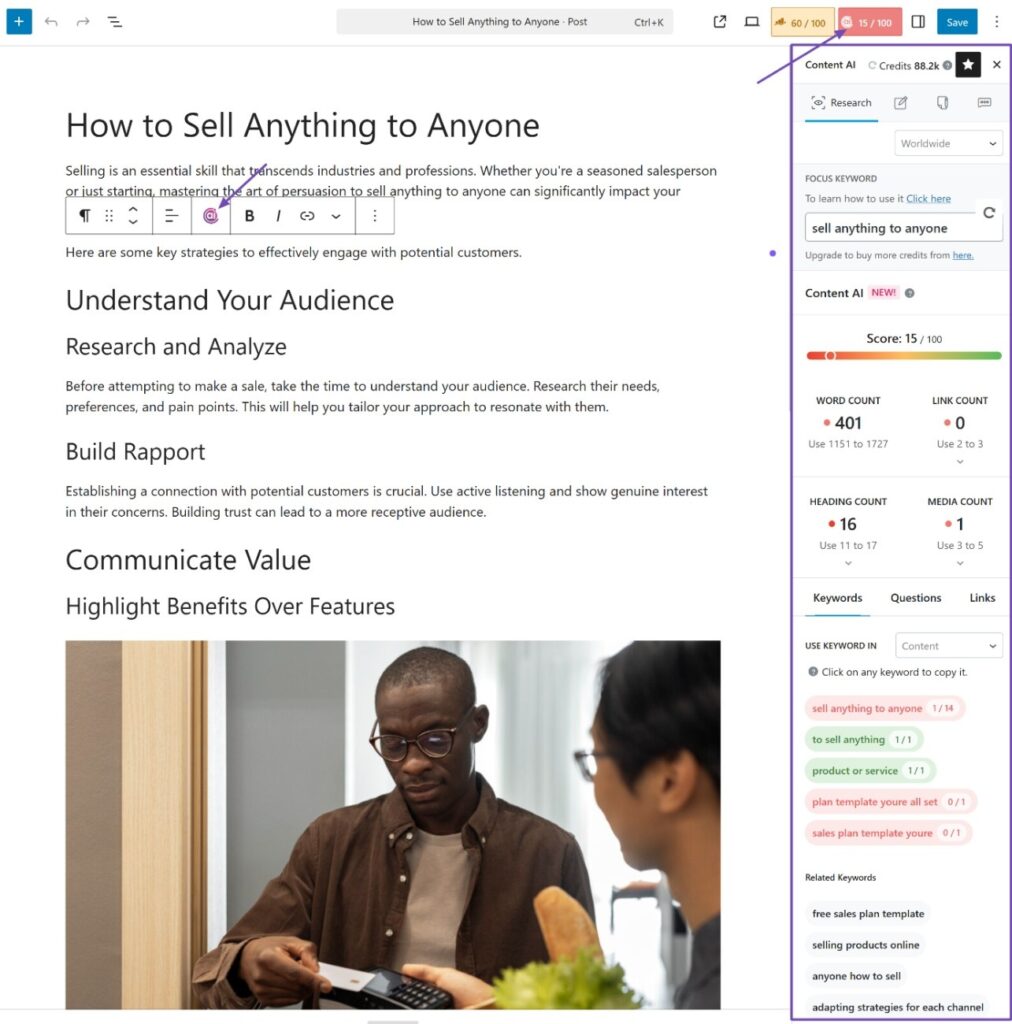
Content AI is Rank Math’s AI-assisted content system. It helps ecommerce teams research, write, and improve content inside WordPress.
It can reduce the time required to create product descriptions, category introductions, FAQs, and metadata. Every draft should still be checked for accuracy and brand consistency.
Useful ecommerce tasks
- Draft product descriptions.
- Create product benefits and limitations.
- Generate frequently asked questions.
- Write category-page introductions.
- Produce alternative text ideas.
- Suggest SEO titles and descriptions.
- Build blog outlines.
- Rewrite repetitive catalog content.
Best for
Stores with large product catalogs or frequent content updates.
Pricing: Limited and paid plans are available.
3 Google Search Console
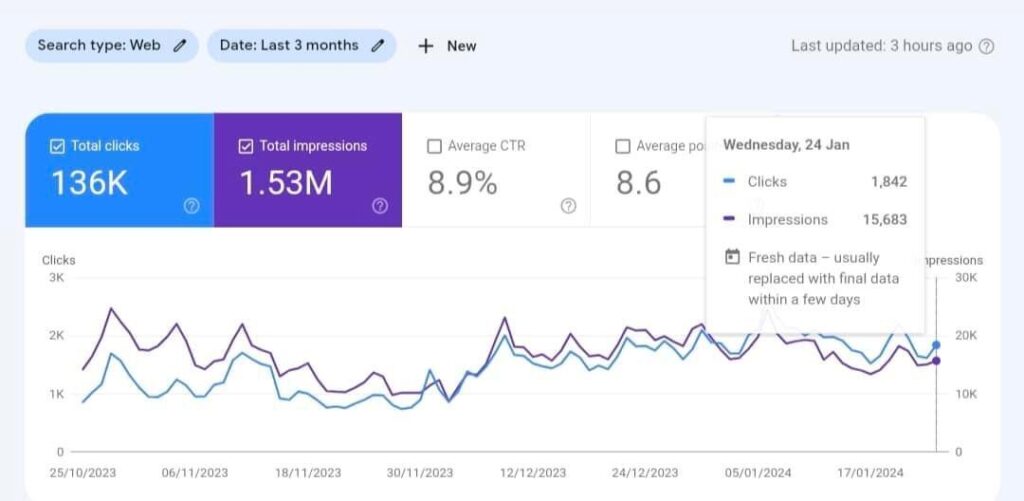
Google Search Console shows how Google discovers, crawls, indexes, and displays your store.
Its reports provide data about clicks, impressions, search queries, average positions, indexing problems, mobile usability, and search enhancements.
Key ecommerce uses
- Check whether product pages are indexed.
- Inspect individual product URLs.
- Submit XML sitemaps.
- Identify crawling and indexing errors.
- Find pages with high impressions but few clicks.
- Review search queries and landing pages.
- Monitor Core Web Vitals.
- Check product and merchant-listing reports.
- Compare declared and selected canonicals.
Search Console may report excluded pages, duplicate URLs, redirect errors, soft 404s, blocked resources, and structured-data issues. Stores that cannot resolve these problems internally may need professional Search Console error fixes.
Best for
Every ecommerce website, regardless of platform or store size.
Pricing: Completely free.
4 Google Analytics 4
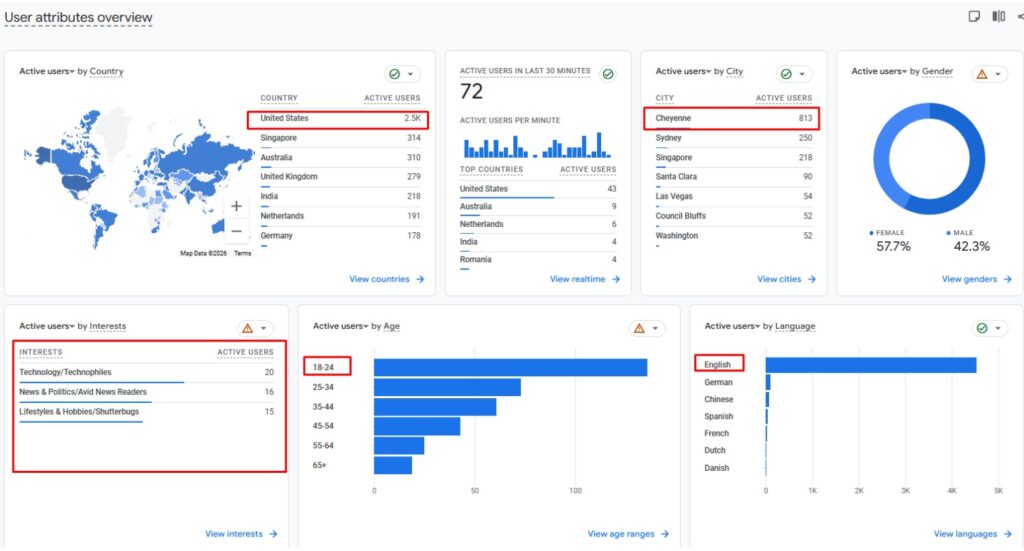
Google Analytics 4 shows what customers do after reaching your store.
When ecommerce tracking is configured correctly, it can record product views, cart activity, checkout steps, purchases, purchased items, and revenue.
Key ecommerce uses
- Compare organic traffic with other channels.
- Measure product landing-page engagement.
- Track product views.
- Monitor add-to-cart events.
- Analyze checkout abandonment.
- Measure purchases and revenue.
- Compare mobile and desktop visitors.
- Identify pages with high exit rates.
- Review customer acquisition sources.
Best for
Stores that need to connect SEO performance with customer behavior and sales.
Pricing: Completely free.
GA4 does not fix SEO problems. It helps teams understand which pages, products, and traffic sources produce business results.
5 WP Rocket
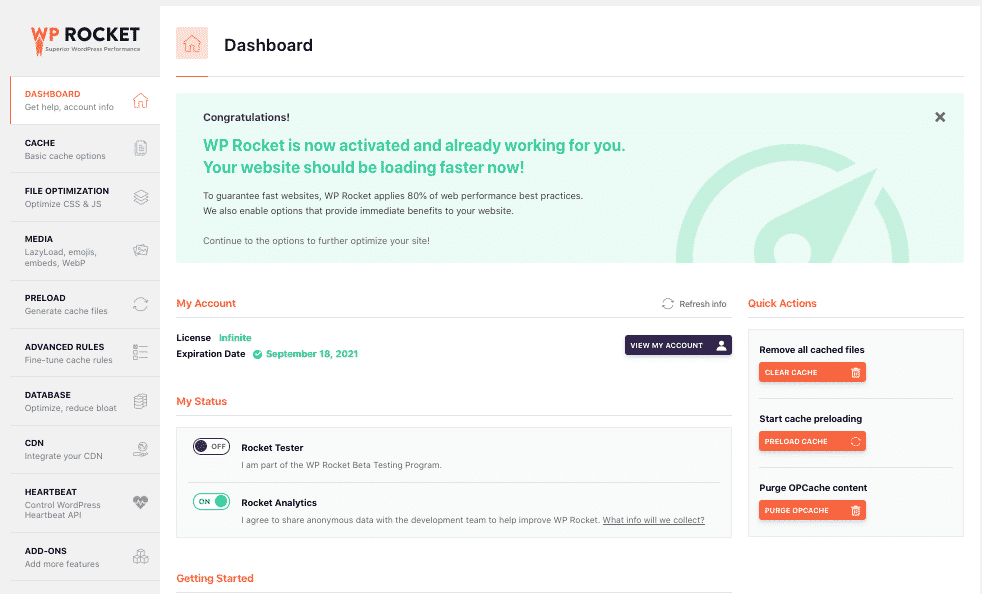
WP Rocket is a WordPress performance plugin that applies caching and front-end speed improvements.
This can be valuable for WooCommerce stores using large themes, multiple plugins, product galleries, tracking scripts, and third-party applications.
Key performance features
- Page caching
- Cache preloading
- Browser caching
- File compression
- Lazy loading
- CSS optimization
- JavaScript optimization
- Database cleanup
- Content-delivery network integration
Improving loading speed should be based on measurable ecommerce performance signals, including loading time, visual stability, and responsiveness.
Best for
WordPress and WooCommerce stores that need simpler performance optimization.
Pricing: Paid plans.
6 Ahrefs
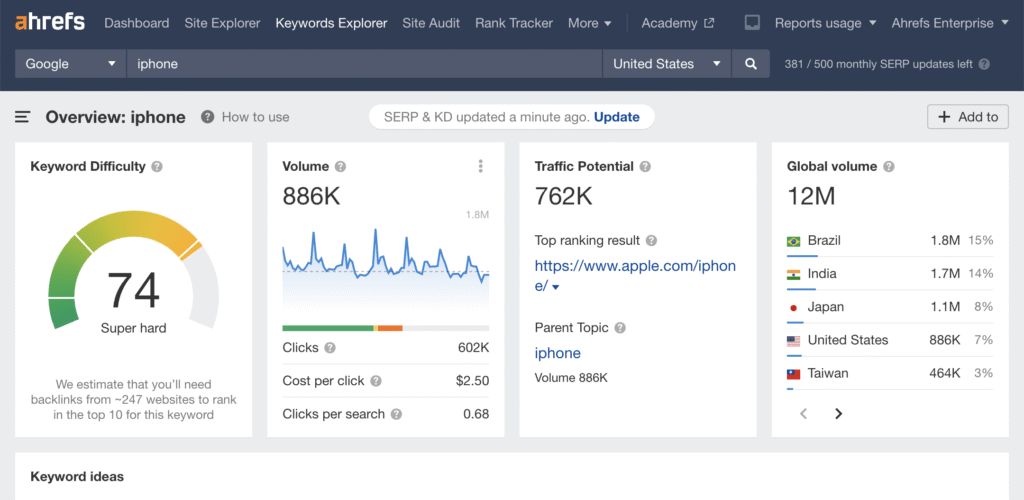
Ahrefs is an SEO research platform for keyword analysis, competitor research, backlink analysis, rank tracking, and technical auditing.
It can help ecommerce teams decide which products and categories deserve greater optimization.
Key ecommerce uses
- Research commercial keywords.
- Review search volume and ranking difficulty.
- Find competitor keywords.
- Identify high-performing competitor pages.
- Discover content gaps.
- Analyze backlink profiles.
- Monitor keyword rankings.
- Crawl websites for technical problems.
Ahrefs can identify opportunities, but the findings still need to be reviewed within a trustable technical audit service from E-commerce Technical SEO experts that considers templates, indexation, rendering, internal links, and platform behavior.
Best for
SEO professionals and established stores that need detailed competitive data.
Pricing: Limited tools and paid subscriptions are available.
7 Semrush
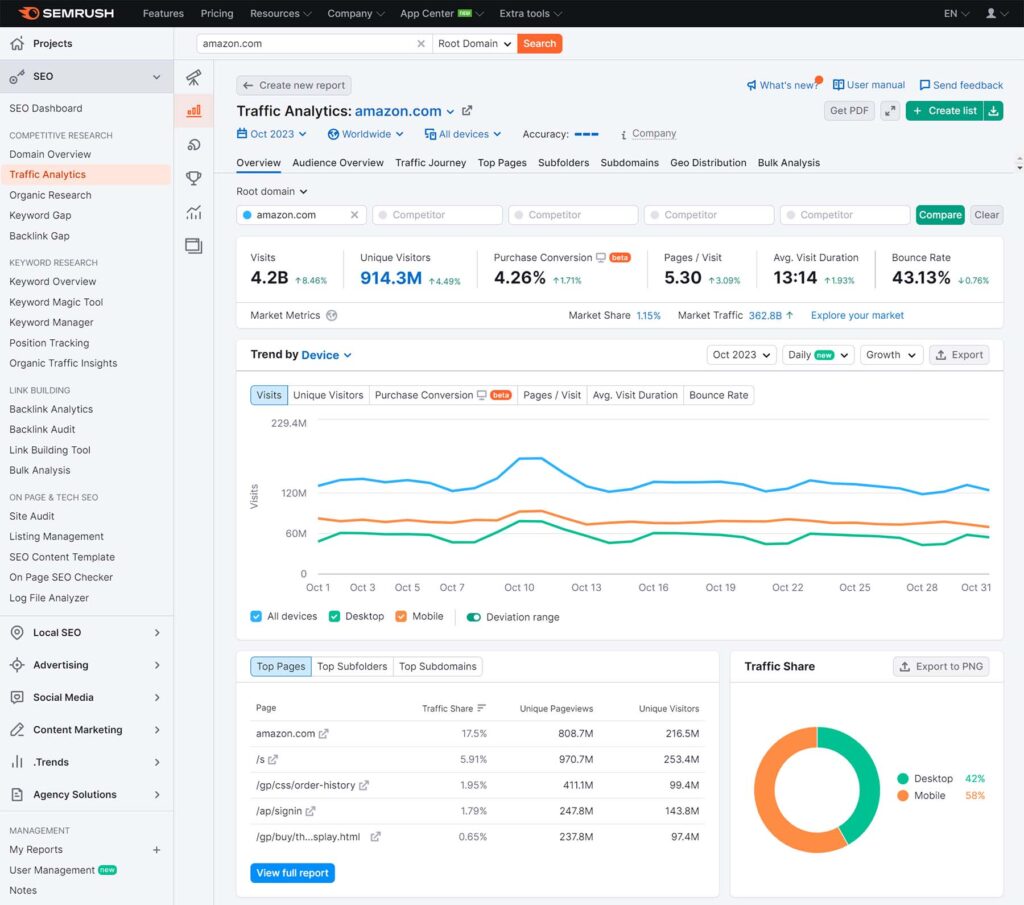
Semrush combines keyword research, competitor analysis, rank tracking, backlink reports, content research, and website auditing.
Its tools can help ecommerce teams group keywords by product type, search intent, location, and topic.
Key ecommerce uses
- Find transactional keywords.
- Analyze keyword intent.
- Compare competitor visibility.
- Discover keyword gaps.
- Track product and category rankings.
- Find crawlability problems.
- Review canonical tags.
- Detect missing metadata.
- Monitor technical improvements.
Semrush reports can support a complete store audit, but the final recommendations should account for business value, catalog size, platform limits, and development resources.
Best for
Marketing teams that want research, technical auditing, and reporting in one platform.
Pricing: Trial and paid plans are available.
8 Moz Pro
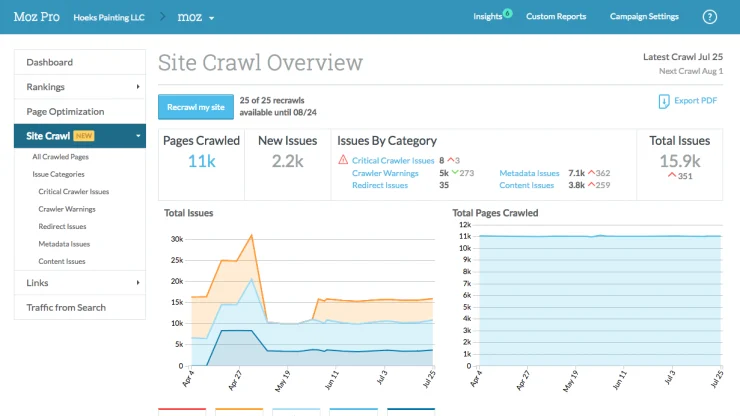
Moz Pro provides keyword research, site crawling, backlink analysis, and rank tracking.
Its interface is suitable for teams that want clear SEO data without the complexity of some larger platforms.
Key ecommerce uses
- Research product keywords.
- Evaluate ranking difficulty.
- Monitor search positions.
- Find broken links.
- Detect missing metadata.
- Review backlink authority.
- Track visibility over time.
- Compare keyword opportunities.
Best for
Small and medium-sized ecommerce teams that prefer straightforward SEO reports.
Pricing: Paid plans.
9 Screaming Frog SEO Spider
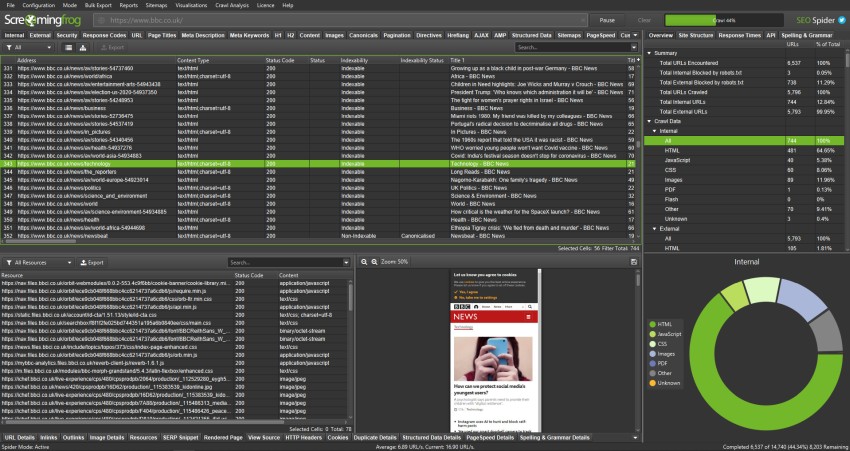
Screaming Frog is a desktop crawler that analyzes a website in a similar way to a search-engine crawler.
It is particularly valuable for ecommerce websites because large stores often contain duplicate metadata, redirect chains, incorrect canonicals, blocked pages, and unnecessary parameter URLs.
Key ecommerce uses
- Find broken internal links.
- Review 3xx, 4xx, and 5xx status codes.
- Detect redirect chains and loops.
- Find duplicate titles and descriptions.
- Review canonical tags.
- identify noindex pages.
- Find blocked resources.
- Review structured data.
- Crawl JavaScript websites.
- analyze internal link depth.
- Review XML sitemaps.
Results should be organized through a structured audit checklist so critical indexation and revenue issues are addressed before minor metadata warnings.
Best for
Technical SEO audits, website migrations, redesigns, and large product catalogs.
Pricing: The free version has a crawl limit. A paid annual licence removes the limit and adds advanced features.
10 Google PageSpeed Insights
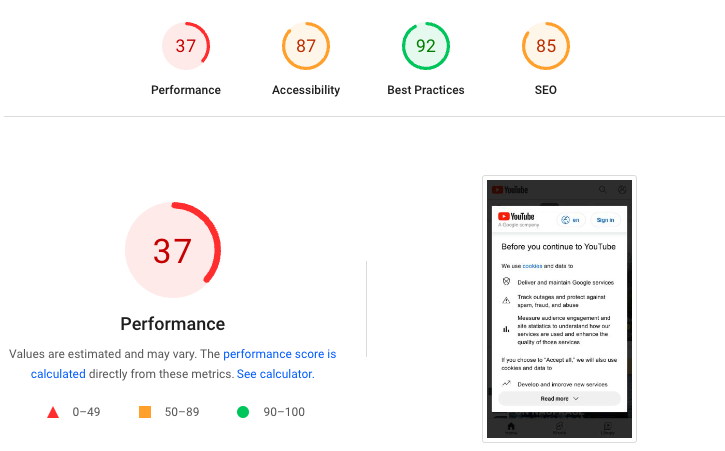
Google PageSpeed Insights measures how quickly an individual page loads on mobile and desktop.
It provides performance metrics and recommendations for improving loading speed, responsiveness, and visual stability.
Important ecommerce metrics
- Largest Contentful Paint
- Interaction to Next Paint
- Cumulative Layout Shift
- First Contentful Paint
- Total Blocking Time
- Server response time
Common recommendations
- Compress large product images.
- Reduce unused JavaScript.
- Remove render-blocking resources.
- Improve browser caching.
- Optimize font delivery.
- Reduce third-party scripts.
- Improve server response time.
- Set image dimensions.
Best for
Finding performance problems on product, category, cart, and checkout templates.
Pricing: Completely free.
PageSpeed Insights identifies problems but does not implement the required changes.
11 Google Trends
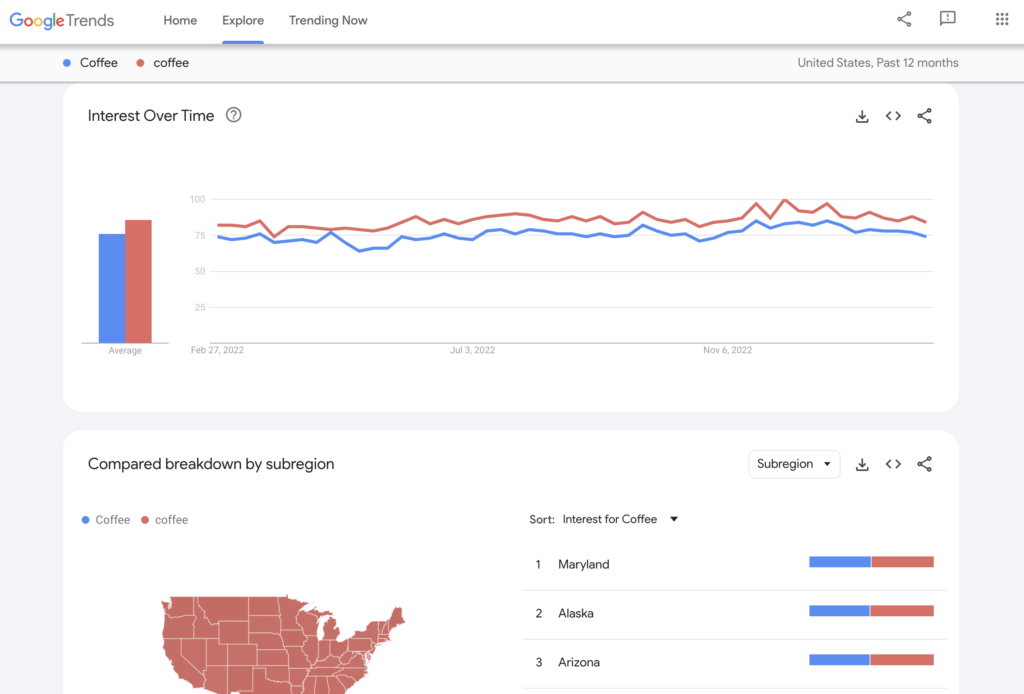
Google Trends shows how search interest changes over time.
It can help ecommerce stores understand seasonal demand, regional interest, rising product categories, and declining topics.
Key ecommerce uses
- Compare demand for different products.
- Identify seasonal shopping periods.
- Find rising topics and queries.
- Compare regional interest.
- Plan promotional campaigns.
- Choose content publication dates.
- Review changes in product popularity.
Best for
Product planning, seasonal campaigns, market research, and content calendars.
Pricing: Completely free.
Google Trends should support keyword research rather than replace it. It reports relative interest instead of exact keyword value.
12 Imagify
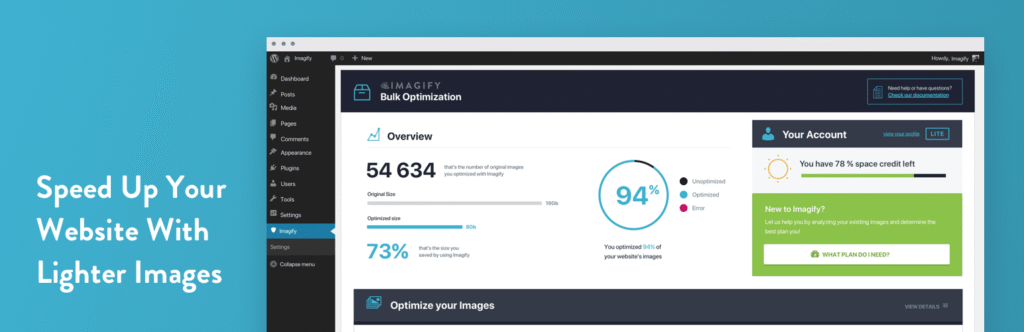
Imagify is an image-compression and optimization plugin for WordPress.
It can reduce product image sizes and convert images into modern formats while maintaining acceptable visual quality.
Key ecommerce features
- Automatic image compression
- Bulk image optimization
- Image resizing
- WebP conversion
- AVIF conversion
- Original-image restoration
- Multiple compression levels
- Media-library integration
Best for
WordPress stores with image-heavy product, collection, and category pages.
Pricing: Free and paid plans are available.
Image optimization can improve loading speed, but stores should also review themes, scripts, applications, hosting, and content-delivery settings.
13 GTmetrix
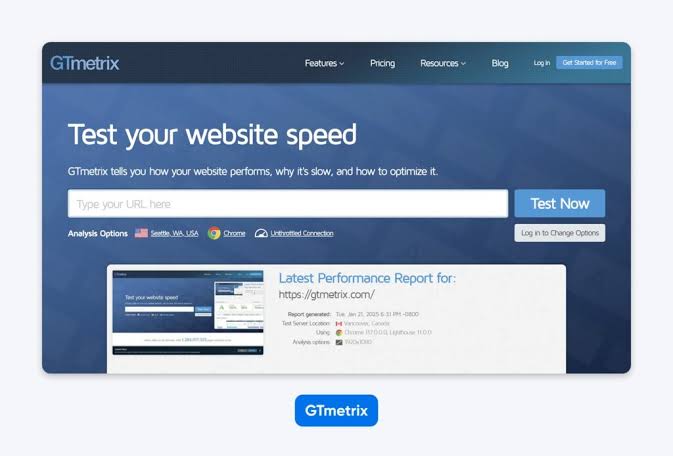
GTmetrix is a performance-testing platform that explains how a page loads and which resources cause delays.
Its waterfall chart shows each requested file, the order in which it loads, and the time required to complete the request.
Key ecommerce uses
- Review performance metrics.
- Find slow scripts.
- Identify oversized images.
- Analyze server delays.
- Review third-party requests.
- Compare test history.
- Monitor important templates.
- View the page-loading sequence.
Best for
Investigating speed problems that require more detail than a single performance score.
Pricing: Free and paid plans are available.
GTmetrix reports are most useful when developers can connect individual requests with themes, applications, plugins, tags, and server settings.
14 Google Rich Results Test
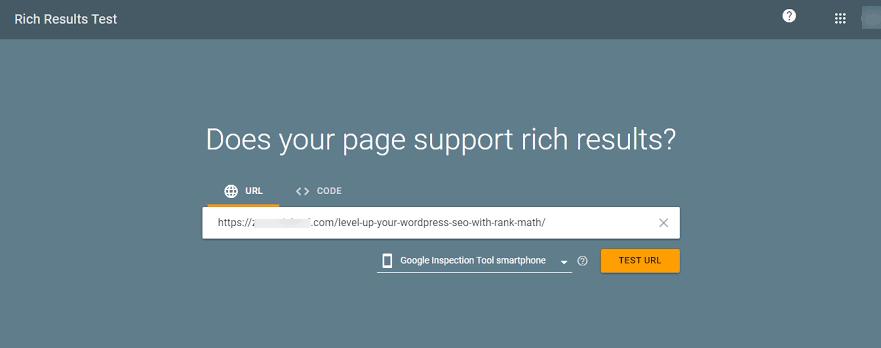
Google’s Rich Results Test checks the structured data detected on a page or code sample.
It reports supported result types and identifies critical errors that may affect rich-result eligibility.
Ecommerce elements to test
- Product schema
- Offer information
- Prices
- Product availability
- Ratings
- Reviews
- Breadcrumbs
- Merchant-listing markup
- Organization details
Best for
Testing product and category structured data before and after deployment.
Pricing: Completely free.
Passing the test does not guarantee that a rich result will appear. The page must also follow Google’s guidelines and meet its quality requirements.
15 AnswerThePublic
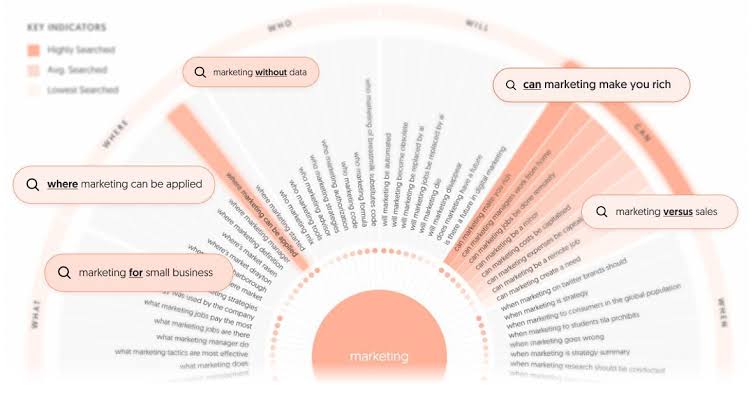
Answer The Public is a keyword and topic-research platform that groups searches into questions, comparisons, and related phrases.
It can help ecommerce brands understand what customers want to know before choosing a product.
Useful content opportunities
- Product FAQs
- Buying guides
- Product comparisons
- Category-page questions
- Troubleshooting guides
- Informational articles
- Long-tail product content
- Pre-purchase support content
Best for
Finding customer questions and long-tail topics that may not appear in a basic keyword list.
Pricing: Limited searches and paid plans are available.
The results should be filtered for relevance, commercial value, and product accuracy before content is created.
16 ChatGPT

ChatGPT can assist ecommerce teams with brainstorming, drafting, rewriting, summarizing, and organizing content.
It works best when the prompt includes accurate product information, customer details, target keywords, brand tone, and formatting requirements.
Useful ecommerce tasks
- Draft product descriptions.
- Create category-page outlines.
- Generate FAQ ideas.
- Rewrite repetitive copy.
- Brainstorm article topics.
- Summarize product specifications.
- Create metadata variations.
- Group keywords by topic.
- Convert audit notes into action lists.
- Produce first drafts for buying guides.
Best for
Speeding up research and drafting while keeping human review in the workflow.
Pricing: Free and paid plans are available.
Generated content should not be published without checking product specifications, prices, policies, factual claims, and brand requirements.
How to Choose the Right Ecommerce SEO Tools
The best toolset depends on the size of your store, ecommerce platform, technical problems, and available budget.
A small store may only need a few free tools. A large catalog may require advanced crawling, keyword research, performance monitoring, log analysis, and automated reporting.
Start with free tools
Most ecommerce stores should begin with:
- Google Search Console
- Google Analytics 4
- Google PageSpeed Insights
- Google Trends
- Google Rich Results Test
- Screaming Frog’s free version
These tools cover indexing, performance, customer behavior, schema, search demand, and basic technical crawling.
Add paid tools for specific needs
Consider paid software when you need:
- Larger website crawls
- Competitor keyword data
- Detailed backlink analysis
- Daily rank tracking
- Automated reporting
- Scheduled performance testing
- Large-scale image optimization
- WordPress caching
- Faster content production
Do not purchase several tools that perform the same task. Choose one primary platform for each major requirement.
Recommended Ecommerce SEO Tool Stack
A practical tool stack may include:
| Requirement | Recommended tool |
| Search performance | Google Search Console |
| Customer behavior and revenue | Google Analytics 4 |
| Technical crawling | Screaming Frog |
| Keyword and competitor research | Ahrefs or Semrush |
| Page performance | PageSpeed Insights and GTmetrix |
| Structured data testing | Rich Results Test |
| WooCommerce optimization | Rank Math |
| WordPress performance | WP Rocket |
| Image compression | Imagify |
| Search trends | Google Trends |
| Customer questions | AnswerThePublic |
| Assisted drafting | ChatGPT or Content AI |
A tool stack should match the store’s current problems. More software does not automatically produce stronger rankings.
Conclusion
Ecommerce SEO success does not come from collecting as many tools as possible. It comes from using the right tools to identify, prioritize, and fix issues that affect important pages.
Start with crawlability, indexation, canonicalization, internal links, structured data, and performance. A clear understanding of technical audit fundamentals will help your team separate critical problems from low-priority warnings.
After the technical foundation is stable, improve product and category content based on real search demand. Measure whether those changes increase qualified traffic, product engagement, purchases, and revenue.
Reports alone do not improve rankings. Recommendations must be prioritized, implemented, tested, and monitored.
Need Help With Ecommerce SEO?

E-commerce Technical SEO helps online stores identify and fix technical problems that limit product visibility, organic rankings, and revenue.
Services can cover:
- Technical SEO auditing
- Crawlability and indexation
- URL parameter control
- Core Web Vitals
- Page-speed optimization
- Internal linking
- Product structured data
- Search Console errors
- Product and category optimization
- Shopify and WooCommerce SEO
Our technical SEO specialists work with store owners, developers, marketing teams, and agencies to create clear, prioritized recommendations.
Request a free ecommerce SEO analysis to identify the technical issues affecting your store’s organic performance.