
Running a technical SEO audit once can uncover serious problems. The harder part is finding new issues before they affect hundreds or thousands of ecommerce URLs.
That is where an automated ecommerce technical SEO audit workflow becomes useful.
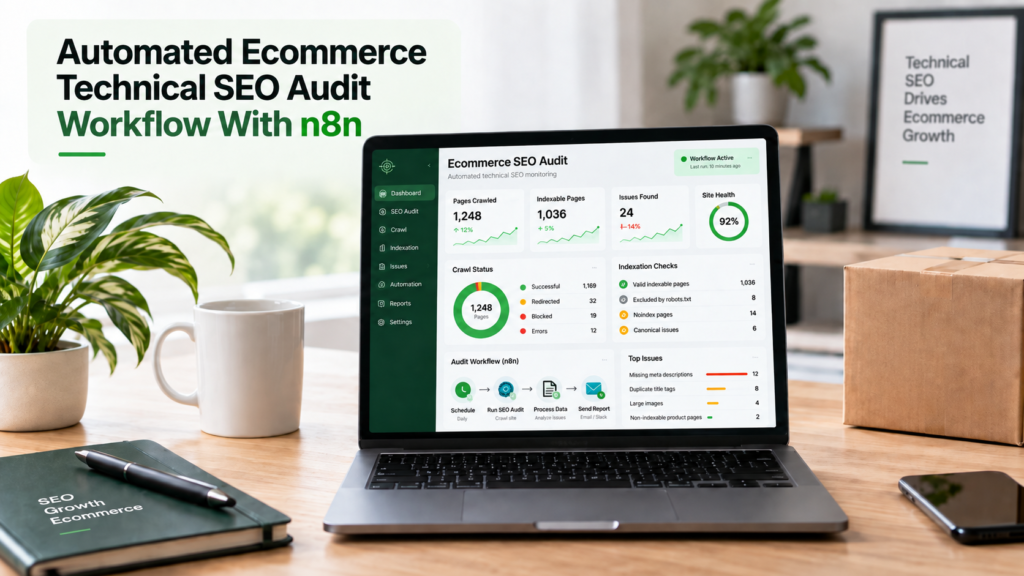
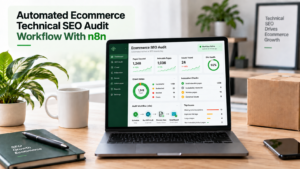
With n8n, Screaming Frog, Google Search Console, PageSpeed Insights, Google Sheets, and simple alert rules, you can build a system that checks your store on a schedule and highlights changes that require attention.
The goal is not to automate every SEO decision.
The goal is to automate repetitive data collection, comparison, filtering, and reporting so an SEO specialist can spend more time diagnosing important problems.
What Is an Automated Ecommerce Technical SEO Audit?
An automated technical SEO audit is a recurring process that collects technical data, applies predefined checks, compares results with previous crawls, and reports important changes.
A normal ecommerce technical SEO audit may review thousands of URLs manually. Automation turns the repeatable parts of that process into a monitoring system.
For ecommerce stores, this is especially useful because inventory, filters, categories, product URLs, redirects, and templates change constantly.
Your automation can monitor areas such as:
- HTTP status codes
- Indexability
- Canonical tags
- Robots directives
- URL parameters
- Internal links
- Crawl depth
- XML sitemap URLs
- Product structured data
- Core Web Vitals
- New and removed URLs
- Technical changes between crawls
The important distinction is that n8n is the workflow layer, not the crawler.
Screaming Frog collects detailed crawl data. n8n moves that data between tools, applies rules, compares results, creates reports, and alerts your team.
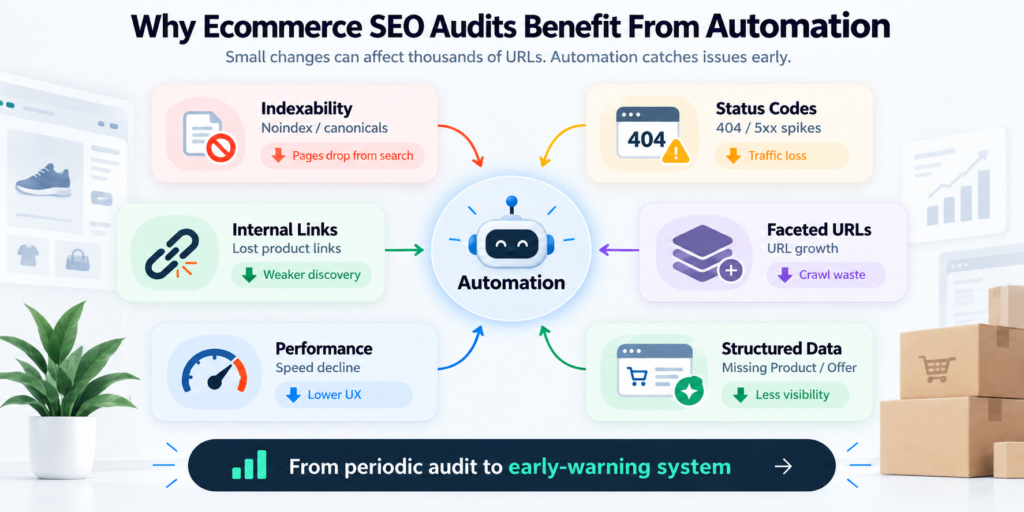
Why Ecommerce SEO Audits Benefit From Automation
Ecommerce technical SEO rarely stays fixed.
Products go out of stock. Developers release templates. Merchandising teams create categories. Filters generate new URLs. Tracking parameters appear. Navigation changes.
A problem that did not exist last Monday may affect 10,000 URLs this Monday.
This is why a Screaming Frog audit before scaling ecommerce SEO is valuable. It establishes a clean baseline before content production, link building, migrations, or catalogue expansion increases complexity.
Automation then helps protect that baseline.
| Audit area | What automation can detect | Possible business impact |
| Indexability | New noindex or canonical changes | Products disappear from search |
| Status codes | Growth in 404s or 5xx errors | Lost traffic and poor journeys |
| Internal linking | Products losing internal links | Lower discovery and weaker authority |
| Faceted URLs | Sudden parameter URL growth | Crawl waste and duplicate pages |
| Performance | Template-level speed decline | Lower UX and conversion performance |
| Structured data | Missing Product or Offer fields | Reduced product search visibility |
This changes the audit from a periodic document into an early-warning system.
The Recommended n8n Ecommerce SEO Audit Architecture
Avoid making your first workflow too complicated.
A practical architecture looks like this:
Scheduled crawl → collect exports → clean data → apply SEO rules → compare with previous crawl → add performance data → prioritize issues → store results → send alerts
Screaming Frog already supports scheduled crawling, headless execution, automatic exports, and Google Sheets output. It can also operate through its command-line interface.
That gives you two practical automation models.
Option 1: Let Screaming Frog Schedule the Crawl
This is the simpler approach for many teams.
Configure Screaming Frog to run automatically and export selected reports to Google Drive or Google Sheets.
n8n can then process the exported data.
This keeps crawling and workflow automation separate, which makes troubleshooting easier.
Option 2: Trigger the Crawl Through n8n
More technical teams can trigger a Screaming Frog CLI process from infrastructure they control.
A self-hosted n8n instance also has an Execute Command node, but the node is unavailable on n8n Cloud and is disabled by default from n8n 2.0 because shell execution introduces security risks.
For many production environments, calling a controlled external crawling service through an HTTP request is cleaner than giving the automation platform broad shell access.
Which n8n Nodes Do You Need?
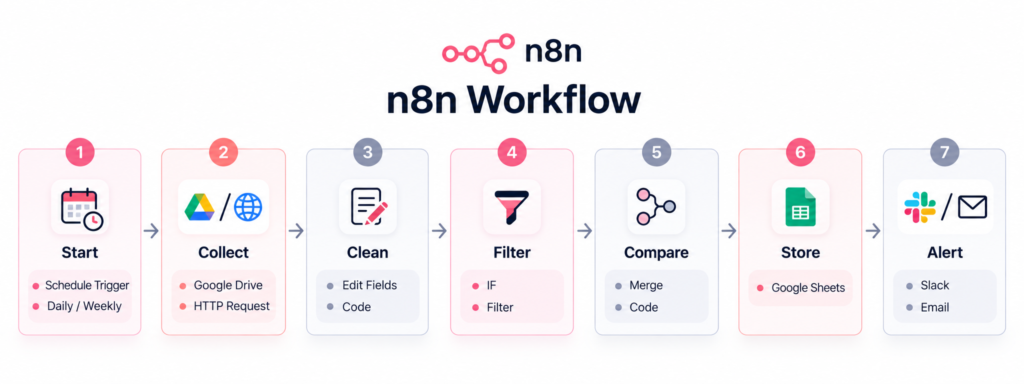
You do not need dozens of nodes.
Start with a small workflow that solves one monitoring problem reliably.
| Workflow stage | Useful n8n node | Purpose |
| Start | Schedule Trigger | Run weekly or daily |
| Collect | Google Drive / HTTP Request | Retrieve crawl or API data |
| Clean | Edit Fields / Code | Standardize columns and values |
| Filter | IF / Filter | Detect URLs matching audit rules |
| Compare | Merge / Code | Compare current and previous results |
| Store | Google Sheets | Save audit history |
| Alert | Slack / Email | Report critical changes |
The Schedule Trigger can run workflows at set intervals or through custom cron schedules. The workflow must be published for scheduled execution.
The HTTP Request node is also useful because it can connect n8n with REST APIs that do not have a dedicated integration.
Step 1: Decide What the Workflow Should Monitor
Do not begin by importing every Screaming Frog export.
First define the questions the automation should answer.
For example:
- Did indexable product URLs suddenly decrease?
- Did new 404 pages appear?
- Are category pages becoming deeper in the architecture?
- Did parameter URLs increase?
- Are canonicals pointing to non-200 URLs?
- Did important pages become blocked?
- Are sitemap URLs returning redirects?
- Did product schema disappear from a template?
This keeps the workflow focused.
Understanding crawlability versus indexation is particularly important. A URL being crawlable does not automatically mean it should be indexed.
Your rules need to understand that difference.
Step 2: Create a Controlled Screaming Frog Crawl
The quality of your automation depends on the quality of your crawl configuration.
Do not allow Screaming Frog to follow every URL variation without considering the consequences.
Ecommerce stores can generate combinations such as:
?color=black&size=large&sort=price
One category can quickly create hundreds or thousands of crawlable variations.
Review how you control ecommerce URL parameters before automating the crawl.
Also review your robots.txt rules for ecommerce SEO. Your monitoring crawl should understand which sections are intentionally restricted and which restrictions may be errors.
Save this configuration as your baseline.
Consistency matters because crawl comparisons become unreliable if the configuration changes every week.
Step 3: Export Only the Data You Actually Need
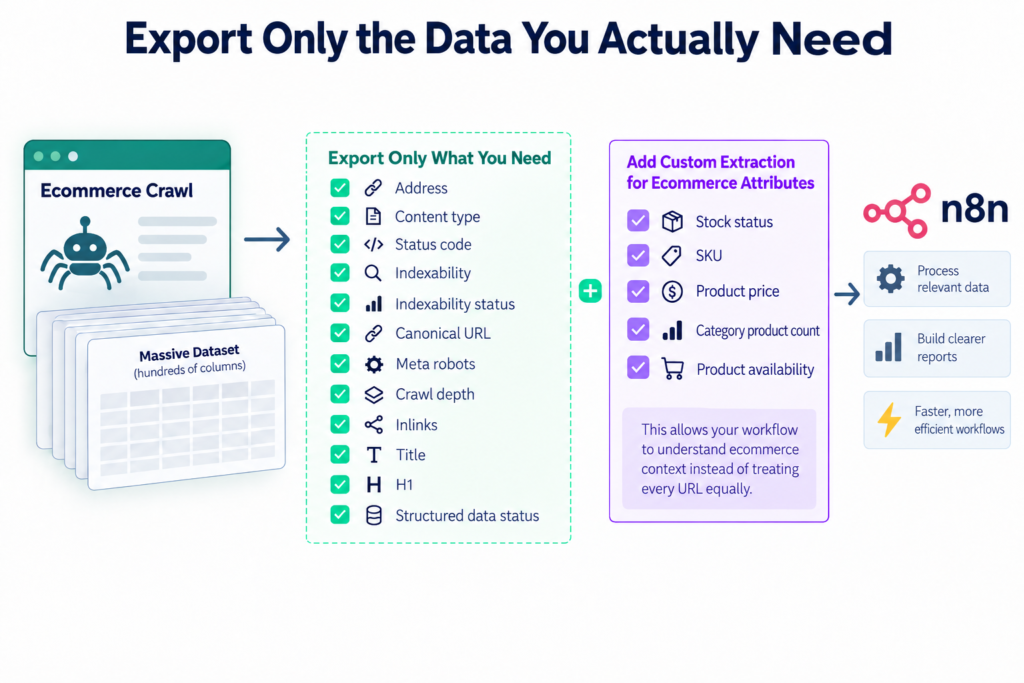
Large ecommerce crawls generate huge datasets.
Sending every column through n8n creates unnecessary processing and makes reporting harder.
Start with fields such as:
- Address
- Content type
- Status code
- Indexability
- Indexability status
- Canonical URL
- Meta robots
- Crawl depth
- Inlinks
- Title
- H1
- Structured data status
Add custom extraction when commercial attributes matter.
For example, extract stock status, SKU, product price, category product count, or product availability.
This allows your workflow to understand ecommerce context instead of treating every URL equally.
Step 4: Build SEO Rules Inside n8n
Raw crawl data does not tell your team what deserves attention.
You need decision rules.
A Filter, IF, or Code node can classify findings into useful groups.
| Rule example | Priority | Why it matters |
| Main category becomes noindex | Critical | Ranking page can leave the index |
| Indexable product returns 5xx | Critical | Page is unavailable |
| Canonical points to a 404 | High | Consolidation signal is broken |
| Category depth rises from 2 to 5 | High | Important page becomes harder to reach |
| New product has zero crawlable inlinks | High | Search engines may struggle to discover it |
| Internal link points through 301 | Medium | Internal signals are less direct |
| Title exceeds preferred format | Low | Usually less urgent than access problems |
Avoid rules based only on raw issue counts.
“500 broken URLs” sounds serious.
But five broken URLs linked from your homepage and top categories may deserve attention before 500 obsolete URLs that no longer receive internal links.
Step 5: Add Crawl-Delta Monitoring
This is one of the most useful additions to an automated ecommerce audit.
Do not only ask, “What is wrong?”
Ask, “What changed since the last successful crawl?”
Store important metrics from each crawl in Google Sheets, a database, or another data store.
Compare:
- Total crawlable URLs
- Indexable URLs
- Non-indexable URLs
- 3xx URLs
- 4xx URLs
- 5xx URLs
- Canonicalized URLs
- Blocked URLs
- Parameter URLs
- Average crawl depth
- Structured data errors
A store having 800 canonicalized URLs may be normal.
Moving from 800 to 8,000 after a deployment is a different situation.
Change detection removes much of the noise that makes automated SEO alerts difficult to use.
Step 6: Monitor Ecommerce Crawl-Space Growth
Generic SEO automation often misses one of the biggest ecommerce problems: uncontrolled crawl space.
Faceted navigation can produce many combinations of size, brand, colour, price, rating, availability, and sorting options.
Your workflow should group URLs by patterns.
For example:
- ?sort=
- ?color=
- ?size=
- /search/
- /tag/
- pagination
- tracking parameters
Then monitor whether those groups grow unexpectedly.
A sudden increase can reveal a navigation release, template change, or filter configuration that has created a crawl trap.
This is more useful than simply counting the total number of URLs.
Step 7: Connect Internal Linking to Page Importance
Not every URL should receive the same SEO attention.
Categories and products that drive search demand or revenue should be easier to discover through internal links.
Use Screaming Frog data to monitor crawl depth and inlink changes.
A strong ecommerce category internal linking structure can connect priority categories, subcategories, products, and supporting content.
Your automation can flag situations such as:
- Priority category loses 40% of its inlinks.
- New product receives no category links.
- Category moves several clicks deeper.
- Internal links begin pointing through redirects.
- Important URLs exist only in the XML sitemap.
These alerts connect site architecture with commercial priorities.
Step 8: Add PageSpeed and Search Console Data
Crawl data becomes more useful when combined with other sources.
PageSpeed Insights can help monitor performance changes across representative product and category templates.
Instead of checking every URL equally, group findings by template.
A decline across hundreds of product pages usually deserves more attention than one isolated slow URL.
Use your Core Web Vitals ecommerce monitoring to identify template-level changes affecting LCP, INP, or CLS.
Google Search Console adds another layer.
Compare crawl findings with indexing and search performance so your workflow can separate theoretical errors from issues affecting pages Google actually discovers or serves.
For persistent coverage problems, a structured Google Search Console error fixing process can then investigate the affected URL groups.
Step 9: Prioritize Findings by SEO and Revenue Impact
The best automation does not send every warning to Slack.
That creates alert fatigue.
Add commercial context wherever possible.
A simple priority score can consider:
Technical severity + page type + organic traffic + revenue value + number of affected URLs
For example, a canonical problem affecting your ten highest-revenue categories should outrank missing meta descriptions across low-value archived products.
This is where ecommerce automation becomes more useful than a generic website checker.
It connects technical SEO to business consequences.
How Often Should an Ecommerce SEO Audit Run?

More frequent crawling is not automatically better.
Match frequency to how quickly the website changes.
| Store situation | Suggested monitoring frequency | Main focus |
| Small stable catalogue | Monthly | General technical health |
| Active ecommerce store | Weekly | Indexation and template changes |
| Large changing inventory | Daily or several times weekly | Products, errors and crawl space |
| Major migration | Before and after releases | Redirects, canonicals and indexability |
| Development release | After deployment | Template regressions |
You can also separate workflows.
Run lightweight critical checks daily and a deeper technical SEO audit weekly or monthly.
That gives you faster warning signals without crawling the entire store unnecessarily.
What Should Still Be Reviewed Manually?
Automation should identify patterns. It should not make every SEO decision.
Manual review remains important for:
- Canonical strategy
- Valuable faceted pages
- Search intent
- Product retirement decisions
- Site architecture
- Structured data accuracy
- JavaScript rendering problems
- Large indexation changes
AI can summarize findings, but avoid allowing an LLM to automatically change robots.txt, canonical tags, redirects, or indexation rules without review.
These decisions can affect thousands of URLs.
Use automation to make expert review faster, not to remove it.
Build the Workflow Around Change, Not Just Errors
The biggest advantage of n8n is not creating another technical SEO report.
It is connecting crawl data, historical data, business rules, APIs, and alerts into one repeatable system.
For ecommerce websites, three signals deserve particular attention:
- Crawl-space change: Are filters and parameters creating unexpected URLs?
- Technical change: Did indexability, canonicals, redirects, or structured data change?
- Commercial impact: Are important categories and products affected?
When your workflow answers those questions, the output becomes much easier for marketers, developers, store owners, and SEO teams to act on.
Run a Screaming Frog Technical SEO Audit Before Scaling Content or Backlinks
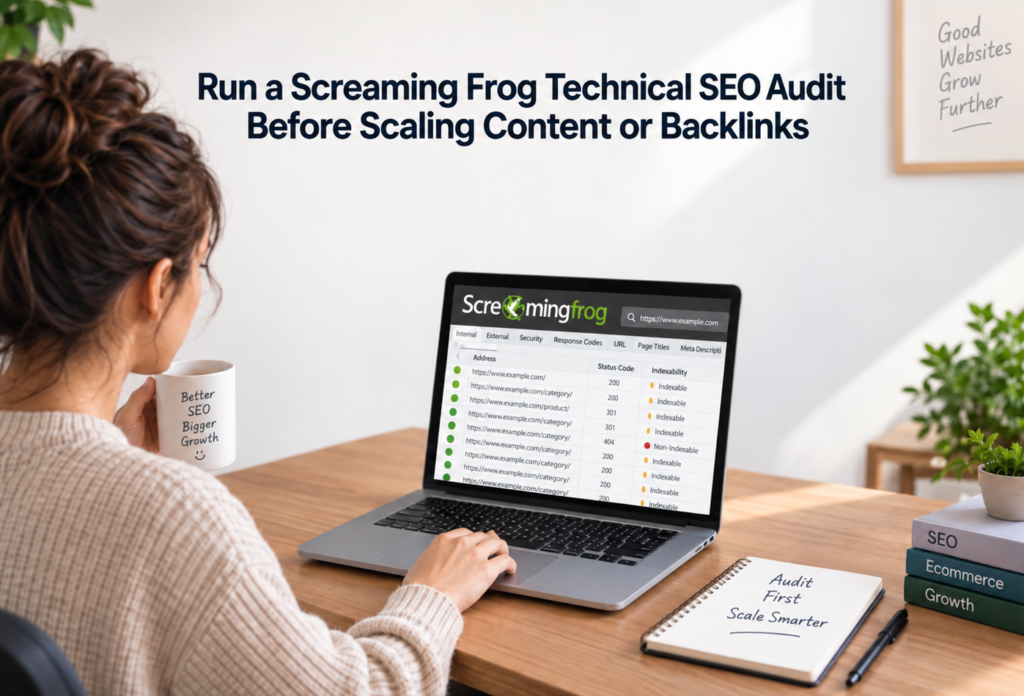
Automation works best when it begins with a reliable technical baseline.
Before scaling content, digital PR, backlinks, new categories, or thousands of products, run a detailed Screaming Frog crawl. Check crawl paths, status codes, indexability, canonicals, URL parameters, internal links, structured data, and performance.
E-commerce Technical SEO helps ecommerce businesses identify technical problems that can limit organic visibility before those problems become harder to control at scale.
A technical audit should also connect site problems with wider organic growth opportunities. Experienced ecommerce SEO consultants can use crawl findings alongside category structure, product visibility, search demand, and conversion priorities to decide what should be fixed first.
Our technical SEO specialists review Screaming Frog data in the context of ecommerce architecture, product discovery, faceted navigation, indexation, and commercial page importance.
For stores with declining traffic or unclear ranking problems, an ecommerce SEO analysis can provide additional context by connecting technical findings with rankings, organic traffic, page performance, and search visibility.
A strong audit gives your automation a trustworthy starting point.
Once that baseline is established, n8n can monitor what changes next, helping your team detect technical SEO problems before they spread across the store.