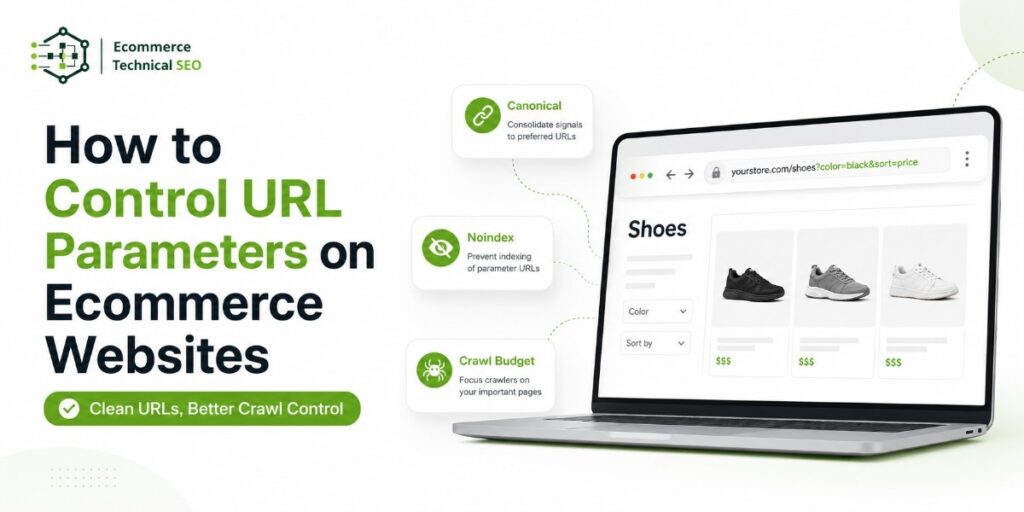




URL parameters help ecommerce websites filter products, sort listings, track campaigns, paginate categories, and manage search results. They support a better shopping experience, but they can also create thousands of low-value URLs.
Poor control can waste crawl resources, increase duplicate content, weaken category signals, and slow product discovery. The goal is not to remove every parameter. It is to decide which URLs should be crawled, indexed, consolidated, or blocked.
What Are Ecommerce URL Parameters?
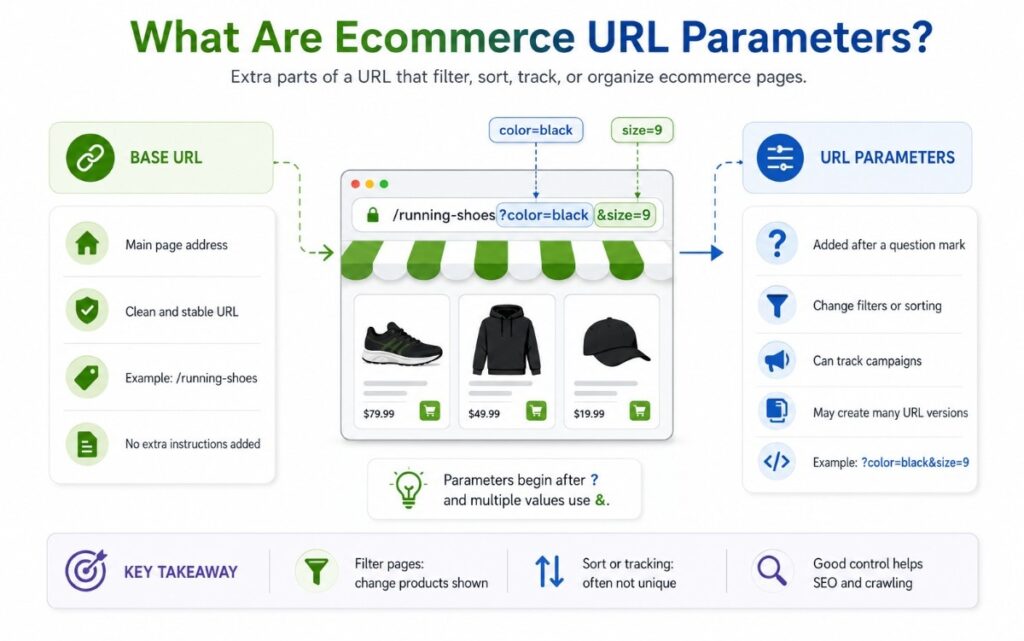
A URL parameter is information added after a question mark in a URL.
For example:
/running-shoes?color=black&size=9
In this URL, color=black and size=9 change the product set shown to the shopper. Multiple parameters are normally separated with an ampersand.
Parameters usually fall into two groups:
| Parameter type | Ecommerce example | Changes page content? | Common SEO treatment |
| Filter | ?color=black | Yes | Index only valuable combinations |
| Sort | ?sort=price-low | Usually no | Canonicalize or noindex |
| Pagination | ?page=2 | Yes | Keep crawlable when needed |
| Tracking | ?utm_source=email | No | Canonicalize to the clean URL |
| Search | ?q=running+shoes | Yes | Usually noindex |
| Session | ?sessionid=123 | No | Remove from crawlable links |
Google recommends minimizing alternative URLs that return the same content because duplicate URL variations can increase crawling and server load.
Why URL Parameters Cause Ecommerce SEO Problems
A category can create thousands of combinations across brand, size, color, material, price, availability, and rating. Pages that help shoppers do not always need to appear in search.
A clear crawl and index strategy separates those needs. A URL can help shoppers without becoming an organic landing page.
The Main Risks
- Crawl waste: Search bots repeatedly request low-value combinations.
- Index bloat: Thin or duplicate filter pages enter the index.
- Keyword cannibalization: Filter pages compete with main categories.
- Crawler traps: Unlimited values or parameter orders create near-infinite URLs.
- Slow product discovery: Bots spend time on filters instead of new products.
Google’s faceted-navigation guidance warns that every filter combination can create a unique URL and lead to a very large crawl space.
Decide Which Parameter URLs Should Be Indexable
Do not use one rule for every parameter. A useful filter page can match commercial demand, while a sort URL may only rearrange products. Base decisions on demand, product depth, content value, and business importance.
| URL pattern | Search demand | Product selection | Recommended action |
| /sofas?color=black | Strong | Large and stable | Create an indexable landing page |
| /shoes?brand=nike | Strong | Large and stable | Index when content is distinct |
| /jackets?size=medium | Weak | Changes often | Keep out of the index |
| /laptops?sort=price | None | Same products, new order | Canonicalize or noindex |
| /search?q=blue+shirt | Uncontrolled | Variable | Usually noindex |
| ?utm_campaign=sale | None | No content change | Canonicalize to clean URL |
A practical ecommerce audit checklist should record the purpose, crawl state, index state, canonical target, internal links, and organic value of each parameter pattern.
Index a Filtered Page When It Has Landing-Page Value
A parameter page may deserve indexation when it has:
- Clear search demand and commercial intent.
- A stable, useful product set.
- Unique titles, headings, copy, and metadata.
- Relevant internal links.
- A self-referencing canonical.
- A clean, consistent URL pattern.
Where possible, convert valuable filters into static category URLs. For example, /running-shoes/black/ is easier to manage than several versions of ?color=black.
Keep Low-Value Combinations Out of the Index
Most size, price, rating, stock, sort, and multi-filter combinations do not need to rank. They can still help shoppers while controls limit crawling and indexation.
Choose the Right URL Parameter Control
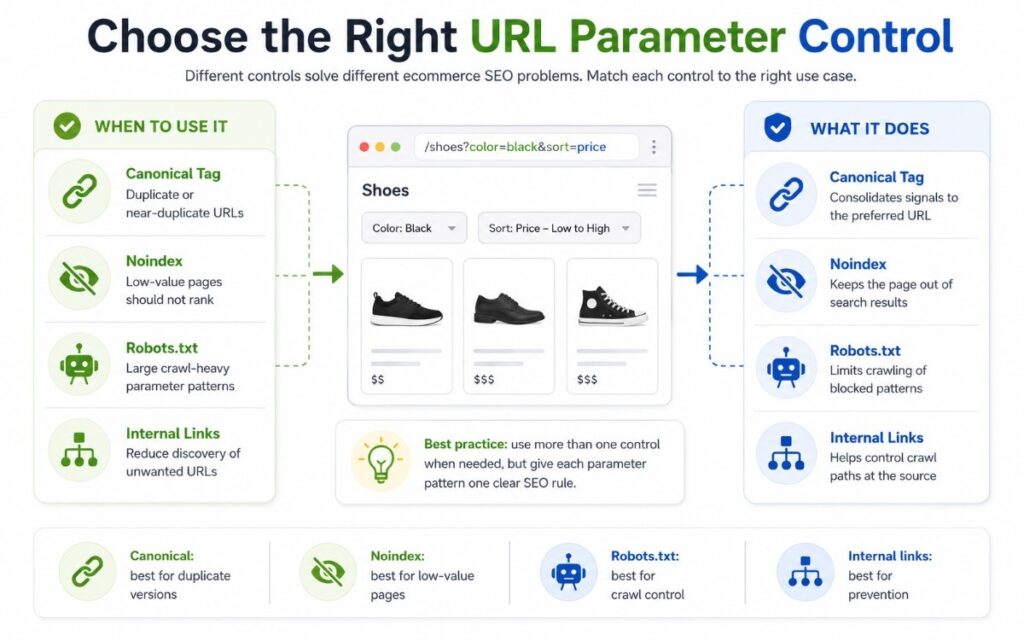
No single directive solves every problem. Canonicals, noindex, robots.txt, internal links, sitemaps, and status codes perform different jobs.
| Control | Main purpose | Best use | Important limitation |
| Canonical tag | Consolidate duplicate signals | Tracking, sorting, and near-duplicates | Does not stop crawling |
| Noindex | Keep a page out of search results | Internal search and low-value filters | Page must remain crawlable |
| Robots.txt | Reduce crawling | Large, predictable parameter patterns | Blocked URLs may still appear without content |
| Nofollow | Discourage link following | Limited supporting use | Must be applied consistently |
| Sitemap rules | Promote preferred URLs | Categories and products that should rank | Does not block unwanted URLs |
| 404 response | Remove invalid combinations | Empty or impossible filters | Do not use for temporary stock issues |
Use Canonical Tags for Duplicate Variants
Tracking, sorting, and display parameters often return the same core page. Point these URLs to the clean preferred version.
Example:
/mens-shoes?sort=price-low
Canonical:
/mens-shoes/
Use self-referencing canonicals on preferred pages. Keep internal links and XML sitemaps aligned with the same canonical URL. Validate important parameter pages with the Google Search Console URL Inspection tool to compare your declared canonical with the URL Google selected.
Google advises linking internally to canonical URLs and warns against using robots.txt as a canonicalization method.
Use Noindex When a Page Should Not Rank
A noindex,follow directive can work for internal search results or low-value filters. The page must remain crawlable so search engines can process the directive.
Do not block the URL in robots.txt before Google processes its noindex tag.
Use Robots.txt for Large Crawl Spaces
Robots.txt can reduce crawling when patterns create huge numbers of combinations.
A robots.txt ecommerce setup should block only patterns with no organic value. Broad wildcards can hide important categories or variants.
Control Internal Links Before Relying on Directives
Search engines discover parameter URLs through links. Fixing link generation can reduce crawl waste at the source.
Useful actions include:
- Link category navigation to clean URLs.
- Avoid links containing tracking parameters.
- Keep faceted links consistent across templates.
- Remove parameter URLs from XML sitemaps.
- Prevent duplicate parameter orders.
For example, these URLs should not create two separate crawl paths:
?brand=nike&color=black
?color=black&brand=nike
Choose one standard parameter order and use it across the website.
Return Correct Status Codes for Empty Combinations
An impossible filter combination should normally return a real 404 response.
Google recommends returning 404 for filter combinations with no results rather than redirecting every empty result to a generic page.
Temporarily empty categories may keep a 200 response when products are expected to return and the page still helps users.
A Practical URL Parameter Audit Process
Manage parameters by pattern, not one URL at a time.
A structured technical SEO audit combines crawl data, Search Console, server logs, analytics, and template testing.
| Audit step | What to check | Output |
| 1. Inventory | Every parameter key and sample URL | Parameter register |
| 2. Classify | Filter, sort, search, tracking, pagination, or session | Parameter purpose |
| 3. Compare | Products, content, canonical, status, and metadata | Equivalence result |
| 4. Measure | Impressions, clicks, crawl hits, and conversions | Value score |
| 5. Decide | Index, canonicalize, noindex, block, or remove | Control rule |
| 6. Validate | Crawl, render, inspect, and review logs | Confirmed behavior |
Step 1: Build a Parameter Inventory
Collect examples from:
- A full-site crawl.
- Search Console and analytics.
- Server logs.
- XML sitemaps.
- Platform settings.
- Search and filter templates.
Group URLs by parameter key. This turns thousands of URLs into a smaller set of repeatable patterns. Use Screaming Frog SEO Spider to export query-string URLs with their status codes, indexability settings, canonical targets, and internal link sources.
Step 2: Test Rendered-Page Equivalence
Do not assume two URLs are duplicates because they look similar.
Compare the rendered product set, title, H1, copy, canonical, structured data, links, and response code. For JavaScript-based filters, use the URL Inspection tool to confirm that Google can access the products, links, and canonical tags in the rendered HTML.
Step 3: Score Crawl Demand and Organic Value
Score each pattern by search demand, conversion value, product depth, content uniqueness, crawl frequency, index count, and maintenance cost.
High-value patterns can become optimized landing pages. High-crawl, low-value patterns need stronger controls. A log analysis platform such as JetOctopus can show how often Googlebot requests each parameter pattern and where crawl activity is being wasted.
Step 4: Assign an Owner
Every parameter should have a business and technical owner.
Marketing may own tracking. Merchandising may own filters. Development may own rendering and URL order. SEO should own crawl and index rules.
Clear ownership prevents problems returning after app, theme, or platform changes.
Three Controls Many Ecommerce Audits Miss
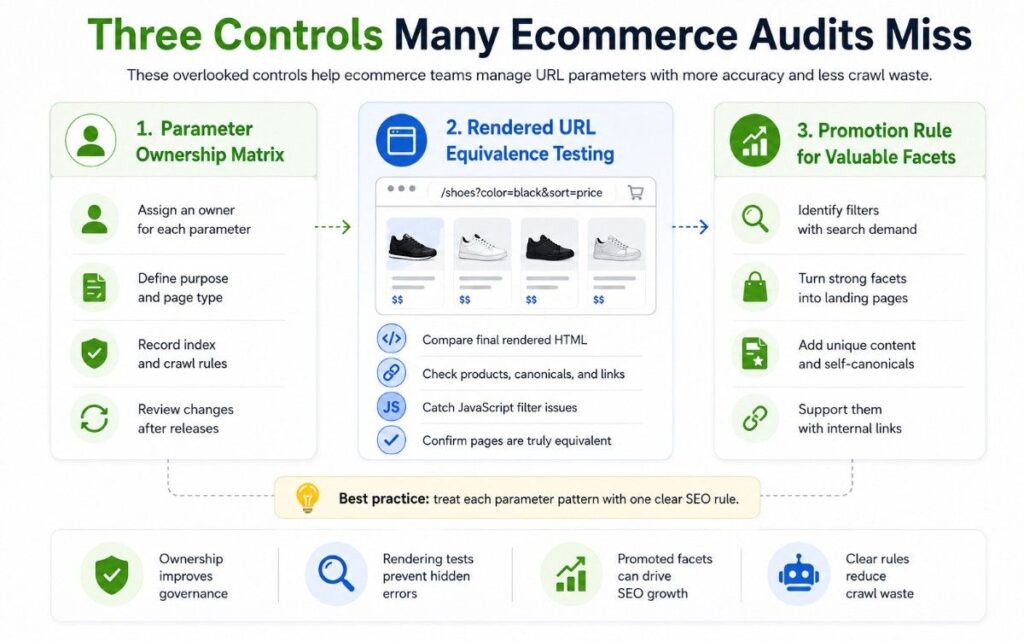
1. A Parameter Ownership Matrix
Document who can create, change, approve, and retire each parameter. This stops apps or campaigns from adding crawlable URLs without review.
The matrix should include:
- Parameter name.
- Business purpose.
- Page templates affected.
- Indexing rule.
- Canonical behavior.
- Responsible team.
- Review date.
2. Rendered URL Equivalence Testing
Compare the final HTML and product set, not only the source URL. JavaScript filters may change products, canonicals, structured data, or links after load.
A wider ecommerce technical audit should test server responses and fully rendered pages.
This check is especially important for headless ecommerce websites, single-page applications, and JavaScript-based filtering systems.
3. A Promotion Rule for Valuable Facets
Do not leave strong filters as accidental parameter URLs.
Promote valuable filters into managed landing pages with clean URLs, unique content, self-canonicals, sitemap inclusion, and controlled internal links.
This turns faceted navigation from a crawl problem into an organic growth system.
Monitor URL Parameters After Implementation
Parameter control is ongoing. Feeds, themes, apps, merchandising rules, and tracking tools can introduce new patterns.
Review these signals monthly or after major releases, using a crawler such as Sitebulb to identify canonical loops, canonicals pointing to noindex pages, and other indexability conflicts across parameter URLs:
- Growth in crawled parameter URLs.
- Parameter pages receiving impressions.
- Google-selected canonicals differing from declared canonicals.
- Crawl spikes in server logs.
- Empty filters returning 200.
- Parameter URLs in sitemaps.
Include these checks in your technical audit framework so parameter rules remain aligned with the catalogue and search demand.
Run a Technical SEO Audit Before Scaling Content or Backlinks
Before scaling SEO, run a technical audit that checks parameter patterns, crawl paths, index coverage, faceted navigation, product pages, canonical tags, sitemaps, structured data, and performance.
E-commerce Technical SEO helps store owners, marketing teams, developers, and agencies find technical issues that limit product visibility, rankings, organic traffic, and revenue.
A focused parameter control review shows which URLs should rank, consolidate, or stay outside the crawl path.
Our technical SEO specialists help ecommerce teams build a stronger technical base before investing more time and budget in content, backlinks, new categories, or site expansion.
FAQs
Should All Filtered URLs Use Noindex?
No. Some filters match valuable searches and can become strong landing pages. Noindex suits thin, unstable, low-demand, or user-specific combinations.
Does a Canonical Tag Save Crawl Budget?
Not directly. Search engines normally crawl the URL before seeing its canonical. Canonicals consolidate signals; robots.txt, link controls, and URL design manage crawling.
Should UTM Parameters Be Blocked in Robots.txt?
Usually, clean internal links and canonicals are safer first controls. Also keep UTM parameters out of navigation, sitemaps, and canonical tags.
How Many Filter Combinations Should Be Indexable?
There is no fixed number. Index combinations with clear demand, stable inventory, useful content, strong internal links, and a distinct purpose.