
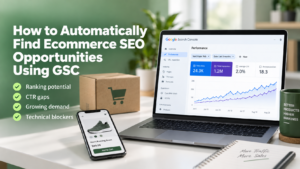

Google Search Console can tell you where your ecommerce store is already close to earning more organic traffic.
The problem is not finding more data. The problem is finding the queries, categories, products, and technical issues worth acting on first.
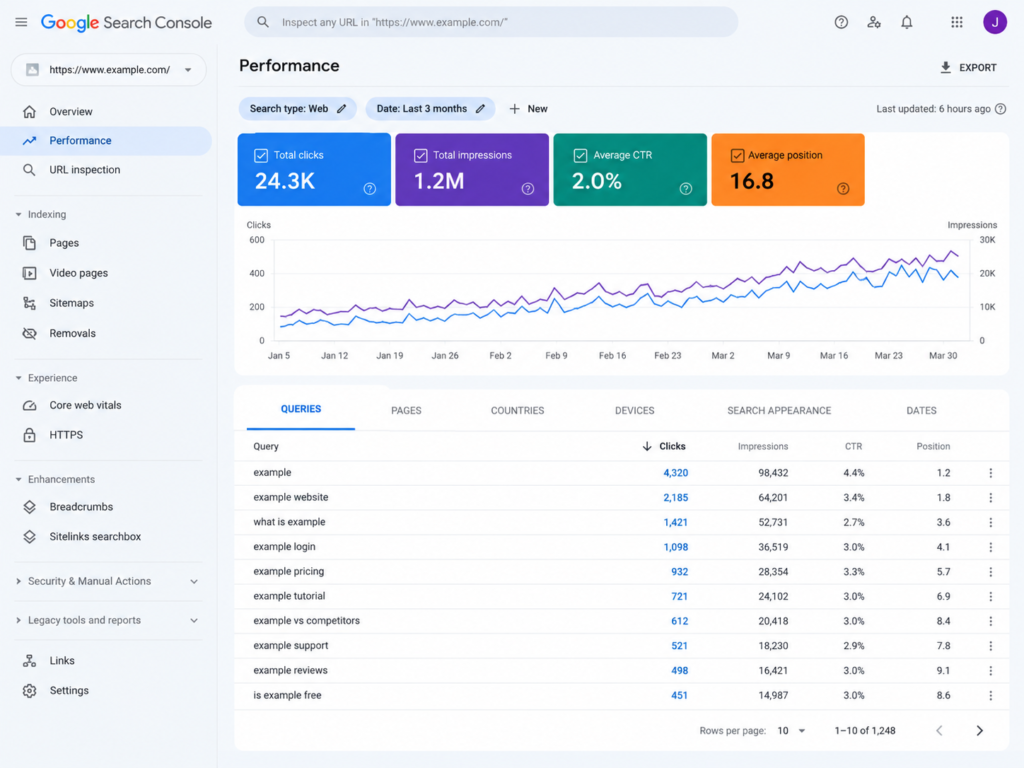
A useful GSC workflow should automatically surface pages with ranking potential, weak click-through rates, growing search demand, declining visibility, intent mismatches, and technical barriers.
For ecommerce SEO, these signals become more valuable when you connect them to page type and commercial intent.
This guide shows how to build that system without turning Search Console into a complicated analytics project.
What Is an Ecommerce SEO Opportunity in GSC?
An ecommerce SEO opportunity is a query or page where Google is already giving your store measurable visibility, but something is preventing that visibility from producing its full value.
Search Console gives you four core signals:
- Impressions
- Clicks
- Click-through rate
- Average position
Google recommends using these metrics to understand which queries show your site, which pages receive traffic, and where CTR or visibility could improve.
But ecommerce stores need another layer: page purpose.
A category page ranking in position 11 needs different treatment from an individual product page with a 1% CTR.
| GSC signal | Possible opportunity | Typical ecommerce action |
| Position 4–15 + strong impressions | Ranking improvement | Improve category content, relevance and internal links |
| High impressions + weak CTR | SERP click opportunity | Improve title, value proposition and snippet alignment |
| New queries gaining impressions | Demand expansion | Expand an existing page or create supporting content |
| Several URLs for one query | Intent or cannibalization issue | Decide which URL should own the query |
| Falling clicks and impressions | Visibility loss | Review content, inventory, links and technical changes |
| Important page with weak visibility | Crawl/index issue | Check canonical, indexability and crawl paths |
Do not treat every low-ranking query as an opportunity.
A query only matters when its search intent matches something useful your store can provide.
That distinction is important when reviewing crawlability vs indexation for ecommerce SEO. A page cannot become a meaningful search opportunity if Google cannot reliably access or index the right URL.
Start by Segmenting GSC Data by Ecommerce Page Type
Do not analyze every URL together.
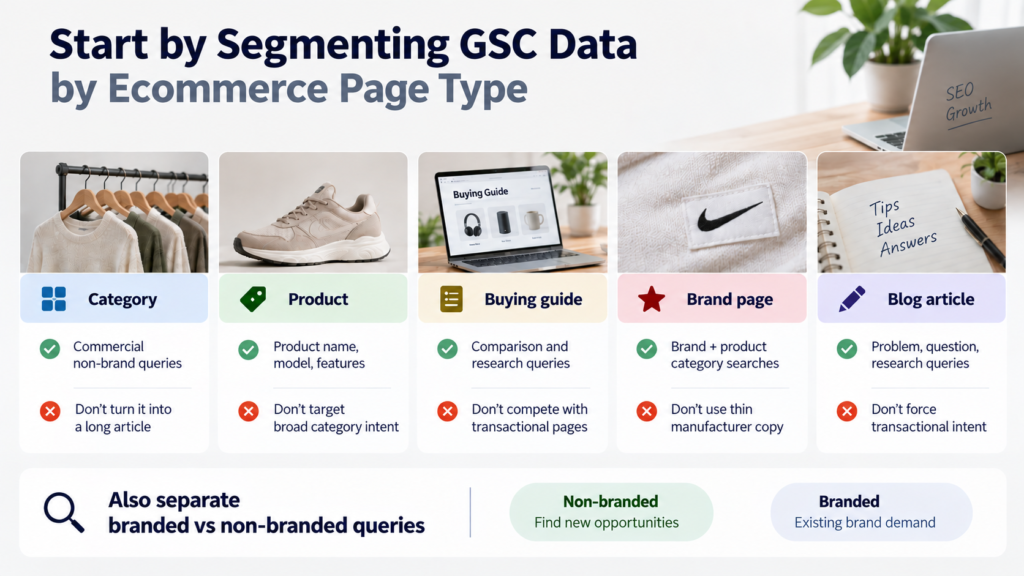
Product pages, categories, buying guides, brand pages, and blog articles serve different search intents.
Create simple URL groups first.
For example:
- /collections/ = category pages
- /products/ = product pages
- /blogs/ = informational content
- /brands/ = manufacturer or brand pages
You can use page filters or regular expressions inside Search Console. Google supports RE2-based regex filtering for queries and URLs.
This immediately makes opportunity analysis more useful.
| Page type | Search opportunity to prioritize | What to avoid |
| Category | Commercial non-brand queries | Turning the page into a long informational article |
| Product | Product name, model, feature and attribute queries | Targeting broad category intent |
| Buying guide | Comparison and research queries | Competing directly with transactional pages |
| Brand page | Brand + product category searches | Thin manufacturer copy |
| Blog article | Problem, question and research searches | Forcing transactional intent into informational content |
Also separate branded and non-branded queries where the filter is available.
Google’s Performance report now provides branded and non-branded query classification for eligible properties. This helps separate existing brand demand from broader organic discovery.
For opportunity discovery, non-branded traffic is usually the cleaner starting point.
Find Striking-Distance Ecommerce Queries Automatically
The first opportunity group is queries where Google already considers your page relevant.
Start with queries that have:
- Meaningful impressions
- Average position around 4–15
- Clear commercial or product relevance
- A suitable existing landing page
Do not blindly optimize every query between positions 4 and 15.
Average position is only a signal. Google itself recommends paying attention to trends in impressions and clicks rather than relying on position alone.
For each candidate, identify the ranking URL.
Then ask:
- Is this the page that should rank?
- Does the query match the page’s main purpose?
- Is the topic already covered clearly?
- Could stronger internal links improve its prominence?
- Is the page technically indexable?
For category pages, internal linking can be especially valuable.
Supporting a category from related guides, parent categories, subcategories, and relevant products strengthens discovery and context. See how internal linking helps ecommerce category pages rank before creating another page for the same intent.
Find High-Impression Pages With Weak CTR
The second opportunity is already-visible pages that users are not clicking.
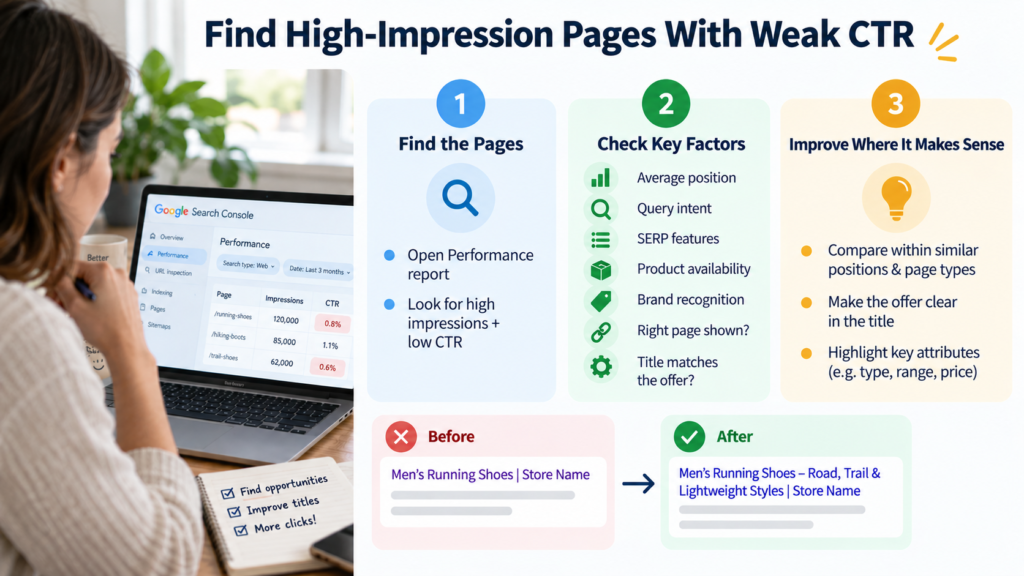
Open the Performance report and examine CTR alongside impressions.
Google specifically recommends reviewing low-CTR pages and checking whether titles, descriptions, and page relevance accurately represent what searchers want.
However, do not automatically rewrite every title with low CTR.
First check:
- Average position
- Query intent
- SERP features
- Product availability
- Brand recognition
- Whether Google is showing the right page
- Whether the title reflects price, product type or important attributes
A category ranking position 9 will naturally behave differently from one ranking position 2.
CTR should therefore be compared within similar ranking and page-type groups.
For ecommerce pages, stronger titles often make the offer easier to understand.
Instead of:
Men’s Running Shoes | Store Name
A better title may communicate a useful differentiator:
Men’s Running Shoes – Road, Trail & Lightweight Styles | Store Name
The goal is not to add keywords mechanically. It is to make the page’s search value clearer.
Use GSC to Find Rising Demand Before Competitors Do
Search Console can also uncover topics your store does not yet target strongly.
Look for queries where:
- Impressions are increasing
- Positions are still weak
- Several related variations are appearing
- The same topic appears across multiple products or categories
Search Console Insights also groups content and queries into areas such as top, trending up, and trending down.
These signals can reveal emerging attributes, product uses, comparison needs, or customer questions.
For example, a footwear category might begin receiving impressions for:
- waterproof walking shoes
- lightweight waterproof walking shoes
- waterproof walking shoes for travel
- waterproof walking shoes for wide feet
Do not automatically create four pages.
First determine whether these queries represent one useful intent or several distinct needs.
Connect This With Query Fan-Out and AI Search
Google says AI Overviews and AI Mode may use query fan-out, where a broader question is expanded into related searches across subtopics and data sources.
For ecommerce content, this means useful pages should answer the natural supporting questions around an intent.
Think about:
- Product type
- Use case
- Compatibility
- Material
- Size
- Comparison
- Benefits
- Limitations
- Buying criteria
This is also a practical way to handle what marketers sometimes call query drift: the search journey moving from one wording or subtopic into a related need.
Do not create thin pages for every variation. Strengthen the most appropriate existing page when the underlying intent remains the same.
Detect Wrong Landing Pages and Keyword Cannibalization
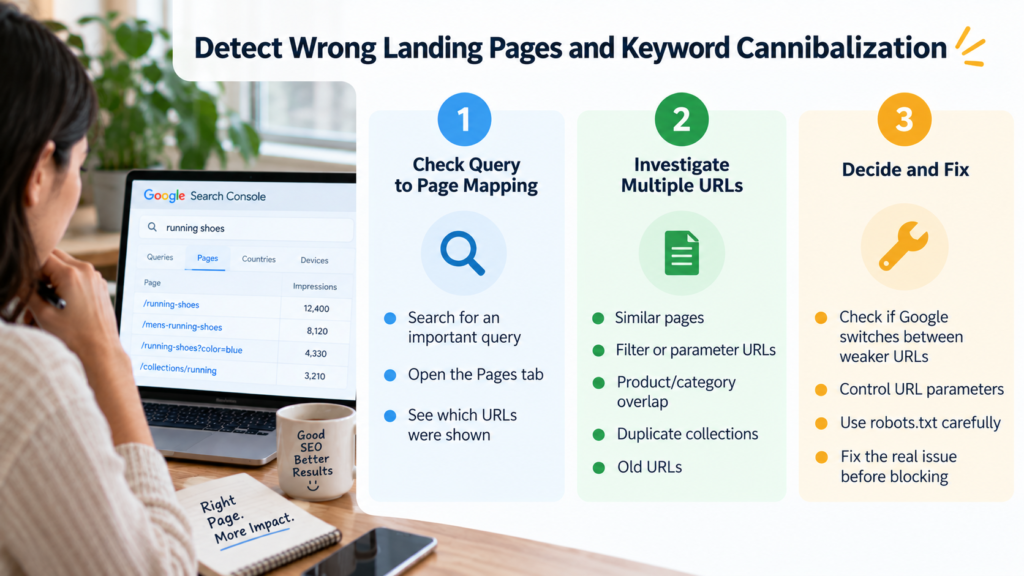
One useful GSC check is often missed: query-to-page mapping.
Select an important query and open the Pages tab.
Google allows you to see which URLs were shown for a specific query.
If several URLs appear, investigate why.
Possible causes include:
- Similar category pages
- Filter or faceted URLs
- Parameter-based duplicates
- Product and category intent overlap
- Duplicate collections
- Old URLs that remain indexable
This does not automatically mean cannibalization.
Sometimes multiple pages legitimately serve different versions of an intent.
The problem starts when Google repeatedly switches between weaker URLs instead of consistently surfacing the page you want.
Faceted ecommerce stores should pay particular attention to controlling ecommerce URL parameters and how robots.txt should be used for ecommerce SEO.
Blocking URLs is not the same as removing them from Google’s index, so diagnose the issue before changing crawl directives.
Automatically Find Pages Losing Organic Visibility
Growth opportunities are not limited to upward movement.
Preventing a high-value category from declining can be more valuable than improving a small keyword.
Compare the last 28 or 90 days with the previous equivalent period.
Flag URLs where:
- Clicks dropped
- Impressions dropped
- Average position weakened
- Important queries disappeared
- One device type declined sharply
Then investigate the cause.
| Pattern | Likely area to inspect | First check |
| Impressions down | Relevance, demand or indexing | Compare query visibility |
| Impressions stable, clicks down | CTR or SERP change | Review queries and snippets |
| Product pages disappear | Inventory or indexation | Inspect sample URLs |
| Category loses rankings | Content/internal authority | Review changes and internal links |
| Mobile decline | Performance or UX | Review mobile metrics |
| Many URLs decline together | Technical/template issue | Crawl affected page type |
If many pages decline simultaneously, move beyond content changes.
Check templates, canonicals, rendering, crawl paths and Core Web Vitals for ecommerce.
That is where GSC opportunity analysis becomes technical SEO diagnosis.
Build a Simple GSC Opportunity Score
You do not need an advanced machine-learning system.
Export the useful data into Google Sheets and add four simple labels:
- Business value
- Impression potential
- Ranking distance
- Effort required
Then classify opportunities as High, Medium or Low priority.
A query with 3,000 impressions at position 8 on a major category may deserve immediate work.
A query with 30 impressions at position 12 for an irrelevant product attribute probably does not.
Use business value as the final filter.
Revenue potential should influence SEO priority more than ranking position alone.
Choose the Right Level of GSC Automation
Automation should reduce repeated analysis, not remove human review.
Start with the simplest setup your store needs.
| Automation level | Best for | Approach |
| GSC only | Small stores | Save a repeatable weekly filtering process |
| GSC + Sheets | Most ecommerce teams | Export data and apply opportunity rules |
| Search Console API | Larger stores/agencies | Pull query and page data programmatically |
| BigQuery export | Enterprise ecommerce | Store daily performance data and analyze large datasets |
Google’s Search Console API provides programmatic access to Search performance data.
For larger ecommerce sites, Search Console can also export performance data to BigQuery every day, excluding anonymized queries.
This is useful when a store has thousands of categories, products, filters, countries or search queries.
You can automatically flag:
- Position 4–15 opportunities
- CTR outliers
- New queries
- Declining URLs
- Query-to-page conflicts
- Category-level visibility trends
The automation should produce a review queue.
It should not automatically rewrite pages.
Validate GSC Opportunities With a Technical Crawl
GSC tells you where search performance looks weak or promising.
A crawler helps explain why.
Before updating an important URL, confirm:
- HTTP status
- Indexability
- Canonical tag
- Meta robots
- Title
- H1
- Internal link count
- Crawl depth
- Parameter variants
- Pagination
- Structured data
This prevents a content team from rewriting a category page when the real problem is a canonical pointing somewhere else.
For larger stores, combine GSC signals with a regular ecommerce technical SEO audit.
If Search Console itself shows persistent coverage, indexing or performance problems, a focused Google Search Console error review for ecommerce can help separate isolated URL issues from site-wide patterns.
Turn GSC Data Into an Ecommerce SEO Action Queue
The final system should not produce another dashboard.
It should produce actions.
A useful weekly queue might contain:
- Three category pages in striking distance
- Three high-impression pages with weak CTR
- Two growing query clusters
- Two declining revenue-driving pages
- One query with the wrong landing URL
- One technical pattern affecting multiple pages
For each opportunity, assign one action:
- Improve existing content
- Improve title/snippet alignment
- Add internal links
- Consolidate competing URLs
- Create a genuinely missing page
- Fix a technical issue
- Monitor without changing anything
That last option matters.
Not every Search Console fluctuation requires an SEO change.
The goal is to turn Google’s search performance data into a repeatable decision system rather than reacting to individual keyword movements.
Run a Screaming Frog Audit Before Scaling Content or Backlinks
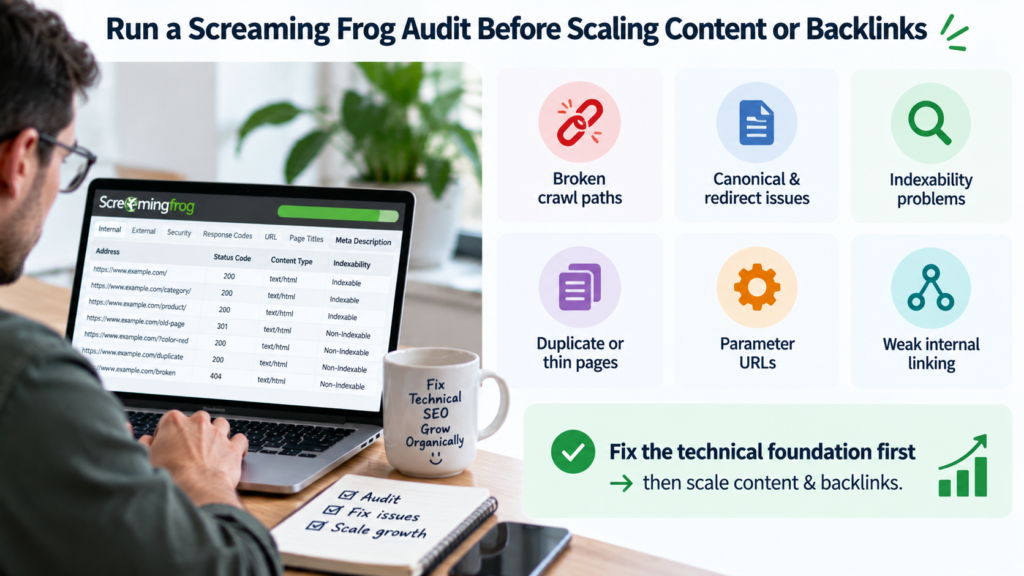
Once GSC identifies your strongest opportunities, validate the underlying URLs before investing heavily in new content or links.
A Screaming Frog audit before scaling ecommerce SEO can expose broken crawl paths, incorrect canonicals, redirect chains, indexability problems, duplicate metadata, thin category structures, parameter URLs and weak internal linking.
E-commerce Technical SEO focuses on technical problems that can prevent products and categories from gaining the organic visibility their demand signals suggest they should have.
If your store has thousands of URLs, complex faceted navigation, indexing problems, platform limitations or unclear GSC signals, our technical SEO specialists can help turn Search Console and crawl data into a prioritized technical SEO roadmap.
The goal is simple: fix the technical foundation first, then scale the content, internal links and authority around pages that have measurable organic growth potential.