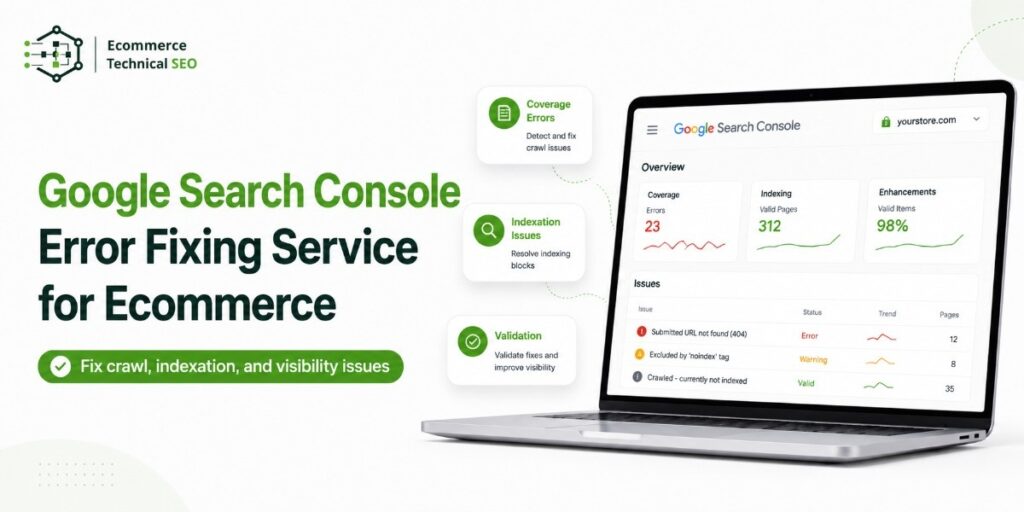


Google Search Console can show thousands of excluded, redirected, blocked, duplicate, or non-indexed ecommerce URLs. The difficult part is deciding which reports reveal a real SEO problem and which reflect normal store behavior.
Our Google Search Console error fixing service identifies the root cause, protects important product and category pages, and turns confusing reports into a practical fix plan. We focus on issues that affect organic visibility, crawl efficiency, product discovery, and revenue.
What Does an Ecommerce GSC Error Fixing Service Do?
A specialist reviews Search Console data alongside your store’s technical setup. A technical SEO audit service checks templates, internal links, canonicals, robots directives, sitemaps, redirects, structured data, and server responses.
The review identifies valuable missing pages, the technical cause, the affected template, and the correct action: fix, monitor, consolidate, or ignore.
| GSC issue | Common ecommerce cause | Likely business impact | Typical action |
| Crawled – currently not indexed | Thin product copy, duplication, or weak internal links | Products remain invisible in organic search | Improve page value, linking, and canonical signals |
| Discovered – currently not indexed | Large URL volume, weak crawl paths, or low-priority pages | New products and collections are discovered slowly | Improve architecture, sitemaps, and crawl focus |
| Duplicate without user-selected canonical | Variants, filters, tracking URLs, or copied product paths | Google may select the wrong URL | Consolidate duplicate signals |
| Excluded by noindex | Theme, plugin, app, or template directive | Revenue pages cannot enter the index | Remove unintended directives |
| Server error or redirect error | Hosting, CDN, redirect chain, or app conflict | Googlebot cannot reliably access pages | Repair response and redirect behavior |
| Soft 404 | Empty categories, unavailable products, or thin templates | Weak URLs consume crawl attention | Improve, redirect, or retire the page |
Submit your GSC issue: Share the affected report, example URLs, platform, and any recent migration, redesign, theme, or app changes.
Not Every Search Console Exclusion Needs Fixing
A healthy ecommerce site should not index every URL it creates. Internal search pages, cart paths, account pages, filtered combinations, tracking URLs, and some product variants may need to remain outside Google.
The first task is to separate useful exclusions from harmful exclusions. Understanding crawl and index gaps prevents teams from wasting time on URLs that were intentionally excluded.
| URL type | Preferred treatment | Why |
| Core product or collection page | Crawlable, canonical, and indexable | Can rank for buying searches |
| Product variant with unique demand | Indexable when content and search value are distinct | May capture specific color, size, or model queries |
| Duplicate variant path | Canonical to the main product | Consolidates signals |
| Filter or sort combination | Case-by-case control | Some filters have demand; most create duplication |
| Cart, login, account, or checkout | Keep out of the index | Offers no organic landing-page value |
| Discontinued product | Keep, redirect, or remove based on demand | Preserves useful traffic and links |
This model is more useful than chasing a zero-error report. Google advises site owners not to expect every URL to be indexed. Duplicate, removed, blocked, and low-value URLs may be excluded for valid reasons.
Common Ecommerce GSC Problems We Fix
Product and Category Pages Are Not Indexed
A live, crawlable product can remain outside the index because of duplication, weak internal links, conflicting canonicals, unavailable content, or a low-value template.
We compare submitted, crawled, indexed, and impression-earning URLs using Google Search Console’s URL Inspection tool and Screaming Frog SEO Spider to locate the failure point.
Filter, Sort, and Tracking URLs Create Index Bloat
Faceted navigation can produce many combinations from a small catalog. Size, color, price, brand, sort order, pagination, and campaign parameters can create duplicate crawl paths.
The solution may combine canonicals, link controls, noindex rules, sitemap cleanup, and a plan to control URL parameters without blocking useful category demand.
Robots.txt or Noindex Rules Block Important Pages
Robots.txt controls crawling. A meta robots or X-Robots-Tag directive can control indexing when Google can access the page. These signals should not be treated as interchangeable.
We review store robots.txt rules with page directives, canonicals, sitemaps, and links. This prevents one fix from creating another access problem.
Canonical Signals Point to the Wrong URL
Ecommerce platforms often create several paths to the same item. Google may receive mixed signals when the canonical, sitemap URL, internal links, redirects, and structured data reference different versions.
We align those signals around the preferred URL. Where pages are genuinely different, we avoid unnecessary consolidation.
Structured Data and Merchant Reports Show Errors
Product, Offer, Review, Breadcrumb, and merchant-related reports can reveal missing or invalid fields. Some warnings are optional. Critical errors may stop a page from qualifying for a specific search feature.
We compare GSC reports with Google’s Rich Results Test, Schema Markup Validator, rendered markup, and visible content before correcting the product template rather than patching isolated URLs.
Google recommends testing representative URLs and starting validation after confirmed fixes.
Core Web Vitals Issues Affect Page Groups
Search Console groups similar URLs when reporting performance. A slow product template, heavy app, oversized image, or unstable layout can therefore affect many pages.
A review of store performance signals connects affected groups to template code, apps, scripts, and media delivery.
How Our Google Search Console Fixing Process Works
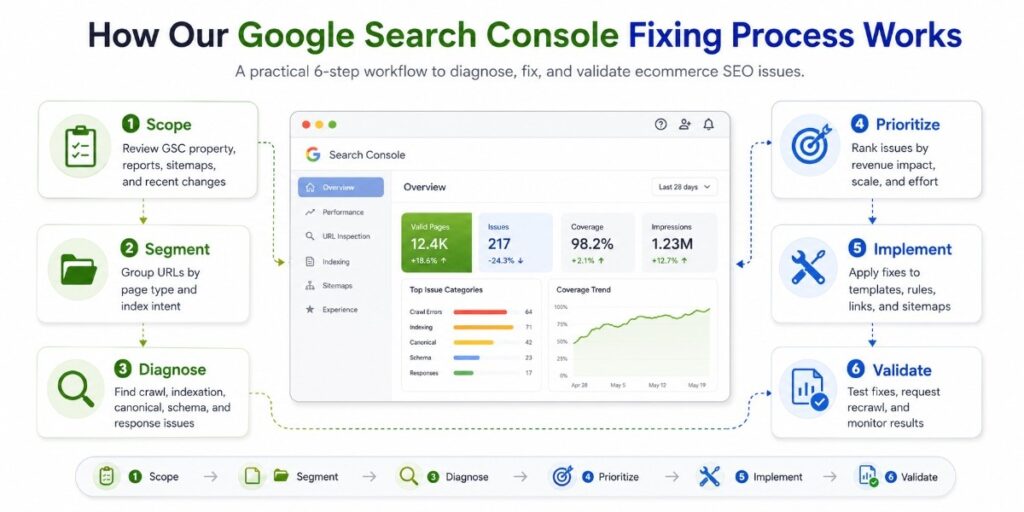
The process finds root causes, reduces developer guesswork, and protects commercial pages.
| Stage | What we check | What you receive |
| 1. Scope | GSC property, reports, sitemaps, recent changes, and platform | Confirmed issue list and required access |
| 2. Segment | Product, category, filter, variant, blog, utility, and error URLs | Page-type and index-intent map |
| 3. Diagnose | Crawl, index, canonical, response, rendering, schema, and speed signals | Root-cause findings |
| 4. Prioritize | Revenue value, affected volume, risk, and effort | Fix order and impact level |
| 5. Implement | Templates, rules, redirects, links, sitemaps, or content signals | Completed fixes or developer instructions |
| 6. Validate | Live tests, URL Inspection, samples, and report monitoring | Validation record and follow-up plan |
1. Segment URLs Before Making Changes
A 10,000-URL report may come from three templates. We group examples by page type, pattern, status, and intended index behavior.
This reveals the “template blast radius” of one bad canonical or noindex rule.
2. Prioritize by Revenue, Not Error Count
The largest group is not always the most important. Fifty missing bestsellers can matter more than 50,000 parameter URLs.
We prioritize core collections, high-demand products, seasonal pages, and URLs earning links or impressions. A technical audit checklist supports the review, but commercial impact sets the order.
3. Find the Root Cause Outside GSC
Search Console reports the outcome. The cause may sit in theme code, a plugin, an app, CDN rules, navigation, product data, or deployment.
We test the live URL, rendered HTML, response, canonical, robots directives, sitemap inclusion, links, and structured data.
4. Validate the Fix Without Overpromising
A code change can be confirmed immediately, while Search Console may update later. Validation or indexing requests do not force inclusion.
We document the change, test representative URLs, and monitor recrawling. This separates implementation success from delayed reporting. Google states that recrawl requests do not guarantee instant inclusion, while validation may first test only a sample of affected pages.
Platform-Specific Ecommerce GSC Support
Each platform creates different technical patterns.
| Platform | Frequent GSC patterns | Review focus |
| Shopify | Product variants, collection paths, app schema, and theme speed | Canonicals, internal links, app output, and rendered pages |
| WooCommerce | Plugin conflicts, tag archives, parameters, and sitemap overlap | Index directives, taxonomy rules, and plugin settings |
| Magento or Adobe Commerce | Faceted navigation, layered URLs, and crawl scale | Parameter control, architecture, and server performance |
| Custom stores | Rendering, API content, deployment errors, and inconsistent templates | Server logs, rendered HTML, routing, and template rules |
Stores with complex Shopify themes or app stacks may need a Shopify SEO specialist who can connect Search Console symptoms to platform behavior.
What You Receive
Our service is built for implementation, not a generic export of GSC warnings.
You receive:
- A prioritized issue list by severity and page value
- Example URLs and affected patterns
- Root-cause explanations
- Fix instructions for SEO and development teams
- Template-level recommendations
- Validation and monitoring notes
The wider ecommerce audit process can cover technical issues beyond the submitted report.
When Should You Hire a GSC Specialist?
Specialist support is useful when:
- Important products or collections are not indexed
- Exclusions increased after a migration
- Google selected unexpected canonicals
- Validation repeatedly fails
- Filter URLs consume crawl attention
- Traffic dropped after a platform or theme change
Setup may connect GSC and submit a sitemap. Error fixing requires diagnosis across the site, platform, and templates.
Frequently Asked Questions
Can Every Google Search Console Error Be Fixed?
No. Some exclusions are intentional, some warnings are optional, and Google controls final indexing. We focus on correctable issues affecting pages with search value.
Does Fixing GSC Errors Improve Rankings?
Fixing access, indexation, canonical, speed, or structured data problems improves the conditions for visibility. Rankings still depend on relevance, quality, competition, authority, and demand.
How Long Does GSC Validation Take?
A change may be testable immediately, but GSC can take longer to recrawl URLs and update reports. Timing depends on site size, crawl activity, and page type.
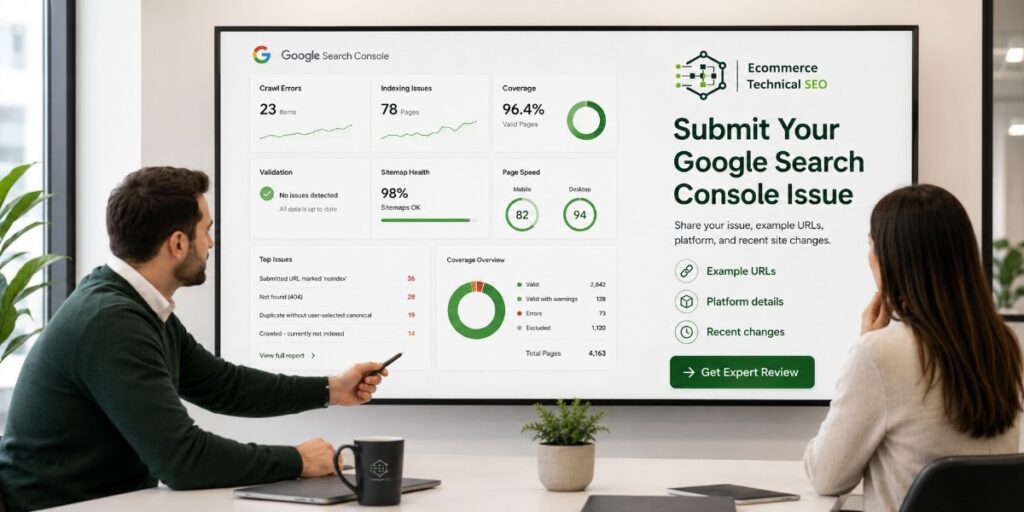
Submit Your Google Search Console Issue
Before scaling content or backlinks, confirm that Google can reach, understand, and index the pages that drive ecommerce revenue.
E-commerce Technical SEO helps store owners, marketing teams, developers, and agencies fix crawl, indexation, canonical, sitemap, structured data, and performance problems.
The goal is simple: make valuable products and categories easier for search engines to process and surface.
Our technical SEO specialists will review your submitted GSC issue, identify the likely root cause, and explain the next practical step.
Include example URLs, screenshots or exported data, your ecommerce platform, and any recent migration, theme, app, or development changes.
Run a technical SEO audit before scaling content or backlinks.