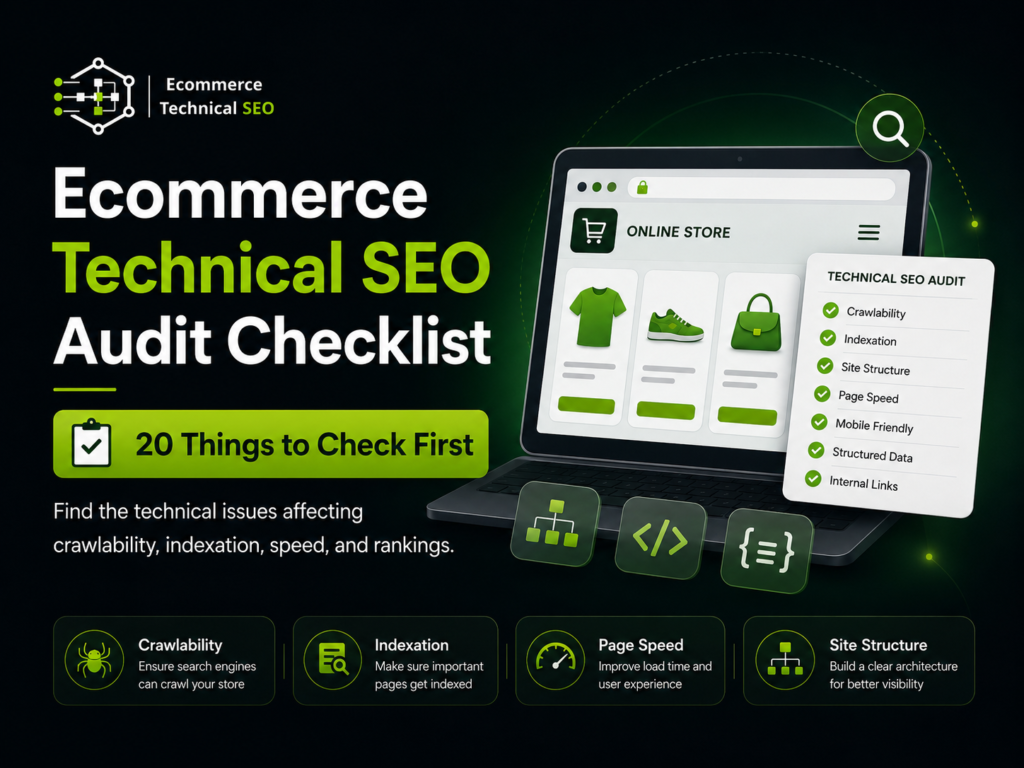


An ecommerce technical SEO audit checklist helps you find the issues that stop search engines from crawling, indexing, understanding, and ranking your store. For ecommerce websites, technical problems often affect full templates, so one broken rule can reduce visibility for hundreds of product or category pages.
This checklist is built for store owners, SEO managers, marketers, developers, and agencies that need a practical first audit. It focuses on the technical problems most likely to affect organic traffic, product visibility, crawl efficiency, page speed, conversions, and revenue.
What This Audit Should Decide First
A technical audit should answer a business question before it lists errors: which technical problems are stopping important ecommerce pages from ranking and converting? If you need the basics first, this technical audit definition explains the role of the audit before deeper checks begin.
The first pass should separate critical issues from low-impact warnings. A missing meta description is not equal to a blocked collection page, broken canonical, or slow product template. Use the audit to decide what affects crawl access, indexation, page quality, and revenue first.
| Audit Decision | What It Controls | Ecommerce Page Types Affected |
| Can Google crawl the page? | Discovery and crawl access | Products, categories, collections |
| Should Google index the page? | Search eligibility | Canonical products, key categories |
| Can Google understand the page? | Content, schema, hierarchy | Product and category templates |
| Can users use the page easily? | Speed, layout, conversion flow | Product pages and checkout paths |
The 20-Point Ecommerce Technical SEO Audit Checklist
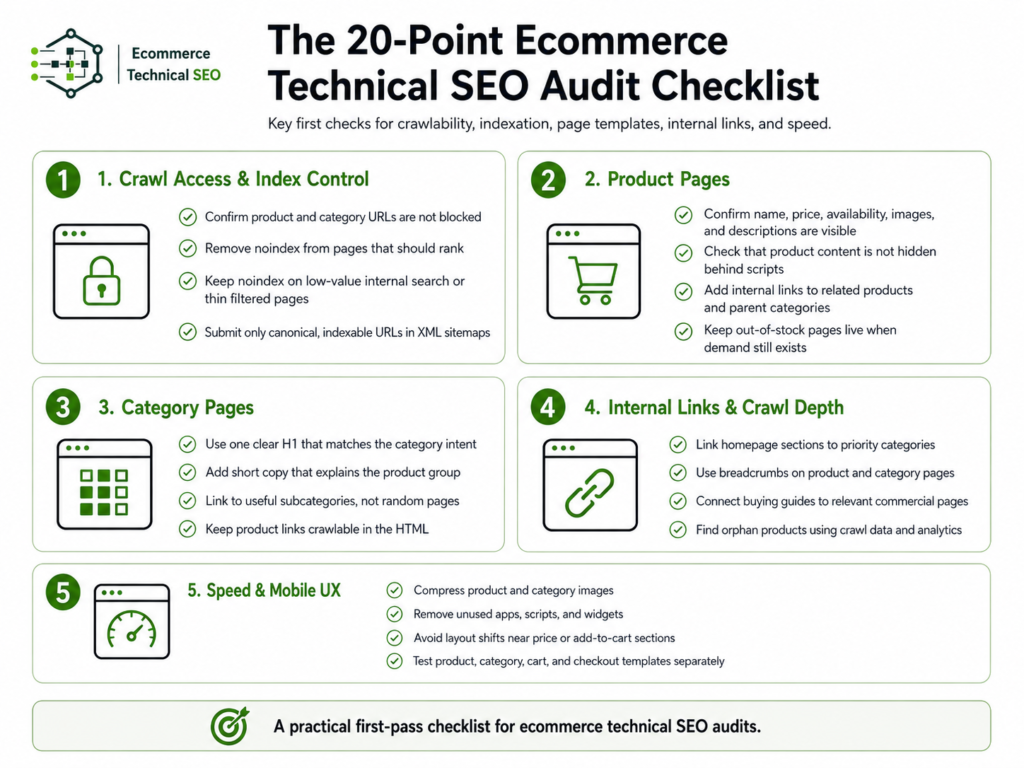
This section gives you the complete first-pass checklist. It is not arranged by tool reports because tool reports often mix serious problems with minor notices. It is arranged by impact, moving from crawl and index control to templates, structured data, speed, and measurement.
For a deeper audit sequence, the complete audit workflow can support larger stores, migrations, and multi-template reviews. Use the table below as the working checklist before you scale content, backlinks, product feeds, or paid campaigns safely.
| # | Check | Main Question |
| 1 | Robots.txt | Are important pages blocked from crawling? |
| 2 | XML sitemap | Does it include only clean, indexable URLs? |
| 3 | Index coverage | Are revenue pages actually indexed? |
| 4 | Canonicals | Do signals point to the right URL? |
| 5 | Duplicate URLs | Are parameters creating duplicate pages? |
| 6 | Faceted navigation | Are filters wasting crawl budget? |
| 7 | Category pages | Can commercial landing pages rank? |
| 8 | Product pages | Are product templates complete and indexable? |
| 9 | Variants | Are size, color, and option URLs controlled? |
| 10 | Internal links | Can crawlers reach priority pages? |
| 11 | Orphan pages | Do products exist without internal links? |
| 12 | Pagination | Can deeper products be discovered? |
| 13 | Redirects | Are moved URLs handled cleanly? |
| 14 | 404 and 410 pages | Are deleted products handled correctly? |
| 15 | Core Web Vitals | Are templates fast and stable on mobile? |
| 16 | Mobile rendering | Is key content visible on mobile? |
| 17 | Product schema | Is product data accurate and valid? |
| 18 | Breadcrumbs | Is hierarchy clear for users and crawlers? |
| 19 | Hreflang | Are international pages mapped correctly? |
| 20 | Tracking and reports | Can fixes be tied to traffic and revenue? |
Start With Crawl Access and Index Control
Crawlability and indexation are not the same. A page can be crawlable but excluded from the index, or blocked from crawling but still appear in search from older signals. This crawl and index gap is where many ecommerce audits find their first serious problems.
Start by checking robots.txt, meta robots tags, HTTP status codes, XML sitemaps, and Google Search Console coverage. Focus on product pages, category pages, collection pages, and other revenue pages before blog posts or legal pages. These checks show whether search engines can access and keep the right URLs.
- Confirm product and category URLs are not blocked.
- Remove noindex from pages that should rank.
- Keep noindex on low-value internal search or thin filtered pages.
- Submit only canonical, indexable URLs in XML sitemaps.
Fix URL Architecture Before You Fix Content
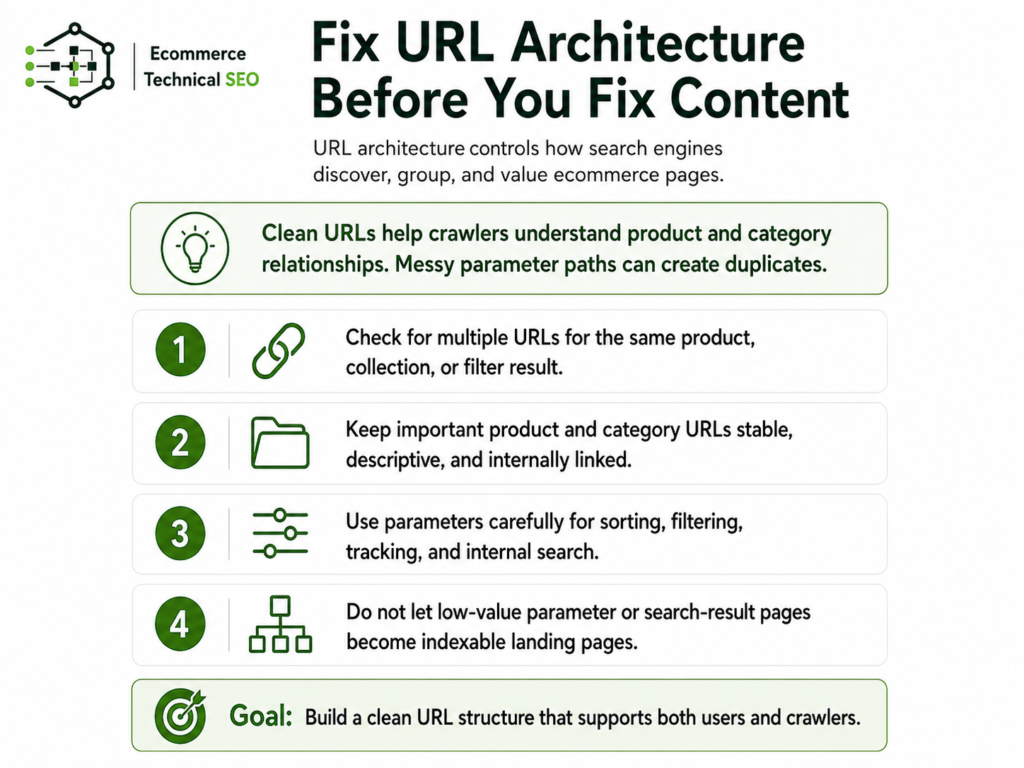
URL architecture controls how search engines discover, group, and value ecommerce pages. Clean URLs help crawlers understand product and category relationships, while messy parameter paths create duplicates. Before rewriting content, check whether the store creates multiple URLs for the same product, collection, or filter result.
A good ecommerce URL structure should support users and crawlers at the same time. Keep important category and product URLs stable, descriptive, and internally linked. Use parameters carefully, especially for sorting, filtering, tracking, and internal search results that should not become indexable landing pages.
| URL Type | Audit Action | Recommended Treatment |
| Main category URL | Keep crawlable and indexable | Self-canonical |
| Product URL | Keep stable and indexable | Self-canonical or selected canonical |
| Sort parameter | Prevent indexation | Canonical or noindex strategy |
| Tracking parameter | Remove from internal links | Canonical to clean URL |
| Internal search URL | Avoid indexing | Noindex or block based on setup |
Audit Product Pages as Revenue Templates
Product pages need more than title tags. They must show complete product information, visible pricing, stock status, image quality, delivery details, reviews where valid, and crawlable links to related products or categories. A weak product template can hurt ranking potential and conversion performance at the same time.
Check the template, not only one product. If one product page has missing schema, hidden content, slow images, or poor internal links, the same issue may affect hundreds of products. For structured data, the product schema setup should match what users can see on the page.
- Confirm name, price, availability, images, and descriptions are visible.
- Check that product content is not hidden behind scripts.
- Add internal links to related products and parent categories.
- Keep out-of-stock pages live when demand still exists.
Audit Category Pages as Search Landing Pages
Category and collection pages often target broader commercial searches than single products. A strong category page helps users compare options, narrow choices, and move deeper into the store. It also gives search engines a stable landing page for product groups, brands, use cases, and buying intent.
Do not treat category pages as empty grids. Check headings, short helpful copy, product visibility, breadcrumbs, pagination, filter behavior, and internal links to subcategories. The content should help shoppers decide what to buy without pushing the product list too far down the page.
- Use one clear H1 that matches the category intent.
- Add short copy that explains the product group.
- Link to useful subcategories, not random pages.
- Keep product links crawlable in the HTML.
Control Filters, Facets, and Variants
Faceted navigation can help shoppers but damage crawl efficiency when every filter creates a crawlable URL. Size, color, price, brand, rating, and material filters can produce thousands of combinations. Most of those combinations have little search value and should not compete with main category pages.
The audit should decide which filtered pages deserve indexation and which should be consolidated, noindexed, or blocked from crawling. Useful filtered pages usually match real search demand, show enough products, and offer a clear landing page experience. Low-value combinations should stay out of search results.
| Page Type | Search Value | Recommended Action |
| Brand category | High when demand exists | Index if useful |
| Color category | Medium when demand exists | Index selectively |
| Size-only filter | Usually low | Consolidate or noindex |
| Sort order URL | Low | Do not index |
| Empty filter result | None | Noindex or remove from crawl paths |
Improve Internal Links and Crawl Depth
Internal links tell search engines which pages matter and how the store is organized. Important products and categories should not rely only on XML sitemaps. They should be reachable through navigation, collections, breadcrumbs, related product modules, editorial content, and useful category paths.
Crawl depth matters because deeply buried pages often receive less internal authority and may be crawled less often. Keep best-selling products, high-margin collections, seasonal pages, and strategic categories close to the homepage or major navigation paths when they support organic revenue goals.
- Link homepage sections to priority categories.
- Use breadcrumbs on product and category pages.
- Connect buying guides to relevant commercial pages.
- Find orphan products using crawl data and analytics.
Test Speed, Rendering, and Mobile UX
Ecommerce speed issues usually come from images, apps, scripts, sliders, tracking tags, review widgets, and heavy themes. Slow templates affect users before they affect rankings. A slow product page can reduce conversion rates, increase bounce behavior, and make mobile shopping harder.
Review the mobile version first because shoppers and search systems depend heavily on mobile usability. With mobile generating 51.51% of global web traffic in June 2026, review the mobile version first because shoppers and search systems depend heavily on mobile usability.
Check Largest Contentful Paint, Interaction to Next Paint, Cumulative Layout Shift, image compression, lazy loading, and third-party scripts. Strong ecommerce speed signals support both rankings and revenue.
- Compress product and category images.
- Remove unused apps, scripts, and widgets.
- Avoid layout shifts near price or add-to-cart sections.
- Test product, category, cart, and checkout templates separately.
Validate Structured Data and Merchant Signals
Structured data helps search engines understand product details, offers, reviews, breadcrumbs, organization data, and merchant information. It does not replace strong page content, but it makes important ecommerce attributes easier to process when the markup is accurate and matches the visible page.
Product schema should not exaggerate or invent information. Price, currency, availability, ratings, and review counts must match what users see. Merchant Center, product feeds, and on-page data should also align, because mismatched product information can reduce trust and create reporting problems.
| Structured Data Area | What to Check | Common Issue |
| Product | Name, image, SKU, brand | Missing or inconsistent fields |
| Offer | Price, currency, availability | Page and markup mismatch |
| Review | Rating and count | Marked up reviews not visible |
| BreadcrumbList | Category path | Wrong hierarchy |
| Organization | Store identity | Missing logo or contact data |
Handle Out-of-Stock, Deleted, and Redirected Products
Product lifecycle decisions affect technical SEO. Temporarily out-of-stock products should usually stay live when search demand remains, especially if users can sign up, backorder, or view alternatives. Permanently discontinued products need a different plan based on relevance, backlinks, traffic, and replacement options.
Do not redirect every deleted product to the homepage. That creates a poor experience and weak relevance. Redirect to the closest replacement when one exists. Use 404 or 410 when the product is gone and no useful alternative exists. Preserve value where users and search engines still have a clear path.
| Product Situation | Best Technical Action | User Experience Goal |
| Temporarily out of stock | Keep page live | Show status and alternatives |
| Replaced product | 301 to replacement | Preserve relevance |
| Discontinued with demand | Keep or redirect carefully | Capture remaining demand |
| No replacement | 404 or 410 | Avoid misleading users |
| Category moved | 301 to new category | Preserve navigation and signals |
Check Platform-Level Problems
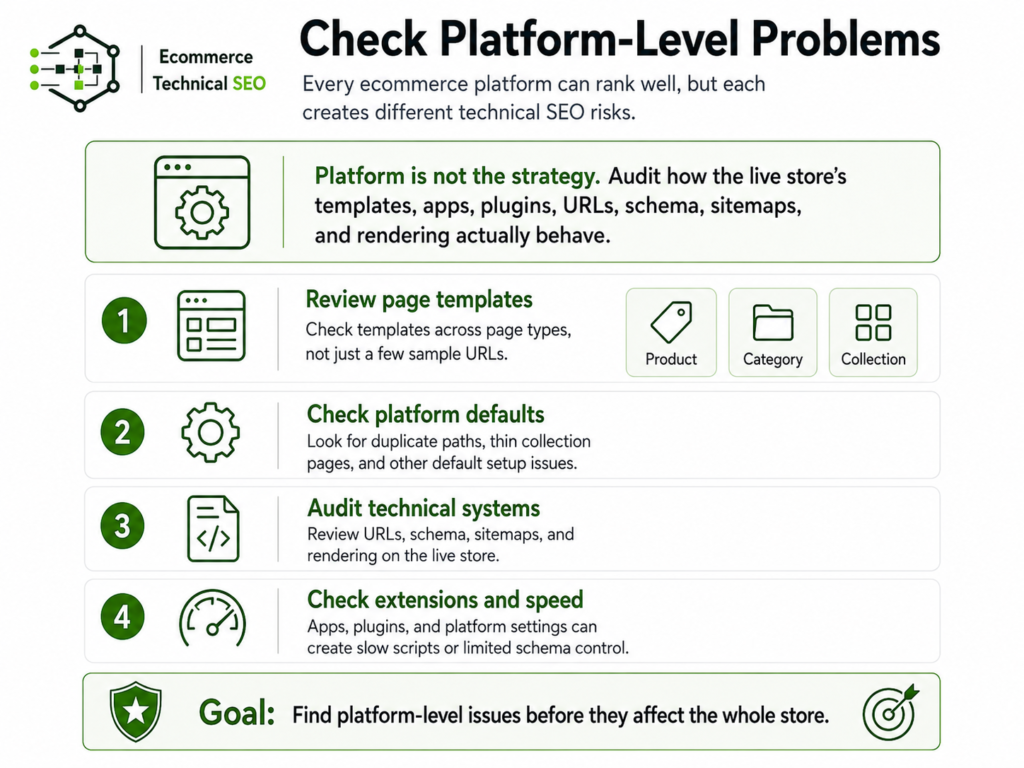
Shopify, WooCommerce, Wix, Webflow, Framer, and Squarespace can all rank well, but each platform creates different audit risks. The platform is not the strategy. The audit must check how templates, apps, plugins, URLs, schema, sitemaps, and rendering behave on the live store.
For complex stores, deeper technical audits should review templates across page types instead of checking a few sample URLs. Platform defaults can create duplicate paths, thin collection pages, slow scripts, or limited schema control when they are not configured carefully.
| Platform | Common Risk | Audit Focus |
| Shopify | Duplicate product paths | Canonicals and collection URLs |
| WooCommerce | Plugin conflicts | Speed, schema, index rules |
| Wix | Template limitations | Indexation and structured data |
| Webflow | CMS structure issues | Sitemaps and canonical logic |
| Framer | Rendering concerns | Crawlable content and links |
| Squarespace | Limited advanced controls | Redirects, metadata, schema |
Prioritize Fixes by Business Impact
A good ecommerce technical SEO audit does not end with a long spreadsheet. It ends with a fix plan. Rank each issue by affected page type, crawl impact, index impact, traffic potential, revenue importance, and implementation effort. Because Baymard’s 2026 cart abandonment benchmark shows an average documented rate of 70.22%, rank each issue by affected page type, crawl impact, index impact, traffic potential, revenue importance, and implementation effort.
This keeps the team focused on changes that matter.
Fix blocked pages, wrong canonicals, broken templates, major speed problems, and invalid product data before polishing low-impact warnings. The best audit outcome is not a perfect score. It is a cleaner technical foundation that helps important product and category pages rank, convert, and scale.
| Priority | Fix Type | Why It Comes First |
| Critical | Blocked or noindexed revenue pages | Pages cannot rank |
| Critical | Wrong canonical tags | Signals may point elsewhere |
| High | Slow product templates | Hurts rankings and conversions |
| High | Broken product schema | Weakens product understanding |
| Medium | Redirect chains and 404 links | Wastes crawl and frustrates users |
| Medium | Thin indexed filter pages | Creates index bloat |
| Low | Minor metadata warnings | Usually lower technical risk |
Ready to Fix Technical SEO Before Scaling Growth?
Run a technical SEO audit before scaling content or backlinks. Ecommerce Technical SEO team helps ecommerce teams find crawl, indexation, speed, schema, and architecture problems that limit organic growth. The goal is to make your best product and category pages easier to crawl, understand, index, and rank.
If your store has traffic drops, indexation issues, slow templates, duplicate URLs, or product visibility problems, specialist audit support can turn the audit into a clear fix plan. Build the technical foundation first, then scale content, links, product feeds, and revenue growth with more confidence.