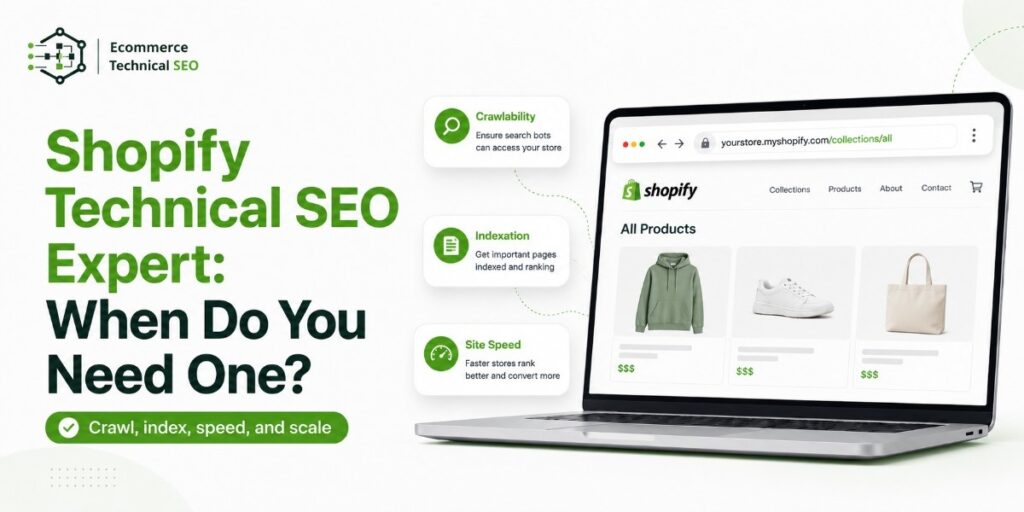

Shopify handles many SEO basics, but it does not guarantee that every store is easy to crawl, index, understand, and rank.
As a store grows, themes, apps, filters, variants, markets, and custom code can create hidden problems. A Shopify technical SEO expert is most useful when diagnosis or implementation goes beyond a simple content edit.
When Do You Need a Shopify Technical SEO Expert?
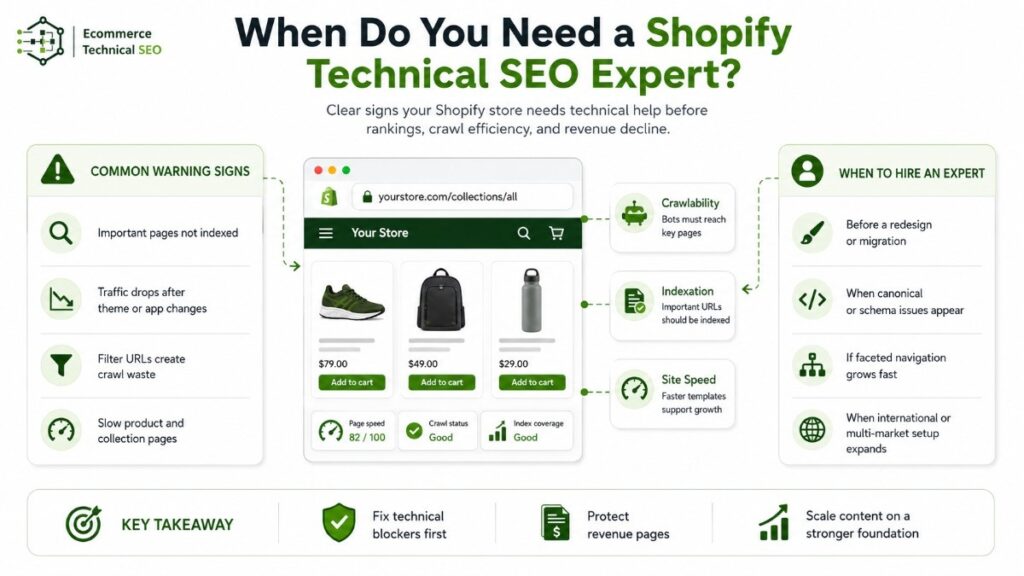
You need a Shopify technical SEO expert when technical problems affect product discovery, collection rankings, index coverage, page performance, or organic revenue.
The strongest hiring signals are repeated indexation issues, unexplained traffic loss, fast URL growth, risky migrations, or recommendations that your team cannot confidently implement.
| Store signal | Likely issue | Priority |
| Important products are not indexed | Crawl barriers, canonicals, or weak internal links | High |
| Google finds thousands of filter URLs | Faceted navigation and parameter problems | High |
| Traffic fell after a theme change | Rendering, templates, links, or metadata changed | High |
| Product rich results disappeared | Invalid or conflicting structured data | Medium to high |
| Pages slowed after adding apps | Script, image, or theme bloat | Medium |
| International pages rank incorrectly | Market, hreflang, or canonical issues | High |
A specialist should separate crawlability from indexation. A URL can be crawlable without being indexed, while an indexed URL may still have little ranking value. Understanding crawl and indexation prevents teams from applying the wrong fix.
Why Shopify’s Built-In SEO Is Not Always Enough
Shopify automatically supports canonical tags, sitemap and robots files, SSL, and some structured data. It still recommends monitoring Search Console, page speed, and redirects.
These defaults provide a foundation. Your theme, apps, navigation, merchandising rules, and development choices determine whether that foundation remains search-friendly.
Shopify cannot decide which filtered collections deserve organic visibility. That decision requires search demand, inventory data, page quality, and commercial value.
Google warns that faceted navigation can create large URL spaces, waste crawling resources, and slow the discovery of useful pages. A specialist should create a clear URL parameter strategy rather than blocking every filter.
Themes and apps may also change internal links, pagination, schema, image loading, and rendered content. A strong audit identifies which app, template, or code change owns each issue. This ownership map makes fixes easier to implement and validate.
When You May Not Need a Specialist Yet
A small store may not need dedicated technical support when it uses a standard theme, few apps, one market, a simple catalog, and has no indexation or performance problems.
Your team can often handle unique copy, title updates, simple menu improvements, image compression, basic redirects, and sitemap submission.
Do not hire only because an audit tool reports hundreds of warnings. Hire when problems affect valuable URLs, search visibility, user experience, or revenue.
| Situation | DIY may work | Expert support is safer |
| Small, simple catalog | Yes | When indexation is unstable |
| One language and market | Usually | When regional URLs conflict |
| Metadata and copy changes | Yes | When templates overwrite edits |
| Small theme adjustment | Sometimes | When rendering or schema changes |
| Redesign or migration | Rarely | Before development and launch |
| Thousands of products | Rarely | For crawling and automation |
What Should a Shopify Technical SEO Expert Do?
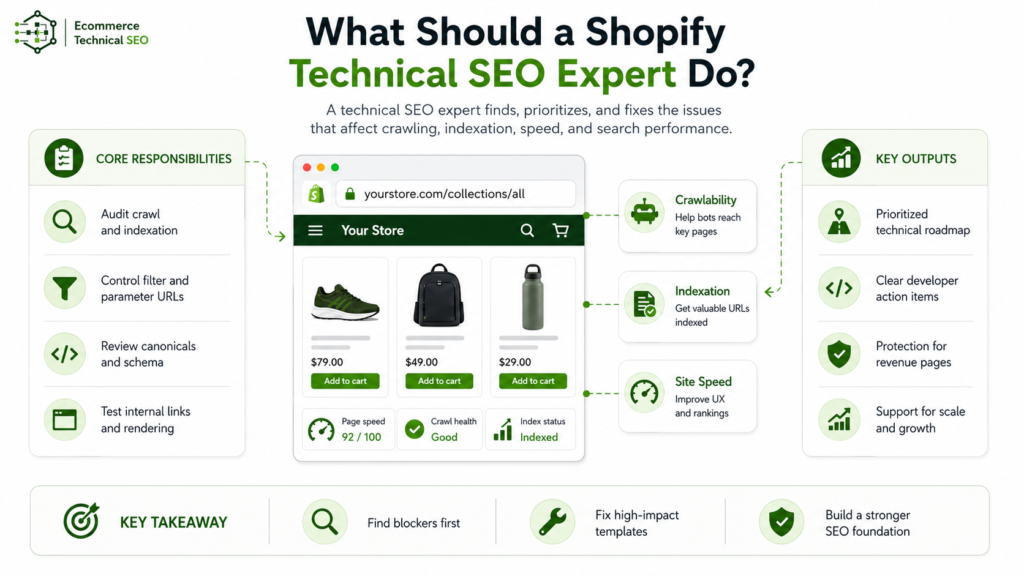
A useful expert goes beyond a generic checklist. The work should explain what is wrong, why it matters, who should fix it, and how success will be measured.
Build a Crawl and Indexation Model
The expert should compare a Screaming Frog crawl with Google Search Console’s URL Inspection data to review discovery, canonical selection, rendering, and index status for priority URLs.
Findings should be segmented by products, collections, filters, variants, blogs, markets, and app-generated URLs. A structured technical audit process should prioritize missed revenue pages before cosmetic warnings.
One useful metric is the “indexable inventory ratio.” This is the share of valuable URLs that are discoverable, canonical, eligible for indexing, and actually indexed.
Control Filters and Crawl Paths
Filters help shoppers, but every combination should not become a search landing page.
An expert should combine Google Search Console’s crawl reports with crawler data to identify filter combinations that consume resources without supporting product discovery, search demand, or revenue.
Valuable facets may become optimized pages. Low-value combinations may need canonical consolidation, crawl controls, or removal from internal discovery.
A safe robots.txt approach must recognize that blocking crawling does not directly remove a URL from the index.
Review Variants and Structured Data
Product markup should match visible price, availability, currency, and variant details. Themes and apps can create duplicate or conflicting schema.
Google supports ProductGroup properties to explain relationships between product variants. A specialist should use Google’s Rich Results Test and Merchant Center product diagnostics to verify that visible prices, availability, currencies, and variant details remain consistent.
Test Rendering, Pagination, and Links
Important products and links should be available without fragile user actions.
Google advises that crawlers must be able to find all content when stores use pagination or incremental loading. The audit should combine Google’s live URL test with Screaming Frog’s JavaScript rendering to test load-more controls, lazy-loaded products, pagination, and generated links.
Prioritize Performance by Template
A store-wide speed score can hide the pages that matter most.
Product, collection, home, and content templates should be tested separately with PageSpeed Insights, which combines Lighthouse diagnostics with Chrome User Experience Report field data. A focused Core Web Vitals review should connect slow elements to apps, scripts, images, fonts, or Liquid code.
Validate International Markets
Shopify Markets can manage hreflang, canonicals, international sitemaps, and crawler access when configured correctly.
A specialist should still confirm that every market has indexable URLs, correct alternate references, self-canonicals, localized content, and relevant internal links.
What Deliverables Should You Expect?
Do not accept a spreadsheet of errors without priorities or implementation guidance.
| Deliverable | Required detail | Value |
| Executive summary | Main risks and opportunities | Supports decisions |
| URL pattern report | Products, filters, variants, and markets | Reveals crawl waste |
| Priority roadmap | Impact, effort, owner, and dependency | Makes work actionable |
| Developer tickets | Examples, templates, and acceptance criteria | Reduces mistakes |
| Measurement plan | Crawl, index, schema, speed, and traffic checks | Proves impact |
| Validation report | Recrawl and regression testing | Confirms the fix |
An SEO audit checklist supports coverage, but the roadmap must reflect your catalog, platform setup, and growth goals.
Freelancer, Agency, or In-House Expert?
The right model depends on store size, implementation needs, and release frequency.
| Hiring model | Best fit | Limitation |
| Freelance specialist | Audit, migration, or expert review | May need your developer |
| Technical SEO agency | Large catalog or complex markets | More coordination |
| In-house specialist | Frequent releases and ongoing ownership | Higher fixed cost |
| General SEO provider | Content and basic on-page work | May lack Shopify depth |
| Shopify developer | Theme and app implementation | May not diagnose search issues |
For many stores, the best setup combines a technical SEO expert with a Shopify developer.
The expert should define and validate search requirements, while the developer uses Shopify Theme Check and Shopify Lighthouse CI to test code quality and performance before release.
How to Choose the Right Expert

Ask for evidence of problem-solving, not only ranking screenshots.
A qualified candidate should explain:
- How they segment Search Console data by Shopify URL pattern.
- How they decide whether a filter should rank, canonicalize, or stay uncrawled.
- How they find duplicate schema from themes and apps.
- How they test rendered HTML and JavaScript links.
- How they handle out-of-stock and discontinued products.
- How they write developer tickets and validate releases.
- How they connect fixes to visibility and organic revenue.
Request a sample deliverable with client details removed. It should show priorities, URL examples, owners, implementation notes, and validation criteria.
Avoid guaranteed rankings, blanket URL blocking, and audits that treat every crawler warning as urgent. Metadata, content, and backlinks can help, but they do not replace platform-specific diagnosis.
A clear view of what an ecommerce audit covers makes provider comparisons easier.
When Is the Best Time to Hire?
Hire before technical risk becomes a traffic loss, especially before:
- A theme redesign or platform migration.
- A domain, URL, or navigation change.
- A new country or language launch.
- Advanced filtering or search app installation.
- Major catalog or variant expansion.
- Product, review, or schema app replacement.
- Large content or backlink investment.
- Recovery from an unexplained organic decline.
Pre-launch guidance is usually more efficient than repairing redirects, templates, indexation, and internal links after release.
Run a Technical SEO Audit Before Scaling Content or Backlinks
Before increasing content or link investment, check crawl paths, index coverage, filters, product and collection pages, canonicals, sitemaps, structured data, rendering, and performance.
E-commerce Technical SEO helps store owners, marketing teams, developers, and agencies find technical issues that hold back organic growth. The goal is to make valuable pages easier for search engines to find, understand, index, and rank.
A clear review gives your Shopify store a stronger base before you invest more time and budget in content, authority building, new markets, or catalog expansion.
Our technical SEO specialists can turn crawl data, index reports, platform settings, and template findings into a prioritized roadmap your team can implement and measure.
Frequently Asked Questions
Is a Shopify SEO Expert the Same as a Developer?
No. A developer changes the store. A technical SEO expert defines and tests requirements for crawling, indexing, rendering, structured data, performance, and search visibility.
Some professionals have both skill sets, but the roles are different.
Can an SEO App Replace an Expert?
No. Tools collect signals and automate limited tasks. They cannot fully judge page value, search demand, commercial priority, or the safest fix across themes and apps.
Should Technical SEO Come Before More Content?
Yes, when important pages are not crawlable or indexable. More content will not remove a technical bottleneck.
Fix the foundation, then expand content around products, collections, customer questions, and buying intent.