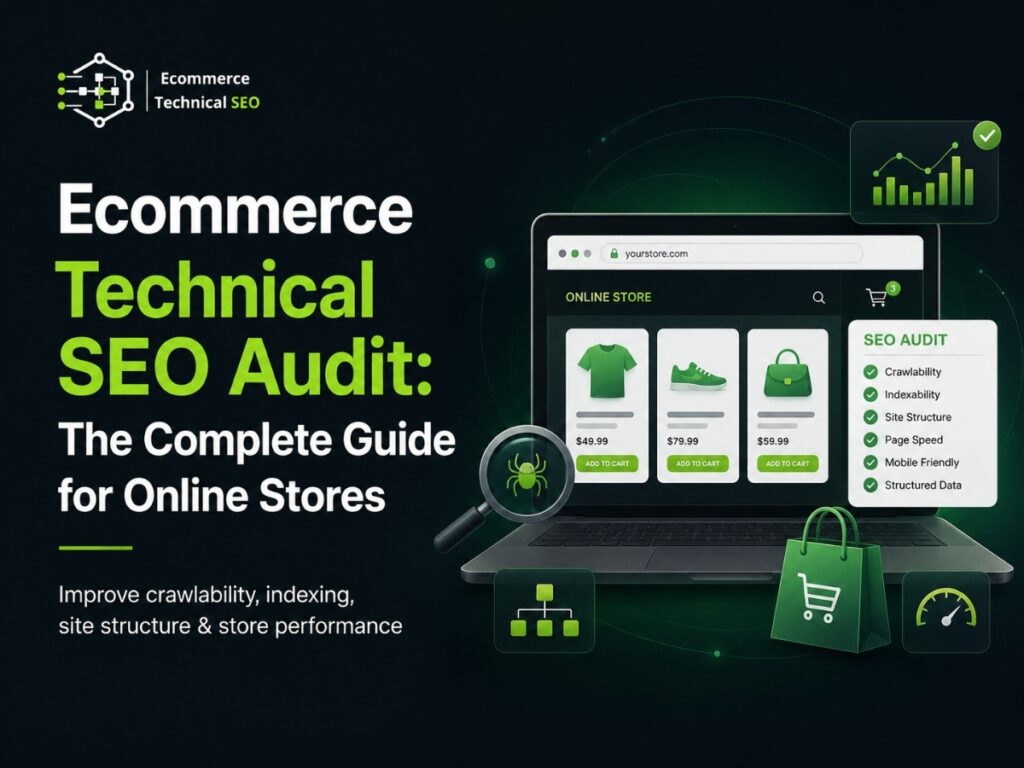


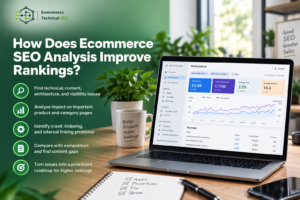

An ecommerce technical SEO audit helps you find the technical issues that stop your product pages, category pages, and collection pages from ranking well in search.
For online stores, technical SEO is not just about fixing errors. It affects how search engines crawl your store, index your pages, understand your products, show rich results, and send qualified shoppers to your site.
A store can have great products, strong branding, and useful content. But if Google cannot crawl important pages, understand product data, or load pages fast enough, organic growth will be limited.
This guide explains what an ecommerce technical SEO audit is, what to check, why it matters, and how to prioritize the fixes that affect rankings, traffic, conversions, product visibility, and revenue.
Key Takeaways
- An ecommerce technical SEO audit checks crawlability, indexation, speed, schema, canonicals, sitemaps, and store architecture.
- Product and category pages need clean technical signals to rank for commercial ecommerce searches.
- Filters, variants, duplicate URLs, and poor canonicals can create crawl waste and indexation problems.
- Technical SEO fixes should be prioritized by revenue impact, affected page type, and implementation effort.
What Is an Ecommerce Technical SEO Audit?
An ecommerce technical SEO audit is a review of the technical issues that affect how search engines crawl, index, understand, and rank an online store.
It checks product pages, category pages, collection pages, URLs, internal links, crawl paths, index coverage, canonical tags, redirects, structured data, Core Web Vitals, XML sitemaps, robots.txt, and platform-specific issues.
The goal is simple: help search engines find the right pages, understand the right products, and show the store for relevant buying searches.
A clear audit definition guide helps store owners understand the basics before moving into a full technical review.
Why Ecommerce Stores Need a Technical SEO Audit
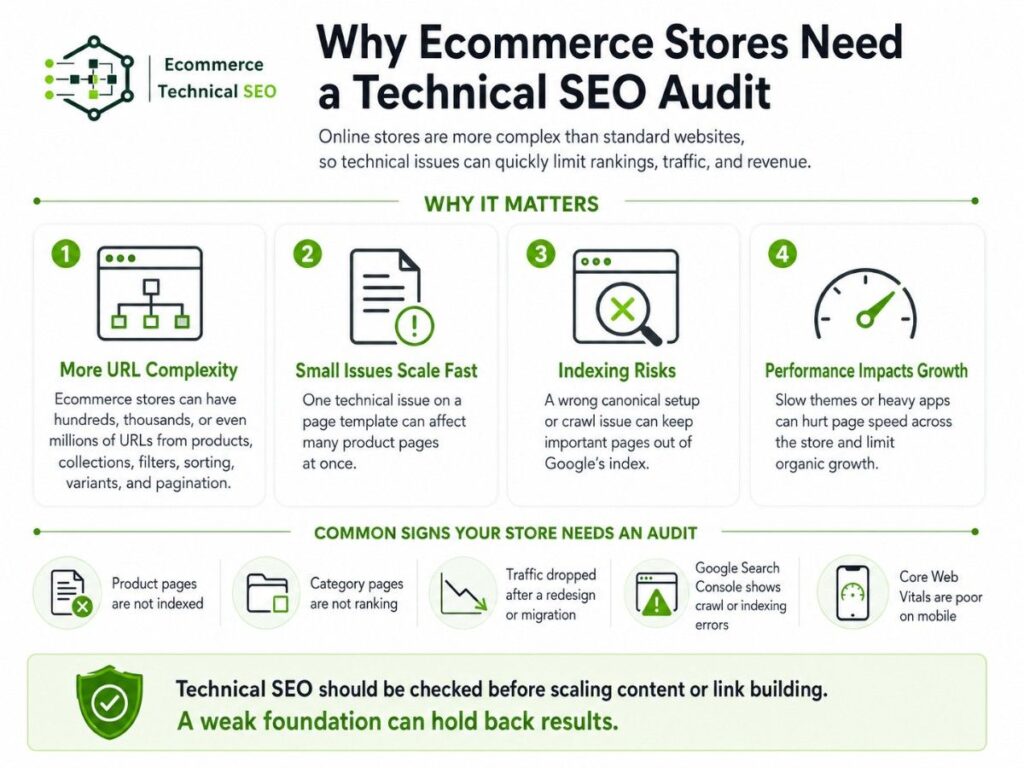
Ecommerce websites are more complex than normal business websites.
A small service website may have 20 to 50 pages. An ecommerce store can have hundreds, thousands, or even millions of URLs because of products, collections, filters, sorting, variants, pagination, search pages, tags, and duplicate paths.
That complexity creates SEO risk.
A technical issue on one page template can affect hundreds of product pages at once. A wrong canonical setup can remove important URLs from the index. A slow theme or heavy app can hurt product page speed across the full store.
A focused technical audit service looks beyond surface-level SEO and finds the problems blocking organic performance.
Common signs your store needs an audit
You should run an ecommerce technical SEO audit if:
- Product pages are not indexed.
- Category pages do not rank for commercial keywords.
- Organic traffic dropped after a redesign or migration.
- Google Search Console shows crawl or indexing errors.
- Product schema has errors or warnings.
- Important products are buried deep in the site.
- Core Web Vitals are poor on mobile.
- Filter pages are creating too many duplicate URLs.
- Your store depends too much on paid ads.
- Content and backlinks are not improving rankings.
Technical SEO should be checked before scaling content or link building. If the site foundation is weak, new content and backlinks may not produce strong results.
What Makes Ecommerce Technical SEO Different?
A normal technical SEO audit checks crawl errors, broken links, redirects, metadata, sitemap issues, and performance.
An ecommerce audit needs to go deeper.
It must check how the full store works as a system. That includes product discovery, category structure, faceted navigation, variant handling, structured data, template quality, and index control.
| Audit Area | Normal Website | Ecommerce Website |
| Main pages | Service pages, blog posts, landing pages | Product, category, collection, brand, filter, and search pages |
| Duplicate risk | Usually low to medium | Often high because of filters, variants, tags, and parameters |
| Internal links | Navigation and blog links | Menus, breadcrumbs, related products, collections, pagination |
| Schema | Organization, Article, FAQ | Product, Offer, Review, Breadcrumb, Merchant data |
| Speed issues | Images, scripts, hosting | Apps, themes, product images, reviews, recommendations, tracking scripts |
| Revenue impact | Lead generation | Product visibility, conversions, organic sales |
This is why ecommerce technical SEO should be ecommerce-first. The audit should connect every technical issue to product visibility, category rankings, crawl efficiency, and sales.
What Should Be Included in an Ecommerce Technical SEO Audit?
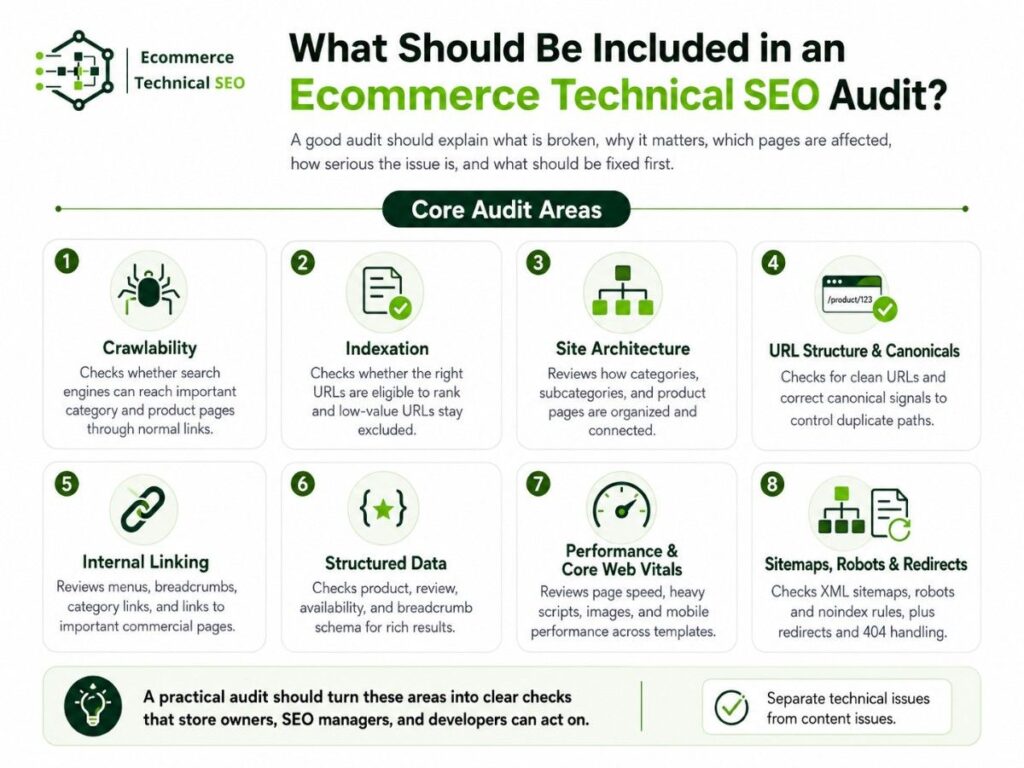
A complete ecommerce technical SEO audit should not be a long list of random issues.
It should explain what is broken, why it matters, which pages are affected, how serious the issue is, and what should be fixed first.
A good audit should also separate technical problems from content problems. For example, a category page may not rank because it is not indexed. That is a technical issue. Another category page may be indexed but thin and unhelpful. That is a content and on-page issue.
Both matter, but they need different fixes.
Core audit areas
| Audit Area | What It Checks | Why It Matters |
| Crawlability | Whether search engines can reach important pages | Helps product and category pages get discovered |
| Indexation | Whether the right pages are in Google’s index | Prevents important pages from being excluded |
| Site architecture | How pages are organized and linked | Helps users and crawlers understand page importance |
| Canonicals | Which URL version should rank | Reduces duplicate content confusion |
| Structured data | Product, offer, review, and breadcrumb data | Helps search engines understand product details |
| Core Web Vitals | Speed, interaction, and layout stability | Improves user experience and conversion potential |
| XML sitemap | Important URLs submitted to search engines | Supports discovery of indexable pages |
| Robots.txt and noindex | Crawl and index controls | Prevents accidental blocking of important pages |
A practical audit checklist should turn these areas into clear checks that store owners, SEO managers, and developers can act on.
Crawlability Audit: Can Search Engines Reach Your Store Pages?
Crawlability means search engines can access your important pages by following links and reading your site.
For ecommerce stores, crawlability is one of the most important audit areas because product pages often sit deep inside the site.
A product may exist in your CMS, but that does not mean search engines can easily find it.
Search engines usually discover pages through links. If a product is only reachable through a search box, blocked filter, or JavaScript-only navigation, it may not be crawled well.
A strong crawl and indexation review should check whether important products and categories are reachable through normal links.
Crawlability checks
Check these areas first:
- Main menu links to top categories.
- Category pages link to subcategories.
- Subcategories link to products.
- Breadcrumbs use crawlable links.
- Product cards use normal HTML links.
- Pagination is crawlable.
- Important products are not buried too deep.
- JavaScript does not hide key links from crawlers.
- Internal search pages are controlled properly.
- XML sitemap includes important indexable URLs.
Crawl depth example
| Crawl Depth | Ecommerce Page Type | Risk Level | Recommendation |
| 1 click from homepage | Main categories | Low | Keep linked in the menu or homepage sections |
| 2 clicks from homepage | Subcategories and collections | Low to medium | Link from category hubs |
| 3 clicks from homepage | Important products | Medium | Add links from categories and related products |
| 4+ clicks from homepage | Deep products | High | Improve category paths and internal linking |
| Not linked | Orphan products | Very high | Add links or remove if not important |
The best products and categories should be easy to reach. If a revenue-driving page is too deep, search engines may treat it as less important.
Indexation Audit: Are the Right Pages Eligible to Rank?
Indexation means a page is stored in a search engine’s index and can appear in search results.
A page must usually be crawlable before it can be indexed. But crawlable pages are not always indexed.
For ecommerce stores, indexation problems often affect product pages, collection pages, filter URLs, and old out-of-stock pages.
The goal is not to index every URL. The goal is to index the right URLs.
A large store may have 5,000 products but 100,000 crawlable URLs because of filters, sorting, tags, and parameters. If too many low-value URLs are available, search engines may waste crawl activity on pages that do not deserve to rank.
Common indexation problems
- Product pages marked as noindex.
- Category pages canonicalized to the wrong URL.
- Duplicate product URLs from collection paths.
- Filter pages indexed without unique value.
- Thin product pages excluded by search engines.
- Out-of-stock products handled poorly.
- Old URLs still in the sitemap.
- Redirected or broken URLs submitted in the sitemap.
- Important pages not internally linked.
- Pages blocked in robots.txt but still referenced elsewhere.
An ecommerce audit should group URLs into four simple groups:
- Pages that are indexed and should stay indexed.
- Pages that are indexed but should not be.
- Pages that are not indexed but should be.
- Pages that are not indexed and should stay excluded.
This helps you focus on the pages that can actually affect organic traffic and revenue.
Site Architecture Audit: Is Your Store Easy to Understand?
Site architecture is how your ecommerce pages are organized and connected.
Good architecture helps users find products. It also helps search engines understand which pages matter most.
For ecommerce stores, the most important structure is usually:
Homepage → Main Category → Subcategory → Product Page
This structure should be clear in your navigation, breadcrumbs, internal links, and sitemap.
Internal linking areas to review
- Homepage links to key commercial categories.
- Menus include the most important product groups.
- Breadcrumbs show category paths.
- Category pages link to relevant subcategories.
- Product pages link to related products.
- Blog posts link to relevant commercial pages.
- Best-selling products receive stronger internal links.
- Out-of-stock products link to useful alternatives.
- Orphan products are found and fixed.
An ecommerce store can improve organic performance without publishing new content if it improves internal linking to important category and product pages.
URL Structure Audit: Are Your URLs Clean and Stable?
Ecommerce URLs should be clear, stable, and easy to understand.
A good URL helps users and search engines understand the page topic. A poor URL structure can create duplicate content, crawl waste, and tracking problems.
URL examples
| Page Type | Better URL | Weak URL |
| Category page | /mens-running-shoes/ | /collection?id=48392 |
| Product page | /nike-air-zoom-pegasus/ | /product/p?id=9921&cat=3 |
| Blog guide | /ecommerce-technical-seo-audit/ | /post/2026/06/article-12/ |
| Filter page | /running-shoes/wide-fit/ | /running-shoes?size=wide&sort=popular&page=2 |
Not every filter URL needs to be indexed. Only index filtered pages when they target real search demand and offer unique value.
For example, “black running shoes” may deserve an indexable landing page. But “black running shoes sorted by newest page 3” should not be indexed.
Canonical Tag Audit: Are Duplicate URLs Sending Clear Signals?
Canonical tags tell search engines which version of a similar or duplicate page should be treated as the main version.
Ecommerce stores often create duplicate URLs without meaning to.
Common causes include:
- Product URLs available under multiple collections.
- Variant URLs for color, size, or material.
- Tracking parameters.
- Sort parameters.
- Filter combinations.
- HTTP and HTTPS versions.
- www and non-www versions.
- Pagination mistakes.
- Printer-friendly pages.
Duplicate content is not always a penalty issue. In ecommerce, it is often a clarity issue.
If search engines see many versions of the same product, they may struggle to decide which page should rank.
Canonical audit checks
- Each product page has a self-referencing canonical.
- Duplicate product paths point to the preferred product URL.
- Category pages do not canonicalize to unrelated pages.
- Filter pages use canonicals based on indexation strategy.
- Paginated pages are handled consistently.
- Canonical tags are not blocked by robots.txt.
- Canonical URLs return 200 status codes.
- Canonical URLs are included in internal links and sitemaps.
The canonical strategy should match the business goal. Do not canonicalize useful category landing pages away if they can rank and convert.
Faceted Navigation Audit: Are Filters Creating Crawl Waste?
Faceted navigation lets users filter products by size, color, price, brand, rating, material, and availability.
It is useful for shoppers. But it can create a major SEO problem.
One category can generate thousands of filter URLs. Many of these URLs show nearly the same products with small changes.
For example:
- /shoes?color=black
- /shoes?color=black&size=10
- /shoes?color=black&size=10&sort=price-low
- /shoes?color=black&size=10&sort=price-low&page=3
If all filter URLs are crawlable and indexable, the store can create crawl waste and duplicate content.
Filter URL decision table
| Filter Type | Indexable? | Reason |
| Brand filter with search demand | Yes, if unique | Can target commercial queries |
| Color filter with demand | Sometimes | Useful when supported by search volume |
| Size-only filter | Usually no | Often too thin or temporary |
| Sort parameter | No | Does not create a new search intent |
| Price range | Usually no | Changes often and creates many combinations |
| Availability filter | Usually no | Temporary and unstable |
| Multi-filter combinations | Rarely | Usually creates duplicate or thin pages |
The audit should decide which filter pages deserve indexation and which should be controlled with canonical tags, noindex, internal linking rules, or parameter handling.
Product Page Audit: Are Revenue Pages Technically Strong?
Product pages are the revenue pages of an ecommerce store.
A product page must be crawlable, indexable, fast, clear, and supported with accurate product data.
Product page checks
- Product title is clear and unique.
- Product description is not copied from the manufacturer only.
- Main product image is crawlable and optimized.
- Price and availability are visible.
- Product variants are handled correctly.
- Product schema is valid.
- Reviews load in a search-friendly way.
- Page has a self-referencing canonical.
- Related products are relevant.
- Page loads fast on mobile.
- Out-of-stock handling is clear.
Product pages with thin copy, missing schema, poor internal links, and slow loading can struggle even when the product is good.
A technical audit should not only say “optimize product pages.” It should show which product template issue is affecting many pages at once.
Category and Collection Page Audit: Can Your Commercial Pages Rank?
Category pages often have more SEO value than product pages.
A product page may target one product name. A category page can target broader commercial keywords like “women’s running shoes,” “organic dog food,” or “office chairs for back pain.”
For Shopify stores, these are usually collection pages. For WooCommerce stores, they are often product category archive pages.
Strong category pages need:
- A clear H1.
- Descriptive intro copy.
- Crawlable product listings.
- Internal links to subcategories.
- Useful filters.
- Unique metadata.
- Breadcrumbs.
- Fast loading.
- Indexable status.
- Consistent canonical tags.
Category pages should not be treated as empty product grids. They are important commercial landing pages.
Structured Data Audit: Can Search Engines Understand Your Products?
Structured data helps search engines understand the meaning of a page.
For ecommerce stores, structured data is especially important because product information has many clear attributes: name, price, SKU, image, brand, availability, rating, review, shipping, and return policy.
A strong product schema setup can help search engines understand product pages more clearly and may support richer search displays.
Ecommerce schema types to check
| Schema Type | Where It Helps | What to Check |
| Product | Product pages | Name, image, price, availability, SKU, brand |
| Offer | Product pages | Price, currency, condition, availability |
| Review | Product pages | Rating value, review count, review rules |
| BreadcrumbList | Sitewide | Category and product path clarity |
| Organization | Sitewide | Business identity and contact details |
| WebSite | Homepage | Site identity and search box signals |
| FAQPage | Helpful guides | Only use when FAQs are visible on the page |
Structured data must match visible page content. Do not add fake ratings, hidden FAQs, or product details that users cannot see.
Core Web Vitals Audit: Are Slow Pages Hurting Shoppers?
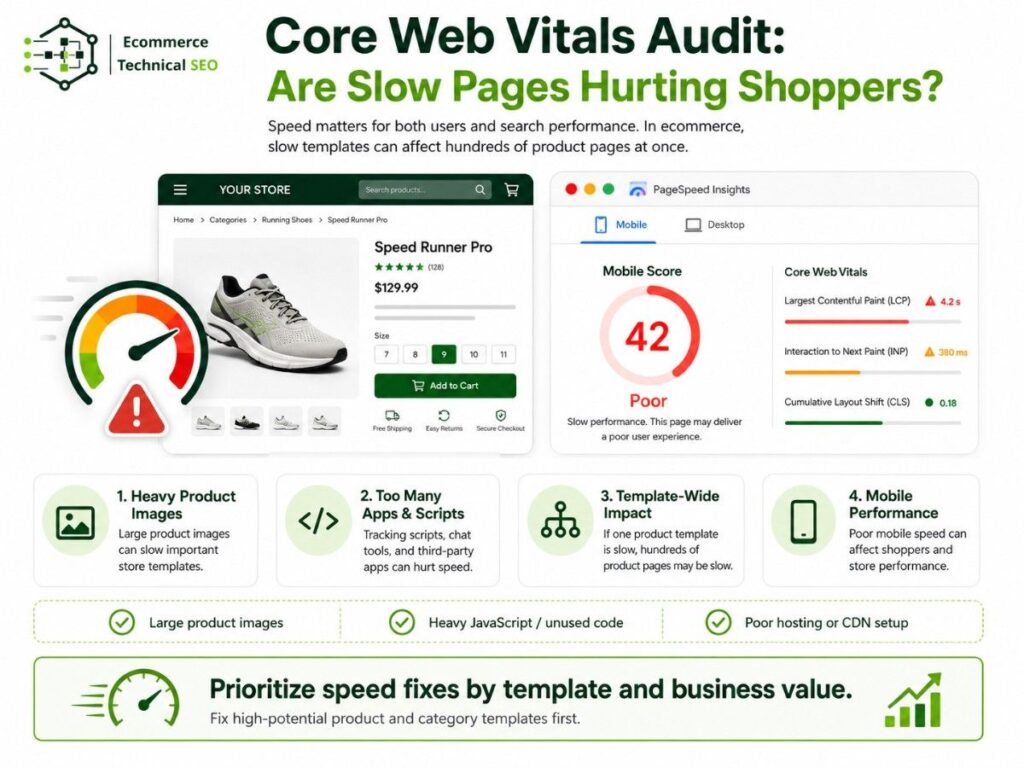
Speed matters for both users and search performance.
Ecommerce pages are often slow because they include product images, tracking scripts, review widgets, chat tools, recommendation engines, popups, and platform apps.
A speed performance check should focus on templates, not only single URLs.
If one product template is slow, hundreds of product pages may be slow.
What to check
- Large product images.
- Slow hero banners.
- Heavy JavaScript.
- Too many apps or plugins.
- Review widgets loading late.
- Layout shift from images or ads.
- Slow mobile performance.
- Unused CSS or JavaScript.
- Third-party scripts.
- Poor hosting or CDN setup.
Speed fixes should be prioritized by template and business value. A slow product page with high organic potential should be fixed before a low-value blog post.
XML Sitemap Audit: Are You Submitting the Right URLs?
An XML sitemap helps search engines discover important URLs.
For ecommerce stores, the sitemap should include only URLs you want indexed.
It should not include:
- Redirected URLs.
- 404 pages.
- Noindex pages.
- Canonicalized duplicate URLs.
- Filter URLs with no search value.
- Internal search pages.
- Old products that should be removed.
- Parameter URLs.
The sitemap should be clean, current, and aligned with your indexation strategy.
Sitemap checks
- Product sitemap includes live product URLs.
- Category sitemap includes indexable category URLs.
- Blog sitemap includes useful content only.
- Old and redirected URLs are removed.
- Sitemap is submitted in Search Console.
- Sitemap URLs return 200 status codes.
- Sitemap URLs match canonical URLs.
A messy sitemap sends mixed signals. A clean sitemap helps search engines focus on important pages.
Robots.txt and Noindex Audit: Are Important Pages Accidentally Blocked?
Robots.txt controls crawling. Noindex controls indexing.
These are not the same.
Robots.txt can stop crawlers from accessing a URL. Noindex can tell search engines not to index a page, but search engines usually need to crawl the page to see the noindex tag.
Using them incorrectly can cause serious ecommerce SEO problems.
Common mistakes
- Blocking product pages in robots.txt.
- Blocking JavaScript or CSS needed for rendering.
- Blocking filtered URLs that need canonical signals.
- Adding noindex to category pages by mistake.
- Adding noindex to product templates.
- Keeping noindex after a staging launch.
- Blocking sitemap URLs.
- Using robots.txt to remove indexed pages.
The audit should review robots.txt, meta robots tags, X-Robots-Tag headers, and platform-level index settings.
Redirect and 404 Audit: Are Old URLs Handled Properly?
Ecommerce stores change often.
Products go out of stock. Categories are renamed. Platforms are migrated. URLs change during redesigns. Old products are removed. Collections are merged.
If redirects are not handled well, organic traffic can drop.
Redirect checks
- Old product URLs redirect to relevant new products.
- Removed categories redirect to close category matches.
- Redirect chains are reduced.
- Redirect loops are fixed.
- HTTP redirects to HTTPS.
- Non-www and www versions are consistent.
- Trailing slash rules are consistent.
- Internal links point to final URLs, not redirected URLs.
Do not redirect every deleted product to the homepage. That creates a poor user experience and weak relevance. Use the closest useful page.
Platform Audit: What Technical Issues Are Common by CMS?
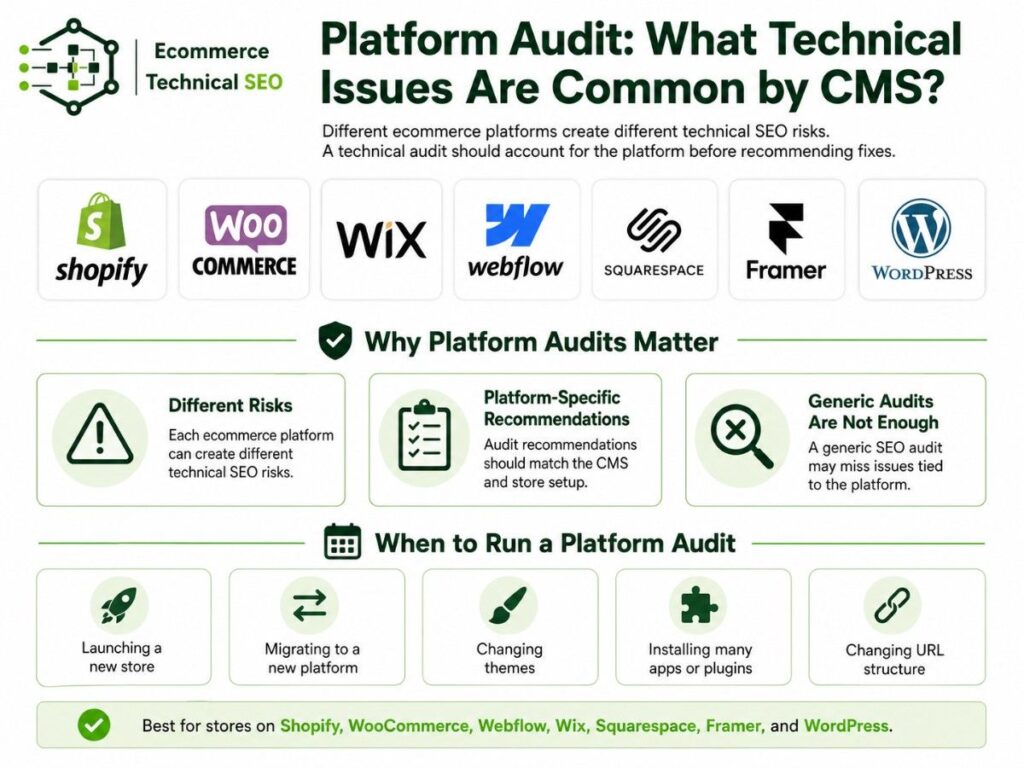
Different ecommerce platforms create different technical SEO risks.
An audit should account for the platform before recommending fixes.
| Platform | Common Technical SEO Issues | Audit Priority |
| Shopify | Duplicate product URLs, app bloat, collection paths, limited server control | Canonicals, apps, speed, schema, collection structure |
| WooCommerce | Plugin bloat, slow hosting, archive duplication, tag pages | Speed, index bloat, taxonomy control, schema |
| Wix | Template control, structured data limits, app scripts | Indexation, schema, speed, page structure |
| Webflow | CMS structure, pagination, JavaScript elements | Crawl paths, templates, sitemap, canonicals |
| Squarespace | Limited technical control, template speed, schema gaps | Indexation, page structure, metadata, schema |
| Framer | JavaScript rendering, page structure, metadata setup | Rendering, indexing, sitemap, page speed |
This is why a generic SEO audit is not enough. The recommendations must match the platform and the store setup.
How to Prioritize Ecommerce Technical SEO Fixes
Not every issue has the same value.
A broken title tag on a low-value blog post is less important than a noindex tag on a top category page.
A good ecommerce audit should prioritize by impact, not by issue count.
Priority model
| Priority | Issue Type | Example | Fix First? |
| Critical | Blocks crawling or indexing | Main categories noindexed | Yes |
| High | Affects revenue pages | Product template has invalid canonical | Yes |
| Medium | Affects performance or clarity | Product schema warnings | Soon |
| Low | Minor cleanup | Old redirected URLs in blog content | Later |
| Monitor | Needs more data | Recently launched category not ranking yet | Watch |
The best audit reports group issues by business impact, page type, and implementation effort.
This helps owners, marketers, and developers act faster.
What Most Ecommerce SEO Audits Miss
Many audit reports focus on generic checks. They tell you to check titles, meta descriptions, broken links, and image alt text.
Those checks are useful, but they are not enough for ecommerce.
A strong ecommerce technical audit should also look at deeper store-level signals, such as:
- How many important products are actually indexable.
- How many clicks it takes to reach money pages.
- Whether one template issue affects hundreds of URLs.
- Whether product data supports rich results and shopping surfaces.
- Which technical fixes can affect rankings, traffic, and sales fastest.
These areas turn a basic audit into a business-focused technical SEO roadmap.
Ecommerce Technical SEO Audit Tools
Tools help you collect data, but they do not replace expert review.
A crawler can find 10,000 issues. It cannot always tell which 20 fixes matter most for revenue.
Useful tools include:
- Google Search Console.
- Google Analytics.
- Screaming Frog.
- Ahrefs.
- Semrush.
- PageSpeed Insights.
- Chrome DevTools.
- Rich Results Test.
- Schema Validator.
- Merchant Center.
- Shopify or WooCommerce admin reports.
The tool stack should match the size of the store. A small Shopify store does not need the same setup as a large marketplace with millions of URLs.
Ecommerce Technical SEO Audit Deliverables
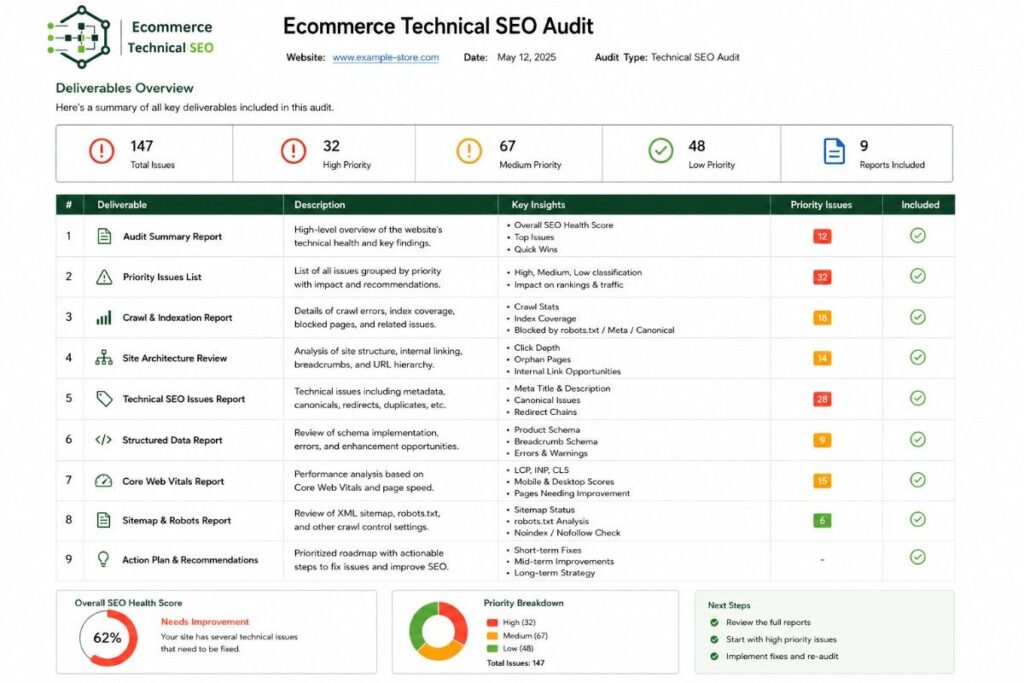
A useful audit should produce clear deliverables.
It should not be a confusing spreadsheet with no direction.
Recommended deliverables
- Executive summary.
- Technical issue list.
- Priority score.
- Affected URL examples.
- Template-level issue notes.
- Developer instructions.
- Indexation report.
- Crawlability report.
- Core Web Vitals review.
- Structured data review.
- Sitemap and robots.txt review.
- Internal linking recommendations.
- 30-day and 90-day roadmap.
The roadmap is important. Store owners need to know what to fix first, what can wait, and what should be monitored.
How Often Should You Run an Ecommerce Technical SEO Audit?
Most ecommerce stores should run a full technical SEO audit at least twice a year.
You should also run an audit before or after major changes.
Run an audit when:
- Launching a new store.
- Migrating to Shopify, WooCommerce, Webflow, Wix, Squarespace, or Framer.
- Changing themes.
- Installing many apps or plugins.
- Changing URL structure.
- Adding many products.
- Removing many products.
- Creating new category structures.
- Seeing a traffic drop.
- Scaling SEO content.
- Building backlinks.
Large stores should monitor technical SEO monthly because issues can grow fast.
Ready to Fix the Technical SEO Issues Blocking Your Store?
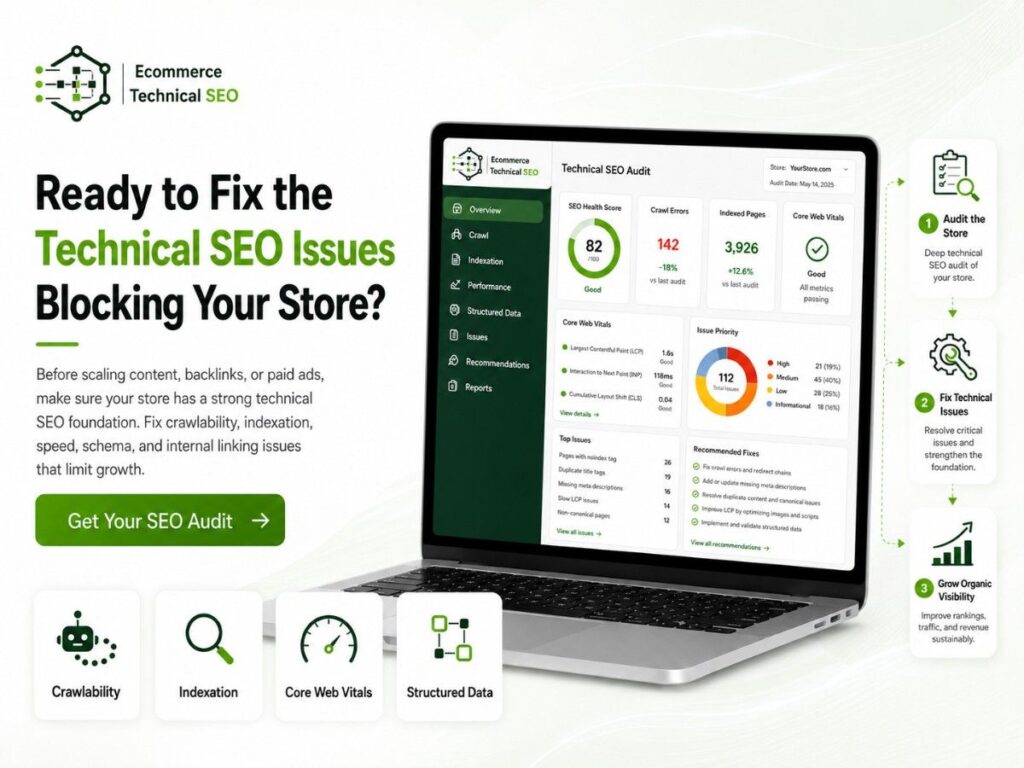
Before investing more in content, backlinks, or paid ads, make sure your ecommerce site has a strong technical foundation. Technical issues with crawlability, indexation, canonicals, structured data, internal linking, or Core Web Vitals can limit rankings and organic growth, even when your SEO strategy is strong.
At Ecommerce Technical SEO, we help online stores identify and fix these issues with ecommerce-focused audits across Shopify, WooCommerce, Wix, Webflow, Squarespace, Framer, and WordPress. You will receive a clear roadmap showing what is broken, why it matters, and what to fix first.
Run a technical SEO audit before scaling content or backlinks. A focused audit can improve product visibility, crawl efficiency, organic traffic, and ecommerce revenue.
FAQs
What is the main goal of an ecommerce technical SEO audit?
The main goal is to find and fix technical issues that stop product, category, and collection pages from being crawled, indexed, understood, ranked, and loaded properly.
Is a technical SEO audit different from an ecommerce SEO audit?
Yes. An ecommerce SEO audit can include content, keywords, backlinks, and conversion checks. A technical SEO audit focuses on crawlability, indexation, site structure, speed, schema, canonicals, redirects, and technical barriers.
Why are my product pages not indexed?
Product pages may not be indexed because of noindex tags, poor internal links, duplicate content, canonical issues, crawl blocks, thin content, or low page quality.
Should every product page be indexed?
No. Index important, unique, and useful product pages. Do not force search engines to index duplicate, thin, expired, or low-value product URLs.
Should filtered ecommerce pages be indexed?
Only index filtered pages when they target real search demand and provide unique value. Most sort, price, size, and multi-filter combinations should not be indexed.
What is the most important technical SEO issue for ecommerce?
The most important issue is anything that blocks search engines from crawling or indexing revenue pages. This includes noindex errors, broken canonical tags, blocked URLs, poor internal linking, and crawl traps.
Can technical SEO improve revenue?
Yes. Technical SEO can improve revenue by helping more product and category pages appear in search, improving page speed, supporting rich product results, and making the site easier for shoppers to use.